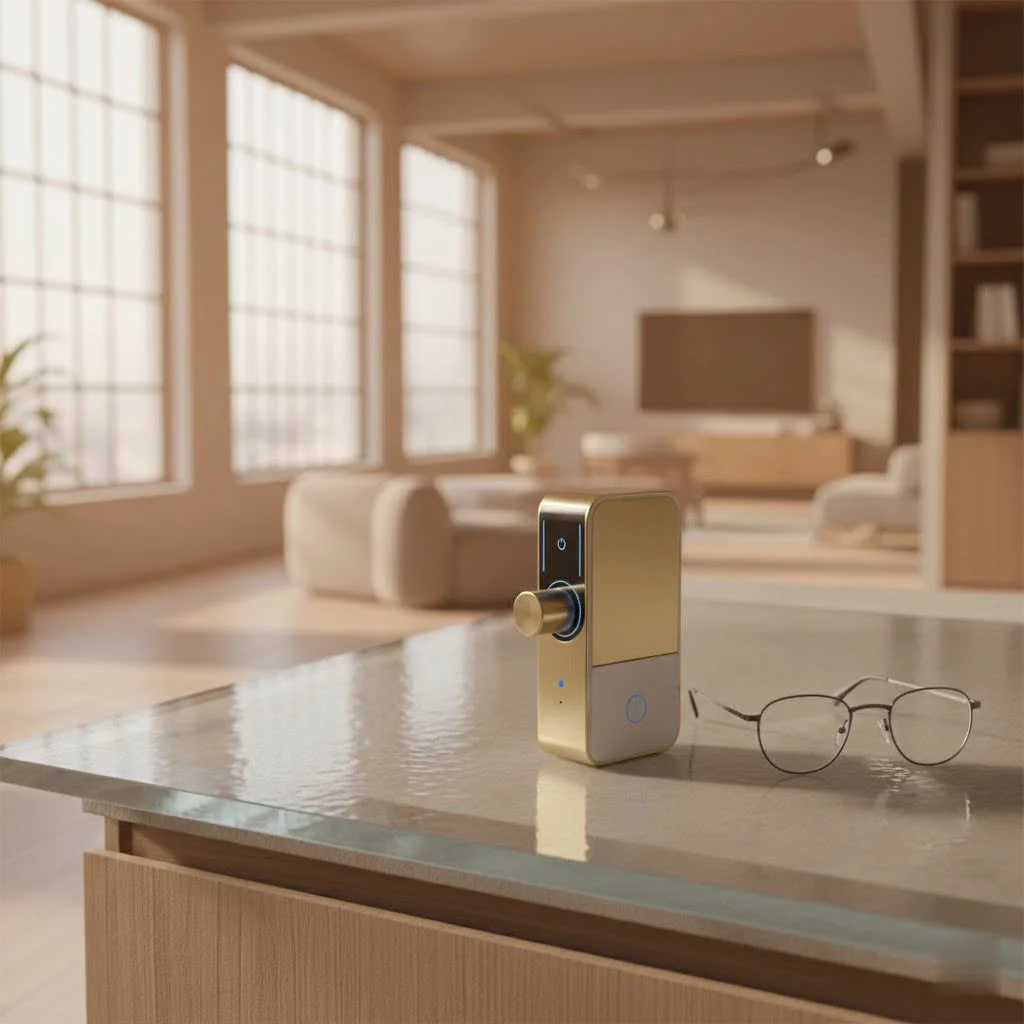
The best smart lock enhances home security and convenience by offering keyless entry, remote access, and integration with smart home systems. Top models like the Ultraloq Bolt Fingerprint provide multiple access methods including fingerprint, keypad, and app control, along with built-in Wi-Fi for remote monitoring. These devices redefine home access, eliminating the need for traditional keys and offering advanced features like activity logs and tamper alerts.
Why Upgrade to the Best Smart Lock?
Thinking about making the switch? Smart locks offer a compelling blend of benefits that traditional locks simply can’t match.
- Unparalleled Convenience: Imagine arriving home with arms full of groceries and simply touching your door handle, or having your door automatically unlock as you approach. The best smart lock systems offer keyless entry through keypads, smartphone apps, fingerprints, or even facial recognition. You can grant temporary access to guests or service providers remotely, eliminating the need for physical key handovers.
- Enhanced Security and Monitoring: Beyond just locking your door, a smart lock provides an extra layer of security. Many models come with activity logs, letting you know who entered and when. Tamper alerts notify you of suspicious activity, and robust encryption protocols safeguard your access data.
- Seamless Smart Home Integration: The true power of the best smart lock often lies in its ability to connect with your broader smart home ecosystem. Link it with voice assistants like Alexa or Google Assistant, smart lighting, or security cameras for automated routines that enhance both security and convenience. For example, your lights can turn on when the door unlocks, or a camera can start recording upon entry.
Top Picks: Our Expert Guide to the Best Smart Locks
Navigating the market for the best smart lock can feel overwhelming with the many options available. To simplify your choice, we’ve meticulously evaluated various models, focusing on performance, features, security, and user experience. Here are our top recommendations across different categories:
Best Overall Smart Lock: Ultraloq Bolt Fingerprint
The Ultraloq Bolt Fingerprint stands out for its remarkable versatility and robust feature set, making it an excellent choice for most homeowners. It offers multiple ways to access your home, including a reliable fingerprint scanner, a responsive keypad for PIN codes, control via a smartphone app, and even a traditional key for backup. What truly sets it apart is its built-in Wi-Fi, allowing remote control and monitoring without needing an extra hub. It integrates seamlessly with major smart home platforms like Amazon Alexa, Google Assistant, and Apple HomeKit, and boasts good battery life, simplifying daily use. While its price point might be a bit higher, the comprehensive features and ease of installation make it a worthy investment for top-tier security and convenience.
Best for Discreet Design: Level Lock Pro
|
Our Picks for the Best Smart Lock in 2026
As an Amazon Associate I earn from qualifying purchases.
|
||
| Num | Product | Action |
|---|---|---|
| 1 | ULTRALOQ Bolt Smart Lock, Built-in Wi-Fi, Matter Over Thread, Works with Apple Home, Alexa, Google, 7-in-1 Keyless Entry Deadbolt with Fingerprint ID, App, Keypad, Remote Control, 18 Months Battery |

|
| 2 | Yale Security Assure Lock 2 Deadbolt, Black Suede Keyed Smart Entry Door Lock with Wi-Fi Connected Keypad for Code Entry and Remote Access, YRD410-WF1-BSP |
|
| 3 | Video Smart Lock S398, 4-in-1 Camera + Video Doorbell + Fingerprint Keyless Door Lock + Indoor Display Monitor, Smart WiFi Deadbolt, App Remote Control, Easy Installation, Chime Included |
|
| 4 | TEEHO TE001 Keyless Entry Door Lock with Keypad - Smart Deadbolt Lock for Front Door with 2 Keys - Auto Lock - Easy Installation - Satin Nickel |
|
| 5 | Wyze Palm Lock, Smart Door Lock with Palm Vein Recognition, Keyless Entry Smart Locks for Front Door, Keypad, Auto Lock, Dual Battery, Wi-Fi, Works with Alexa & Google, BHMA, IP53, Mechanical Key |
|
| 6 | LOCKSTAR® Smart Door Lock • Keyless Entry Deadbolt Door Lock • Multiple Entry Methods – APP • Fingerprint Touch ID • Keypad Code • Card FOB • Traditional Key • Smart Home Devices |
|
| 7 | 3D Face Recognition Smart Door Lock with Lock Body, Fingerprint/Ic Card/Password/Key Unlocked/Camera and Doorbell/Tuya WiFi App/Night Vision/Door Opening Record/Photo/Anti-Prying Alarm. |
|
| 8 | ULTRALOQ U-Bolt Pro WiFi Smart Lock with Door Sensor, 8-in-1 Keyless Entry Door Lock with Fingerprint ID, App Remote Control, Built-in WiFi Keypad Deadbolt, Auto Unlock, IP65 Waterproof, Easy Install |
|
| 9 | Tapo Smart Wi-Fi Deadbolt Door Lock – Keyless Tactile Buttons, Customized Access with in-App Monitoring, Auto-Lock, IP54 Weatherproof, BHMA Grade 3, Compatible with Standard Door Sizes, Tapo DL100 |
|
| 10 | Smart Door Handle Lock with Keypad: Yamiry Fingerprint Smart Knob - Keyless Entry Digital Lock for Front Door - Deadbolt with APP - Generate Passcode Remotely - DIY Installation |
|
If aesthetics are as important as technology, the Level Lock Pro is a major upgrade. This ingenious smart lock is designed to be completely invisible, fitting inside your existing deadbolt hardware so it looks exactly like a standard lock from the outside. You get all the benefits of a smart lock—including touch-to-open, RFID fobs or cards, smartphone control, and Apple Watch compatibility—without altering your door’s classic look. It’s also Matter compatible, future-proofing its integration with various smart home ecosystems. Installation is surprisingly simple, requiring just a Phillips screwdriver. While it may require a separate bridge (like Level Connect, an Apple TV, or Google Nest speaker) for full Wi-Fi functionality and doesn’t offer built-in biometrics, its understated elegance and powerful features make it a top contender for the aesthetically conscious.
Best for Apple HomeKey Users & Style: Yale Assure Lock 2
For Apple enthusiasts seeking a sleek and feature-rich smart lock, the Yale Assure Lock 2 is an outstanding option. Its refined design blends effortlessly with modern home aesthetics, available in various finishes. A key highlight is its robust support for Apple HomeKit, allowing you to unlock your door with a tap of your iPhone or Apple Watch using Apple Home Key—a truly magical experience. It comes in Bluetooth-only or Wi-Fi-enabled versions, with the latter also integrating with Amazon Alexa and Google Assistant. You can choose between a physical keypad or a slick touchscreen, with traditional key options available on some models. However, users should be mindful that the Wi-Fi model can have shorter battery life and provides relatively brief low-battery warnings.
Best Retrofit Option: August Wi-Fi Smart Lock
Renters or those hesitant to replace their entire deadbolt will find the August Wi-Fi Smart Lock to be the ideal solution. This innovative device simply attaches to the inside of your existing deadbolt, keeping your exterior hardware and keys intact. It’s incredibly easy to install, often taking less than 15 minutes with just a screwdriver. Despite its compact size, it packs a punch with built-in Wi-Fi, enabling remote access and control from anywhere. Features like DoorSense technology tell you if your door is open or closed, while auto-lock and auto-unlock functionalities add layers of convenience and security. It plays well with Amazon Alexa, Google Assistant, Apple HomeKit, and IFTTT, making it a versatile choice for any smart home. Keep an eye on the battery life, which can be shorter than some full-replacement locks.
Best for Advanced Biometrics (Facial Recognition): Lockly Visage Zeno Series
For those craving the ultimate in hands-free security, the Lockly Visage Zeno Series offers modern facial recognition technology. This sophisticated smart lock scans your face as you approach, providing a seamless and secure entry experience. Beyond facial recognition, it supports a many other access methods, including fingerprint scanning, a secure PIN keypad (featuring Lockly’s patented PIN Genie for enhanced security), Apple Home Keys, smartphone app control, and voice commands via Alexa, Google Assistant, and Siri. While its design might be a bit more industrial and the price tag steeper, the unparalleled flexibility and advanced biometric options make it an excellent choice for high-tech security enthusiasts who want the most convenient and secure entry possible.
Best Budget-Friendly Smart Lock: TP-Link Tapo DL100
Securing your home with a smart lock doesn’t have to break the bank. The TP-Link Tapo DL100 stands out as the best smart lock for budget-conscious homeowners. This full-replacement deadbolt offers excellent value, providing Wi-Fi connectivity built-in, so you don’t need a separate bridge or hub for remote access. It supports customizable access codes for family, guests, or deliveries, and can be controlled via voice commands using Amazon Alexa and Google Assistant. With an impressive battery life and a convenient USB-C port for emergency power if batteries run low, it ensures you’re never locked out. While it lacks fingerprint recognition, Matter certification, and Apple HomeKit compatibility, its core smart features and reliable performance at an accessible price point make it a fantastic entry into smart home security.
What to Look for in the Best Smart Lock: Your Buying Guide
Choosing the ideal smart lock means considering what truly matters for your home and lifestyle. Here’s a breakdown of essential factors:
Access Methods: Keys, Codes, Fingers, and Faces
The way you unlock your door is a primary consideration. Do you prefer a simple keypad for PIN codes, or the futuristic touch of a fingerprint scanner? Facial recognition offers unparalleled convenience, while smartphone apps provide remote control and monitoring. Many of the best smart lock models offer a combination of these, along with traditional key backups for peace of mind. Consider who will be using the lock—family members, guests, or service providers—and which methods suit them best.
Connectivity and Smart Home Ecosystems
Smart locks use various technologies to connect.
- Bluetooth-only locks offer local control via your smartphone within a short range.
- Wi-Fi enabled locks (either built-in or with a bridge) allow remote access from anywhere.
- Z-Wave and Zigbee locks require a compatible smart home hub and are known for their reliability and mesh networking capabilities.
- Matter compatibility is the latest standard, promising seamless integration across different smart home platforms (Apple HomeKit, Google Home, Amazon Alexa, Samsung SmartThings). Ensure your chosen lock is compatible with your existing smart home setup for the smoothest experience.
Security Features: Beyond the Bolt
At its core, a smart lock must be secure. Look for features like:
- Anti-peep keypads: These allow you to enter extra random digits before or after your actual code, thwarting onlookers.
- Tamper alarms: These notify you of attempted break-ins.
- Activity logs: Track who enters and exits your home.
- Robust construction: High-quality materials and BHMA certifications indicate durability and resistance to forced entry.
- Encryption: Secure communication protocols are crucial to protect your digital keys and data.
Installation: DIY or Pro?
Smart locks typically come in two main types:
- Full replacement: These replace your entire deadbolt and often require a bit more effort, but are usually straightforward with basic tools.
- Retrofit: These replace only the interior thumb-turn of your existing deadbolt, keeping your exterior hardware. They are generally easier to install, making them ideal for renters or those who want to preserve their door’s aesthetic.
Most installations can be a DIY project, but always follow the manufacturer’s instructions carefully.
Battery Life and Emergency Backup
Since most smart locks are battery-powered, battery life is a crucial consideration, typically ranging from 6 to 12 months. Pay attention to the type of batteries used (AA, AAA, or CR123) and how easily they can be replaced. Crucially, look for emergency backup options, such as an external 9V battery terminal, a USB-C port for temporary power, or a traditional key override, to ensure you’re never locked out if the batteries die.
Design and Aesthetics
The appearance of your smart lock matters. From sleek, minimalist designs that blend seamlessly with your door to more robust, high-tech keypads, there’s a style for every home. Consider the finish (satin nickel, matte black, bronze) to match your existing door hardware. Some models, like the Level Lock, are designed to be completely invisible, maintaining a traditional look while offering advanced smart features.
Maximizing Your Smart Lock Experience
Having the best smart lock is just the beginning. To truly get the most out of your investment, a little know-how goes a long way.
Installation Best Practices
Even with the easiest-to-install smart locks, a careful approach ensures optimal performance. Always read the manufacturer’s instructions thoroughly. Before installation, make sure your door is properly aligned and the existing deadbolt operates smoothly. A sticky deadbolt can cause undue strain on the smart lock’s motor, draining batteries faster and potentially leading to malfunctions. If your lock requires a bridge or hub for Wi-Fi connectivity, place it within close proximity for a strong, reliable connection.
Routine Maintenance for Longevity
Smart locks are built to last, but like any piece of technology, they benefit from occasional attention.
- Battery Management: Keep an eye on battery levels through your app and replace them proactively. Don’t wait for the low-battery warning to become critical. Consider using high-quality alkaline batteries for consistent performance.
- Cleaning: Gently clean the keypad or fingerprint sensor with a soft, dry cloth to prevent residue buildup that could affect functionality. Avoid abrasive cleaners.
- Firmware Updates: Regularly check for and install firmware updates. These updates often include security patches, bug fixes, and performance improvements that are vital for maintaining the lock’s security and efficiency.
Troubleshooting Common Smart Lock Issues
Even the best smart lock might encounter a hiccup occasionally.
- Connectivity Problems: If your lock loses connection, check your Wi-Fi router and any smart home hubs. A simple restart of these devices can often resolve the issue. Ensure the lock is within range of your Wi-Fi or Bluetooth signal.
- Battery Drainage: If batteries are draining faster than expected, check for any resistance when locking/unlocking the deadbolt, as misalignment can overwork the motor. Also, frequent remote operations or a weak Wi-Fi signal can contribute to quicker drain.
- App Malfunctions: If the companion app is acting up, try force-closing and reopening it. If the problem persists, ensure the app is updated to the latest version and, if necessary, reinstall it.
“Choosing the best smart lock isn’t just about features; it’s about finding the right balance of security, convenience, and integration that seamlessly fits your lifestyle. Always prioritize verifiable security certifications and reliable connectivity.” – Elena Petrova, Lead Security Architect at JTDNC.com
Frequently Asked Questions (FAQ)
Are smart locks really secure against hackers?
Yes, reputable smart locks are designed with robust encryption and security protocols to protect against hacking. However, like any internet-connected device, security also depends on user practices, such as using strong Wi-Fi passwords and enabling multi-factor authentication.
What happens if my smart lock’s battery dies?
Most smart locks are battery-powered and will continue to function during power outages. If the batteries die, many models offer emergency backup options like a traditional physical key, an external 9V battery terminal, or a USB-C port for temporary power.
Can I install a smart lock myself?
Absolutely! Many smart locks, particularly retrofit models, are designed for DIY installation with basic tools like a Phillips screwdriver. Full replacement models might require a bit more effort but typically come with clear, step-by-step instructions.
Do all smart locks work with Alexa or Google Assistant?
No, not all smart locks support every voice assistant. Compatibility varies by brand and model. It’s essential to check the specifications to ensure your chosen smart lock integrates with your preferred smart home ecosystem (Amazon Alexa, Google Assistant, Apple HomeKit, or Matter).
How do smart locks handle guest access?
The best smart lock systems offer flexible guest access features. You can typically generate unique, temporary PIN codes or virtual keys that can be scheduled to work only during specific dates and times, perfect for visitors, cleaners, or Airbnb guests. These can often be revoked instantly from your smartphone app.
What is Matter compatibility in smart locks?
Matter is a new smart home standard designed to make smart devices from different brands work together seamlessly. A Matter-compatible smart lock means it can easily integrate with any Matter-enabled smart home ecosystem, offering greater flexibility and future-proofing your setup.
improve your Home with the Best Smart Lock
Choosing the best smart lock is a significant step towards a more secure, convenient, and connected home. By understanding your needs and carefully considering the features, security aspects, and smart home compatibility, you can confidently select a device that not only protects your loved ones and valuables but also simplifies your daily life. At JTDNC.com, we believe that advanced security should be accessible and easy to understand. Upgrade your entryway today and experience the future of home security firsthand. Share your smart lock journey with us, and let’s continue building a safer, smarter community together!
Frequently Asked Questions
Are smart locks truly secure against hacking attempts?
Yes, reputable smart locks are engineered with robust encryption and security protocols to defend against hacking. However, user practices like strong Wi-Fi passwords and multi-factor authentication are also crucial for maintaining security.
What happens if the battery in my smart lock dies unexpectedly?
Most smart locks are battery-powered and will continue to function during power outages. If the batteries die, many models offer emergency backup options such as a traditional physical key, an external 9V battery terminal, or a USB-C port for temporary power.
Is it possible for me to install a smart lock on my own?
Absolutely! Many smart locks, especially retrofit models, are designed for DIY installation using basic tools like a Phillips screwdriver. Full replacement models may require slightly more effort but typically include clear, step-by-step instructions for a successful setup.
Do all smart locks offer compatibility with Alexa or Google Assistant?
No, not all smart locks support every voice assistant; compatibility varies by brand and model. It is essential to check the product specifications to ensure your chosen smart lock integrates with your preferred smart home ecosystem, such as Amazon Alexa, Google Assistant, Apple HomeKit, or Matter.
How do smart locks manage access for guests or service providers?
The best smart lock systems provide flexible guest access features, allowing you to generate unique, temporary PIN codes or virtual keys. These can be scheduled to work only during specific dates and times, ideal for visitors or service personnel, and can often be revoked instantly via your smartphone app.
What does Matter compatibility mean for smart locks?
Matter is a new smart home standard designed to ensure seamless interoperability between smart devices from different brands. A Matter-compatible smart lock means it can easily integrate with any Matter-enabled smart home ecosystem, offering enhanced flexibility and future-proofing your setup.
Smart home that does not lock you in
Free PDF — protocol compatibility matrix for 30 hubs and devices.

I’ve been using a smart lock for about six months now, and overall I’m really happy with it. The remote access through the app is fantastic for letting in the dog walker when I’m not home. My only minor complaint is that the battery life isn’t quite as long as advertised, so I have to remember to charge it more often than I expected. Still, a solid upgrade for home security.
I got a smart lock primarily for the built-in Wi-Fi and remote monitoring, but I’ve had some trouble with the connection dropping occasionally. It’s not constant, but it’s enough to be a bit annoying when I’m trying to check the status of my door. When it works, it’s great, but the inconsistency is a drawback. Maybe it’s my router, but my other devices are fine.
I finally upgraded to a smart lock after years of fumbling with keys, and it’s been a game-changer. The keyless entry feature is so convenient, especially when I’m carrying groceries or coming home late. I went with a model that has fingerprint access, and it works flawlessly every time. Definitely recommend for anyone looking to simplify their daily routine.
Integrating my new smart lock with my existing smart home system was surprisingly easy. I love getting activity logs and tamper alerts directly on my phone, which gives me a lot of peace of mind. It’s great to know exactly when my kids get home from school. This really does redefine home access and security.