Imagine a world where fumbling for keys is a distant memory, where your front door greets you with a touch, a voice command, or even just your presence. This isn’t science fiction; it’s the everyday reality with a high-tech eufy smart lock. As a seasoned expert in smart home security, I’ve seen countless innovations, and eufy smart locks consistently impress with their blend of cutting-edge technology, robust security, and remarkable user-friendliness. They’re quickly becoming the go-to choice for homeowners looking to upgrade their entryways to a truly intelligent and secure system.
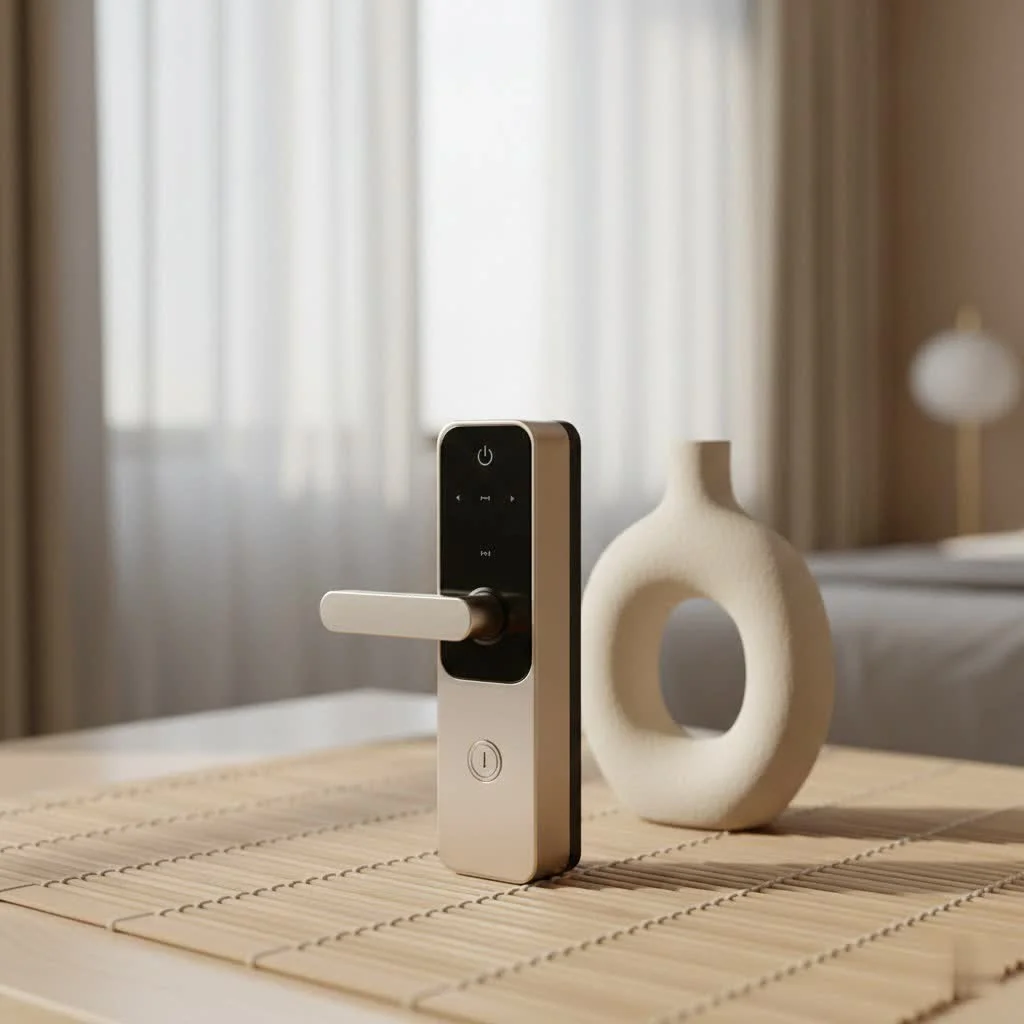
What Makes Eufy Smart Locks Stand Out?
Eufy smart locks aren’t just about convenience; they’re about redefining home security with an intuitive, integrated approach. From the moment you interact with one, you notice the thoughtful engineering designed to make your life easier and your home safer. For more smart home guides on this site.
Multi-faceted Access: Beyond the Key
One of the most compelling aspects of a eufy smart lock is the sheer variety of ways you can unlock your door. Forget juggling keys; with eufy, you’ve got options:
- Fingerprint Recognition: Many eufy smart lock models boast incredibly fast and accurate fingerprint scanners, often recognizing your print in under a second. It’s a seamless, hands-free way to enter, even if your hands are a little full with groceries.
- Keypad Entry: Create unique passcodes for family members, guests, or even temporary access for service providers. You can easily manage these codes through the eufy Security app, scheduling their validity and revoking them whenever needed. Some models even feature a “scramble passcode” function, adding random digits before and after your actual code to deter prying eyes.
- Mobile App Control: Lock or unlock your door from anywhere in the world using the intuitive eufy Security app on your smartphone. This remote access is a game-changer for peace of mind, allowing you to let someone in even when you’re not home.
- Voice Commands: For ultimate convenience, integrate your eufy smart lock with Amazon Alexa or Google Assistant. A simple voice command can secure your home without you lifting a finger.
- Traditional Key: And yes, for those times when technology isn’t cooperating (or you just prefer the old-fashioned way), every eufy smart lock includes a physical key as a reliable backup.
Built-in Wi-Fi and No Subscription Fees
A significant advantage that sets eufy smart lock systems apart from many competitors is the inclusion of built-in Wi-Fi in many of their popular models. This means you often don’t need an extra hub or bridge to connect your lock to your home network, simplifying installation and reducing clutter. Even better, eufy is committed to a no-hidden-fees policy. Unlike some brands that charge monthly subscriptions for advanced features or cloud storage, eufy offers a one-time purchase with all functionalities accessible without ongoing costs, especially for video event storage if your model includes a camera.
Robust Security and Local Data Storage
When it comes to home security, trust is paramount. Eufy smart locks are designed with triple-layered protection, earning certifications like BHMA Grade 2, which attests to their durability and resistance to forced entry. Beyond physical robustness, eufy places a heavy emphasis on data privacy. Instead of relying solely on cloud services, many eufy smart lock models store your sensitive data, like fingerprint information and access logs, locally. This significantly reduces the risks associated with cloud data breaches, giving you greater control over your personal information. “In today’s connected world, local data storage isn’t just a feature, it’s a fundamental aspect of true digital privacy for your home,” says Mark Thompson, a leading cybersecurity consultant.
Durability for All Climates
Whether you live in a scorching desert or a frigid snowscape, a eufy smart lock is built to perform. Many models feature an IP65 weatherproof rating, meaning they can withstand extreme temperatures, heavy rainfall, and dusty conditions. This all-weather protection ensures your smart deadbolt remains secure and operational year-round.
Eufy Smart Lock Installation: A DIY-Friendly Experience
|
Our Picks for the Best Smart Lock in 2026
As an Amazon Associate I earn from qualifying purchases.
|
||
| Num | Product | Action |
|---|---|---|
| 1 | Smart Door Handle Lock with Keypad: Yamiry Fingerprint Smart Knob - Keyless Entry Digital Lock for Front Door - Deadbolt with APP - Generate Passcode Remotely - DIY Installation |

|
| 2 | Yale Security Assure Lock 2 Deadbolt, Black Suede Keyed Smart Entry Door Lock with Wi-Fi Connected Keypad for Code Entry and Remote Access, YRD410-WF1-BSP |
|
| 3 | LOCKSTAR® Smart Door Lock • Keyless Entry Deadbolt Door Lock • Multiple Entry Methods – APP • Fingerprint Touch ID • Keypad Code • Card FOB • Traditional Key • Smart Home Devices |
|
| 4 | Tapo Smart Wi-Fi Deadbolt Door Lock – Keyless Tactile Buttons, Customized Access with in-App Monitoring, Auto-Lock, IP54 Weatherproof, BHMA Grade 3, Compatible with Standard Door Sizes, Tapo DL100 |
|
| 5 | ULTRALOQ U-Bolt Pro WiFi Smart Lock with Door Sensor, 8-in-1 Keyless Entry Door Lock with Fingerprint ID, App Remote Control, Built-in WiFi Keypad Deadbolt, Auto Unlock, IP65 Waterproof, Easy Install |
|
| 6 | 3D Face Recognition Smart Door Lock with Lock Body, Fingerprint/Ic Card/Password/Key Unlocked/Camera and Doorbell/Tuya WiFi App/Night Vision/Door Opening Record/Photo/Anti-Prying Alarm. |
|
| 7 | TEEHO TE001 Keyless Entry Door Lock with Keypad - Smart Deadbolt Lock for Front Door with 2 Keys - Auto Lock - Easy Installation - Satin Nickel |
|
| 8 | ULTRALOQ Bolt Smart Lock, Built-in Wi-Fi, Matter Over Thread, Works with Apple Home, Alexa, Google, 7-in-1 Keyless Entry Deadbolt with Fingerprint ID, App, Keypad, Remote Control, 18 Months Battery |
|
| 9 | Video Smart Lock S398, 4-in-1 Camera + Video Doorbell + Fingerprint Keyless Door Lock + Indoor Display Monitor, Smart WiFi Deadbolt, App Remote Control, Easy Installation, Chime Included |
|
| 10 | Wyze Palm Lock, Smart Door Lock with Palm Vein Recognition, Keyless Entry Smart Locks for Front Door, Keypad, Auto Lock, Dual Battery, Wi-Fi, Works with Alexa & Google, BHMA, IP53, Mechanical Key |
|
One of the recurring themes in feedback for eufy smart lock products is their remarkably straightforward installation process. You don’t need to be a seasoned locksmith or a tech wizard to get these devices up and running.
Step-by-Step Installation Overview
Typically, installing a eufy smart lock can take as little as 15 to 30 minutes, replacing your existing deadbolt without requiring complex drilling in most standard US and CA doors. The process generally involves:
- Preparation: Removing your old lock and checking your door’s dimensions.
- Deadbolt Installation: Securing the new eufy deadbolt assembly.
- Exterior Assembly: Attaching the exterior keypad/fingerprint unit.
- Mounting Plate: Fastening the mounting plate to the doorframe.
- Interior Assembly: Connecting the internal wiring and securing the interior unit, which houses the battery compartment and thumb turn.
- Battery Insertion: Powering up the lock.
Eufy provides clear, numbered instructions, often with accompanying videos, making the process smooth even for first-timers.
App-Guided Setup and Calibration
Once the hardware is physically installed, the eufy Security app takes over, guiding you through the digital setup. You’ll download the app, create an account, scan a QR code on the lock (or manually input a serial number), and connect the device to your home Wi-Fi network. A crucial step is calibrating the lock, which allows it to learn the mechanics of your door, ensuring smooth and consistent locking and unlocking. This app-driven approach makes the initial configuration simple and ensures your eufy smart lock is perfectly aligned and functioning optimally.
Integrating Your Eufy Smart Lock into Your Smart Home
The true power of a smart lock comes from its ability to seamlessly integrate with your existing smart home ecosystem, and a eufy smart lock is no exception.
Compatibility with Alexa and Google Assistant
Most eufy smart lock models offer robust compatibility with leading smart home platforms like Amazon Alexa and Google Assistant. This allows for convenient voice control (“Alexa, lock the front door”) and the creation of automated routines. For example, you could set up a routine that locks your door, turns off your lights, and adjusts your thermostat with a single command when you leave or go to bed.
Apple Home and Matter: What You Need to Know
While older eufy smart lock models might have had limited support for Apple HomeKit, eufy is actively expanding its compatibility. Newer models, such as the Smart Lock C34, now boast seamless integration with Apple Home and support the Matter standard. This is great news for Apple users, as it allows for unlocking via the Apple Home app, Siri voice commands, and inclusion in HomeKit automations. Matter support further broadens its compatibility, promising easier integration with a wider range of smart home devices across different ecosystems.
Powering Your Eufy Smart Lock: Battery Life and Management
Understanding the power source and managing battery life is key to a hassle-free experience with your eufy smart lock.
Understanding Battery Types and Lifespans
Eufy smart locks typically use one of two battery types:
- AA Batteries: Some models, particularly older or more budget-friendly ones, run on standard AA batteries, often requiring four or eight. These can last several months, depending on usage.
- Rechargeable Lithium-Ion Battery Packs: Many premium eufy smart lock models come with a rechargeable battery pack. Eufy often claims these can last up to 6 months to a year on a single charge (based on 10 daily unlocks), offering excellent longevity.
Tips for Optimizing Battery Performance
While a eufy smart lock is designed for efficiency, heavy usage of Wi-Fi features can impact battery life more quickly than purely Bluetooth-enabled locks. To get the most out of your battery:
- Monitor Battery Levels: The eufy Security app provides real-time battery status, allowing you to recharge or replace batteries before they die.
- Consider a Backup: For rechargeable models, having a spare battery pack can eliminate downtime. For AA models, keeping a fresh set on hand is a good idea.
- Use the Micro-USB Port: If your rechargeable battery dies before you can swap it, many eufy smart locks include a micro-USB port for emergency power using a portable battery bank.
Eufy Video Smart Lock: Security and Surveillance Combined
Eufy has pushed the boundaries of smart lock technology by integrating high-definition video surveillance directly into some of its premium models, like the S330 or E330. This innovative product effectively combines the functionality of a smart lock with a video doorbell.
Key Features of the Video Smart Lock
The eufy video smart lock offers an all-in-one solution for your entryway:
- 2K Camera: Provides crisp, clear video footage of who’s at your door.
- Fingerprint Scanner & Keypad: All the convenient access methods you expect.
- Doorbell Functionality: Includes a chime and two-way audio communication.
- Local Video Storage: Crucially, video events are typically stored locally, avoiding cloud subscription fees and enhancing privacy.
Is a Video Smart Lock Right for You?
If you’re looking for a comprehensive entryway security solution that handles both access and monitoring without recurring costs, a eufy video smart lock is an excellent choice. It streamlines your security setup, providing a rich picture and accurate fingerprint reader. However, note that some integrated cameras might have a narrower field of view compared to dedicated video doorbells, and the rechargeable battery will still require occasional charging.
Troubleshooting Common Eufy Smart Lock Issues
Even the most reliable tech can encounter a hiccup. Here’s how to tackle common issues with your eufy smart lock.
When Your Lock Goes Offline
If your eufy smart lock appears “Offline” in the app, preventing remote access:
- Check Power: Ensure the lock has sufficient battery power.
- Verify Wi-Fi: Confirm your home Wi-Fi network is active and stable.
- Reboot the Lock: Many eufy locks have a small reboot button (often near the micro-USB port). A quick press and hold can often resolve temporary glitches.
- Reconnect in App: If the issue persists, try removing and reconnecting the lock to your Wi-Fi or Bluetooth in the eufy Security app settings.
- Firmware Update: Ensure your lock’s firmware and the eufy Security app are both updated to their latest versions.
Power Problems and Battery Replacements
If your eufy smart lock isn’t powering on:
- Replace AA Batteries: If your model uses AA batteries, replace all of them with fresh ones, ensuring correct polarity.
- Recharge Battery Pack: For rechargeable models, remove the battery pack and charge it fully using a 5V/2A adapter. It typically takes 6-7 hours for a full charge. If the battery is completely drained, use the emergency micro-USB port on the lock with a power bank to gain temporary access.
Dealing with Mechanical Glitches
Occasionally, a smart lock might not engage or retract properly:
- Manual Key Check: First, try using the physical key. If the key works smoothly, the issue is likely electronic. If it’s stiff, there might be a physical obstruction or misalignment in your door frame or deadbolt.
- Recalibrate: Sometimes, recalibrating the lock through the eufy Security app can resolve minor alignment issues that develop over time.
- Check for Obstructions: Ensure no debris or foreign objects are preventing the deadbolt from moving freely.
Conclusion
Eufy smart locks offer a compelling blend of advanced security, everyday convenience, and user-friendly design. With multiple ways to access your home, no hidden subscription fees, and a strong emphasis on local data storage, a eufy smart lock provides robust protection and peace of mind. Whether you’re upgrading to keyless entry, seeking enhanced monitoring with a video smart lock, or simply want to integrate your security with your smart home ecosystem, eufy has a solution tailored for you. Embrace the future of home security and experience the unparalleled confidence that comes with an intelligently secured home. The journey to a smarter, safer home starts at your front door with eufy.
Frequently Asked Questions (FAQ)
What are the main ways to unlock a eufy smart lock?
Eufy smart locks offer various access methods, including fingerprint recognition, a touchscreen keypad with custom codes, control via the eufy Security mobile app, voice commands through Amazon Alexa or Google Assistant, and a traditional physical key as a backup.
Do eufy smart locks require a separate hub or bridge?
Many popular eufy smart lock models come with built-in Wi-Fi, meaning they connect directly to your home network without the need for an additional hub or bridge, simplifying installation and setup.
Is there a monthly subscription fee for eufy smart locks?
No, eufy smart locks are generally a one-time purchase with no mandatory monthly subscription fees for their core functionalities or for video storage on models with integrated cameras, which is a significant advantage over many competitors.
How long does the battery last on a eufy smart lock?
Battery life varies by model and usage. Locks using AA batteries can last several months, while those with rechargeable lithium-ion battery packs often claim up to 6 months to a year of life based on typical usage (around 10 unlocks per day). Heavy Wi-Fi usage can consume power more quickly.
Are eufy smart locks compatible with Apple HomeKit or Matter?
While some older models had limited Apple HomeKit support, newer eufy smart lock models, such as the C34, are designed to integrate seamlessly with Apple Home and support the Matter standard, enhancing their compatibility across various smart home ecosystems.
What should I do if my eufy smart lock goes offline?
If your lock goes offline, first check its battery level and ensure your home Wi-Fi is working. Then, try rebooting the lock using its dedicated reboot button. If the issue persists, you may need to reconnect it to your Wi-Fi network through the eufy Security app settings.
Can I install a eufy smart lock myself?
Yes, eufy smart locks are designed for DIY installation and typically replace your existing deadbolt in about 15-30 minutes, often without requiring additional drilling. The eufy Security app provides guided instructions to assist you.
Smart home that does not lock you in
Free PDF — protocol compatibility matrix for 30 hubs and devices.
