A smart sliding glass door lock significantly upgrades home security by replacing traditional, often vulnerable, latch mechanisms with advanced digital and reinforced physical safeguards. These locks integrate into smart home ecosystems, offering keyless entry options like fingerprint scanning and mobile app control, alongside remote monitoring and real-time alerts. This technology transforms sliding doors, which are frequently targeted due to their design, into secure and convenient entry points.
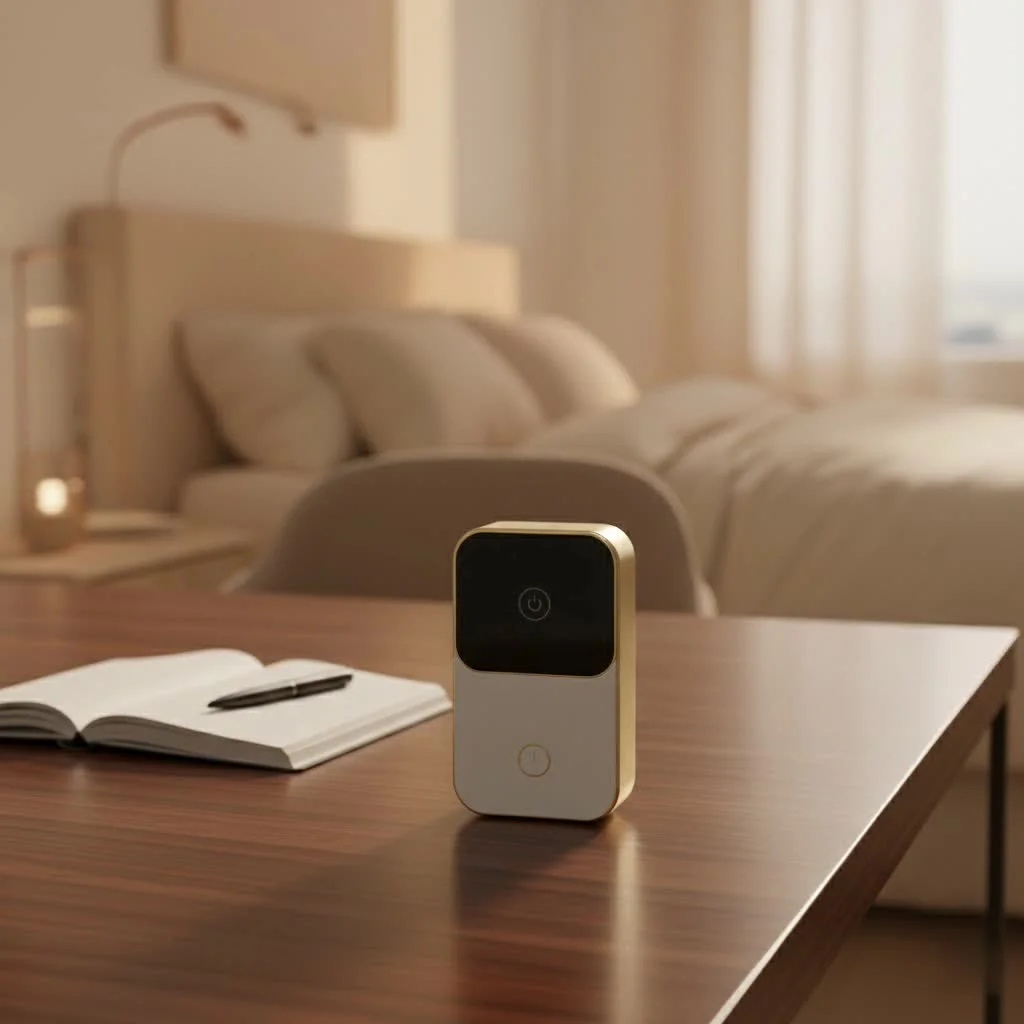
Why Smart Locks are a major upgrade for Sliding Glass Doors
Traditional locking mechanisms often fall short when it comes to the unique design and vulnerabilities of sliding doors. Smart locks, however, are specifically engineered to address these challenges, offering enhanced security and unparalleled convenience that traditional locks simply can’t match. They seamlessly integrate into your smart home ecosystem, making your patio, balcony, or interior sliding doors smarter and safer. For complete smart home library on this site.
The Unique Vulnerabilities of Sliding Doors
Sliding glass doors, while aesthetically pleasing, can be a security headache. Their large glass panes are often considered easier to compromise than solid doors, and standard latching mechanisms can sometimes be manipulated. Unlike traditional swing doors, which are typically secured by deadbolts, sliding doors often rely on simpler locks that may not offer the same level of resistance against forced entry. These doors are also frequently located in less visible areas, making them potential targets for intruders seeking discreet access.
How Smart Locks Redefine Sliding Door Security
A smart sliding glass door lock fundamentally redefines your home’s perimeter. These specialized locks go beyond basic mechanical security, incorporating advanced features that deter unauthorized access and give you unprecedented control. They often include reinforced locking mechanisms designed to withstand force, along with digital safeguards that are far more difficult to bypass than a traditional key and tumbler. The result is a layered defense that transforms your sliding door into a truly secure entry point.
Key Features to Look for in a Smart Sliding Glass Door Lock
Choosing the right smart sliding glass door lock means understanding the array of features available and how they can best serve your specific needs. From how you unlock your door to how it communicates with your smart home, these elements are crucial for both security and convenience.
Seamless Access: Keyless Entry Options
One of the most appealing aspects of smart locks is the elimination of physical keys. Imagine never fumbling for your keys again, even with a handful of groceries!
- Fingerprint Scanning: Many advanced smart locks offer biometric fingerprint access, allowing you to unlock your door in less than a second with a simple touch. These systems often feature adaptive learning, improving recognition accuracy over time.
- Digital Keypads: Assign unique PIN codes for family members, guests, or service providers. You can create temporary or recurring codes, perfect for vacation rentals or house sitters.
- Mobile App Control: Unlock, lock, and manage your door directly from your smartphone, whether you’re across the room or across the globe.
- Voice Control: Integrate with smart assistants like Alexa or Google Assistant to lock or unlock your door with simple voice commands, adding a layer of hands-free convenience.
- Facial Recognition: Some modern models are even incorporating facial recognition, offering a truly touchless entry experience.
Stay Connected: Remote Access and Smart Home Integration
|
Our Picks for the Best Smart Lock in 2026
As an Amazon Associate I earn from qualifying purchases.
|
||
| Num | Product | Action |
|---|---|---|
| 1 | Yale Security Assure Lock 2 Deadbolt, Black Suede Keyed Smart Entry Door Lock with Wi-Fi Connected Keypad for Code Entry and Remote Access, YRD410-WF1-BSP |

|
| 2 | Wyze Palm Lock, Smart Door Lock with Palm Vein Recognition, Keyless Entry Smart Locks for Front Door, Keypad, Auto Lock, Dual Battery, Wi-Fi, Works with Alexa & Google, BHMA, IP53, Mechanical Key |
|
| 3 | TEEHO TE001 Keyless Entry Door Lock with Keypad - Smart Deadbolt Lock for Front Door with 2 Keys - Auto Lock - Easy Installation - Satin Nickel |
|
| 4 | ULTRALOQ U-Bolt Pro WiFi Smart Lock with Door Sensor, 8-in-1 Keyless Entry Door Lock with Fingerprint ID, App Remote Control, Built-in WiFi Keypad Deadbolt, Auto Unlock, IP65 Waterproof, Easy Install |
|
| 5 | Tapo Smart Wi-Fi Deadbolt Door Lock – Keyless Tactile Buttons, Customized Access with in-App Monitoring, Auto-Lock, IP54 Weatherproof, BHMA Grade 3, Compatible with Standard Door Sizes, Tapo DL100 |
|
| 6 | Smart Door Handle Lock with Keypad: Yamiry Fingerprint Smart Knob - Keyless Entry Digital Lock for Front Door - Deadbolt with APP - Generate Passcode Remotely - DIY Installation |
|
| 7 | Video Smart Lock S398, 4-in-1 Camera + Video Doorbell + Fingerprint Keyless Door Lock + Indoor Display Monitor, Smart WiFi Deadbolt, App Remote Control, Easy Installation, Chime Included |
|
| 8 | 3D Face Recognition Smart Door Lock with Lock Body, Fingerprint/Ic Card/Password/Key Unlocked/Camera and Doorbell/Tuya WiFi App/Night Vision/Door Opening Record/Photo/Anti-Prying Alarm. |
|
| 9 | LOCKSTAR® Smart Door Lock • Keyless Entry Deadbolt Door Lock • Multiple Entry Methods – APP • Fingerprint Touch ID • Keypad Code • Card FOB • Traditional Key • Smart Home Devices |
|
| 10 | ULTRALOQ Bolt Smart Lock, Built-in Wi-Fi, Matter Over Thread, Works with Apple Home, Alexa, Google, 7-in-1 Keyless Entry Deadbolt with Fingerprint ID, App, Keypad, Remote Control, 18 Months Battery |
|
The “smart” in smart lock truly shines through its connectivity features, allowing you to monitor and control your door from virtually anywhere.
- Wi-Fi and Bluetooth Connectivity: Most smart locks use Bluetooth for local control and can connect to your home Wi-Fi (either directly or via a bridge) for remote access. This means you can check if your patio door is locked while you’re at work or let in a friend even if you’re out of town.
- Real-time Alerts and Activity Logs: Receive instant notifications on your phone whenever the door is locked, unlocked, or if there’s any suspicious activity. Review a detailed history of who entered and when, providing a comprehensive security overview.
- Smart Home Ecosystem Integration: A good smart lock should integrate seamlessly with popular platforms like Apple Home, Google Home, and Amazon Alexa. This allows for automated routines, such as locking the door when you arm your security system or turning on lights when the door unlocks.
Robust Protection: Advanced Security Mechanisms
Beyond convenience, the core purpose of any lock is security, and smart locks for sliding doors are designed with robust protection in mind.
- Advanced Encryption Protocols: Digital communications between your lock and smartphone are typically protected with military-grade encryption to prevent hacking attempts.
- Reinforced Locking Mechanisms: These locks are built to withstand physical force, often featuring stronger materials and more complex internal designs than standard sliding door latches.
- Auto-Lock Functionality: For ultimate peace of mind, many smart locks can be programmed to automatically lock after a set period, ensuring your door is never left unsecured by accident.
- Tamper Alerts: Receive instant notifications if someone attempts to force or tamper with your lock.
Built to Last: Power and Durability Considerations
Longevity and reliability are key for any home security device.
- Battery Life: Most smart locks are battery-powered, and good models offer several months to a year of battery life on a single charge. Look for low-battery warnings and easy battery replacement. Using lithium batteries can often extend life, especially in colder climates.
- Weather-Resistant Design: For outdoor-facing sliding doors, ensure the lock has a weather-resistant rating (e.g., IP66) to protect against rain, dust, and extreme temperatures.
Finding the Perfect Fit: Compatibility with Your Sliding Door
Compatibility is arguably the most critical factor when choosing a smart sliding glass door lock. Sliding doors come in various configurations, and a lock designed for a standard swing door simply won’t work.
Understanding Different Sliding Door Types
- Framed Glass Doors: These are common patio doors with a metal or vinyl frame around the glass panels. Many smart locks are designed to fit these profiles, often mounting on the frame where the sliding and fixed panels meet.
- Frameless Glass Doors: Modern and minimalist, these doors require specialized locks that don’t compromise the glass integrity. Adhesive-mounted or patch locks are typical solutions.
- Wooden Sliding Doors: Often found as interior room dividers or barn-style doors, these require locks compatible with wood, sometimes needing specific mortise fittings.
- Aluminum Track Doors: Common in commercial settings or some residential patios, these usually have narrow stiles (the vertical side pieces) that demand compact lock designs.
- Pocket Doors: These slide into a wall cavity and require unique, often thin-profile, locking mechanisms that don’t interfere with the door’s travel.
The Importance of a Tailored Smart Lock Solution
“Selecting a smart lock isn’t just about features; it’s about finding a solution that perfectly matches your door’s unique architecture,” advises Dr. Eleanor Vance, Lead Security Analyst at JTDNC Labs. She emphasizes, “An ill-fitting lock is a compromised lock, regardless of its ‘smart’ capabilities.” Always measure your door’s thickness, stile width, and existing lock mortise to ensure a perfect match. Some brands offer specific adapters or product lines tailored for various sliding door types. This meticulous approach guarantees not only optimal security but also a smooth, seamless operation.
Installation: DIY or Professional?
The thought of installing a new lock can feel daunting, but many smart sliding glass door locks are surprisingly DIY-friendly. However, certain situations might warrant professional assistance.
The DIY Approach: What You’ll Need
For most standard installations, you can tackle the job yourself with common household tools.
- Essential Tools: Screwdrivers (Phillips and flathead), a power drill with appropriate bits (if new holes are needed), a tape measure, and potentially a chisel and hammer for mortise adjustments.
- Basic Steps:
- Remove the Old Lock: Carefully unscrew and detach your existing lock hardware.
- Prepare the Door: Clean the area and check if the new lock aligns with existing holes. You might need to drill new pilot holes or, in some cases, slightly enlarge the mortise.
- Install the New Deadbolt/Latching Mechanism: Insert the new lock’s internal components into the door frame, securing them according to the manufacturer’s instructions.
- Mount Interior and Exterior Panels: Align the external keypad or fingerprint module and the internal battery unit, connecting any necessary wiring.
- Configure Smart Features: Download the accompanying mobile app and follow the prompts to pair your lock, set up passcodes, register fingerprints, and connect it to your Wi-Fi network or smart home hub.
- Test Thoroughly: Manually and digitally lock and unlock the door multiple times to ensure smooth operation and correct alignment.
When to Call a Pro
While DIY is often possible, some doors or lock types are best left to experts to ensure proper functionality and maintain security.
- Non-Standard Doors: Frameless glass, thick wooden doors, or complex aluminum profiles might require specialized tools or knowledge.
- Multi-Point Locking Systems: If your sliding door has an intricate multi-point locking mechanism, professional installation is highly recommended to preserve its full security functionality.
- Hardwired Smart Locks: Although rare for sliding doors, if your chosen lock requires electrical wiring beyond simple battery power, consult a licensed electrician.
- Uncertainty: If you’re simply not comfortable with the installation process, or if you encounter unexpected difficulties, calling a locksmith or a smart home installer is always the safest bet.
Top Smart Sliding Glass Door Locks on the Market
The market for smart sliding glass door locks is robust and evolving, offering solutions for nearly every need and door type. Brands like Fine Locks, Lockly, August, Yale, Eufy, Ultraloq, Perfiware, Sophies, Lockey, and LEELEN are all pushing the boundaries of what’s possible. You’ll find options ranging from ultra-thin profiles designed for narrow stiles and pocket doors, to robust units featuring facial recognition and advanced biometric scanners. Many integrate seamlessly with popular smart home platforms, ensuring you can control your sliding door alongside your lights, thermostat, and security cameras. The key is to prioritize the features that matter most to you—be it fingerprint speed, specific smart home compatibility, or extreme weather resistance—and then research models known for excelling in those areas.
Maximizing Your Smart Lock’s Potential: Tips and Maintenance
A smart sliding glass door lock is an investment in security and convenience. To ensure it performs optimally and provides lasting protection, a little proactive care goes a long way.
Regular Checks and Updates
Treat your smart lock like any other crucial piece of technology in your home.
- Software Updates: Always keep your lock’s firmware and the associated mobile app updated. Manufacturers frequently release updates that improve security, add new features, and fix bugs.
- Physical Inspection: Periodically check the lock for any loose screws, signs of wear, or misalignment. A perfectly aligned lock operates smoothly and offers maximum security.
- Connectivity Check: Ensure your Wi-Fi or Bluetooth connection remains strong. A weak signal can lead to delayed responses or dropped connections.
Battery Management for Uninterrupted Security
Since most smart locks are battery-powered, keeping an eye on their energy levels is vital.
- Monitor Battery Life: Most apps provide real-time battery status. Pay attention to low-battery alerts and replace batteries promptly.
- Use Quality Batteries: Opt for high-quality alkaline or lithium batteries, especially if your door is exposed to extreme temperatures, as they tend to last longer and perform more reliably.
- Keep Spares Handy: It’s always a good idea to have a set of fresh batteries on hand, just in case.
Troubleshooting Common Hiccups
Even the best technology can have a minor glitch.
- Deadbolt Not Extending/Retracting: Often, this is an alignment issue. Check the strike plate on the door frame and adjust it slightly if needed to ensure a smooth path for the deadbolt.
- App Connectivity Issues: Try restarting both your smart lock and your Wi-Fi router. Ensure Bluetooth and Wi-Fi are enabled on your phone and that you’re within range.
- Fingerprint Reader Malfunctions: Clean the sensor periodically with a soft, microfiber cloth. Re-scanning your fingerprints every 6-12 months, and registering the same finger at slightly different angles, can improve recognition accuracy.
Frequently Asked Questions (FAQ)
Q: Can I install a smart lock on any sliding glass door?
A: Not all smart locks are universally compatible. It’s crucial to check your door type (frameless, framed, wood, aluminum, narrow stile) and measurements against the lock’s specifications. Many smart locks are specifically designed for or include adapters for sliding doors.
Q: How do smart locks for sliding doors get power?
A: Most smart sliding glass door locks are battery-powered, typically using AA or AAA alkaline or lithium batteries. They are designed for energy efficiency, offering several months to a year of battery life. Some may have a USB-C port for emergency power if batteries die.
Q: Are smart sliding glass door locks secure?
A: Yes, generally they offer enhanced security compared to traditional sliding door locks. They incorporate reinforced locking mechanisms, advanced digital encryption, auto-lock features, and tamper alerts, making them significantly harder to bypass.
Q: Can I control my smart sliding door lock remotely?
A: Absolutely! Most smart locks for sliding doors connect to your home Wi-Fi (either directly or via a bridge) and allow you to lock, unlock, monitor activity, and manage access permissions from anywhere using your smartphone app.
Q: What smart home systems are compatible with these locks?
A: A wide range of smart sliding glass door locks are compatible with popular smart home ecosystems such as Amazon Alexa, Google Assistant, and Apple Home/HomeKit, allowing for voice control and integration into smart home routines.
Q: How do I maintain my smart sliding glass door lock’s fingerprint reader?
A: For optimal performance, clean the fingerprint sensor periodically with a soft, dry microfiber cloth. Re-scanning fingerprints every 6-12 months, or if you experience recognition issues, can help the system adapt and improve accuracy.
The Future of Sliding Door Security is Here
Embracing a smart sliding glass door lock means stepping into a future where security, convenience, and modern living coexist beautifully. You no longer have to compromise on aesthetics for safety, nor sacrifice ease of access for robust protection. By understanding the key features, ensuring compatibility, and performing basic maintenance, you can confidently choose and utilize a smart lock that transforms your sliding door experience. Explore the innovative solutions available and upgrade your home’s security today; your peace of mind is worth it.
Frequently Asked Questions
Can a smart lock be installed on any type of sliding glass door?
No, not all smart locks are universally compatible with every sliding glass door. It is crucial to verify your door's specific type, such as frameless, framed, wood, or aluminum, and its measurements against the smart lock's specifications to ensure proper fit and functionality.
How do smart locks for sliding doors receive their power?
Most smart sliding glass door locks are powered by batteries, typically AA or AAA alkaline or lithium cells. These locks are designed for energy efficiency, often providing several months to a year of battery life. Some models may also include a USB-C port for emergency power in case the batteries unexpectedly die.
Are smart sliding glass door locks more secure than traditional locks?
Yes, smart sliding glass door locks generally offer enhanced security compared to traditional sliding door locks. They incorporate reinforced locking mechanisms, advanced digital encryption protocols, auto-lock features, and tamper alerts, making them significantly more resistant to unauthorized access.
Is it possible to control a smart sliding door lock from a remote location?
Absolutely. Most smart locks for sliding doors connect to your home's Wi-Fi network, either directly or through a bridge, enabling remote control. This allows you to lock, unlock, monitor activity, and manage access permissions from anywhere using your smartphone app.
Which smart home systems are compatible with these types of locks?
A wide range of smart sliding glass door locks are compatible with popular smart home ecosystems. These include Amazon Alexa, Google Assistant, and Apple Home/HomeKit, facilitating voice control and seamless integration into existing smart home routines.
What is the best way to maintain a smart lock's fingerprint reader?
For optimal performance, regularly clean the fingerprint sensor with a soft, dry microfiber cloth. Re-scanning your fingerprints every 6-12 months, or if you notice recognition issues, can help the system adapt and improve its accuracy over time.
Install a Smart Sliding Glass Door Lock
This guide outlines the basic steps for installing a smart lock on a standard sliding glass door, from removing the old lock to configuring smart features.
Carefully unscrew and detach your existing lock hardware from the sliding glass door. Ensure all components are removed to prepare for the new installation.
Clean the area where the new lock will be installed and check if the new lock aligns with existing holes. You may need to drill new pilot holes or slightly enlarge the mortise using a chisel and hammer for a perfect fit.
Insert the new smart lock's internal components, such as the deadbolt or latching mechanism, into the door frame. Secure them firmly according to the manufacturer's specific instructions to ensure proper function.
Align the external keypad or fingerprint module with the internal battery unit, connecting any necessary wiring as directed. Ensure both panels are securely fastened and properly aligned for smooth operation.
Download the accompanying mobile app and follow the prompts to pair your lock, set up passcodes, register fingerprints, and connect it to your Wi-Fi network or smart home hub. Finally, manually and digitally lock and unlock the door multiple times to ensure smooth operation and correct alignment.
Smart home that does not lock you in
Free PDF — protocol compatibility matrix for 30 hubs and devices.

I appreciate the breakdown of different features. We got a smart lock for our patio door, and while the keyless entry is great, I’ve had a few issues with it integrating seamlessly with my existing smart home ecosystem. It took a bit more setup than I expected, and sometimes the connection drops. Still better than our old lock, but not perfect.
This was exactly what I needed to convince my husband to upgrade our sliding door security. The point about traditional mechanisms falling short really hit home. We chose a system that offers remote monitoring, and it’s been fantastic for when we’re away on vacation. Feeling much safer now.
I was so tired of feeling like our sliding glass door was the weakest link in our home security. This guide really helped me understand the benefits of upgrading. We went with a model that has fingerprint scanning, and it’s been a game-changer for convenience and peace of mind. No more fumbling with keys when I’m carrying groceries!
The information about how smart locks address the specific vulnerabilities of sliding doors was super helpful. I always worried about the old latch. We installed a new system with mobile app control and the real-time alerts are fantastic. It’s great to know exactly when the kids are coming and going, and that the door is secure.