A Samsung Smart Lock offers advanced keyless home security through features like fingerprint recognition, PIN codes, RFID cards, and mobile app control, providing enhanced convenience and robust protection. These locks integrate seamlessly with smart home ecosystems like Samsung SmartThings, allowing for remote management and automated routines. For example, models such as the SHP-DR708 feature highly accurate fingerprint scanners, enabling quick and secure access in seconds.
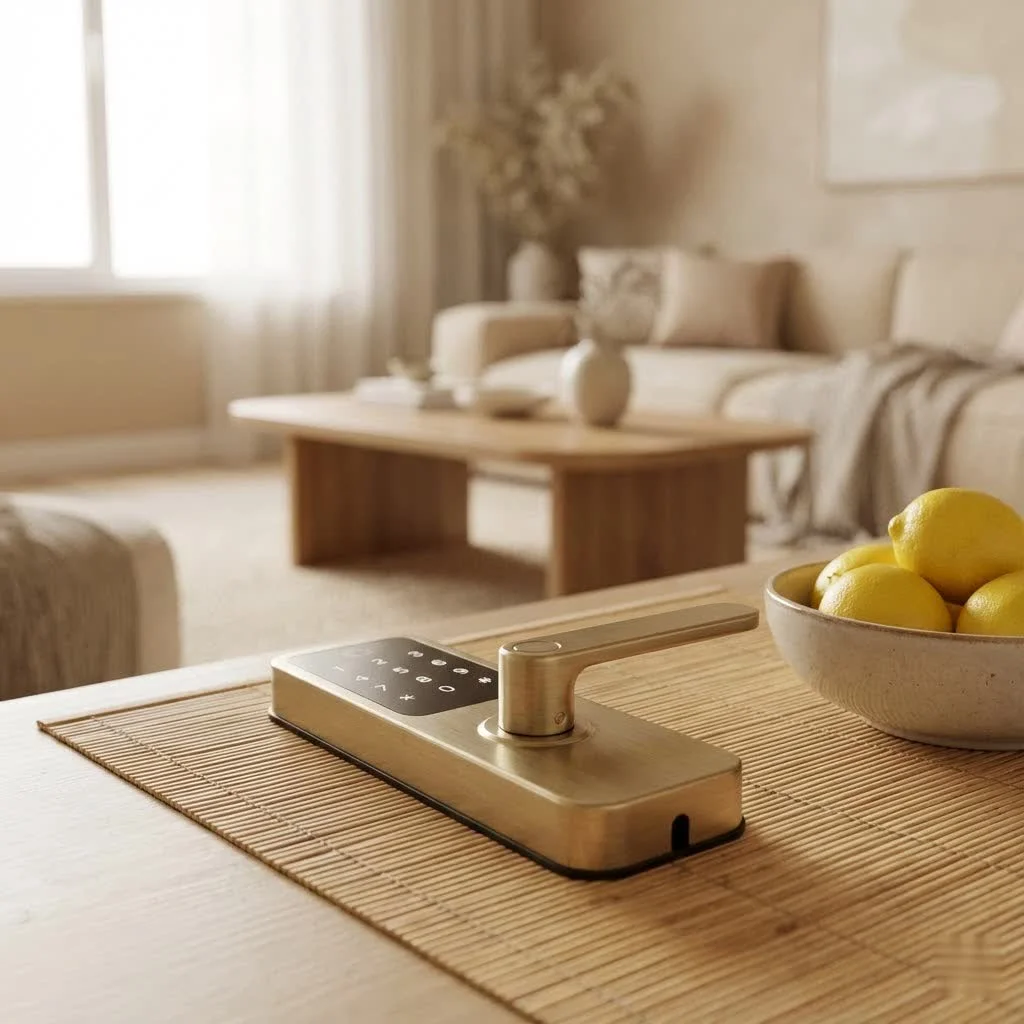
Why Choose a Samsung Smart Lock for Your Home?
Upgrading your home’s entry system with a Samsung Smart Lock simplifies life and bolsters security. These devices offer more than just keyless entry; they provide a new dimension of control and peace of mind.
The Power of Keyless Entry
With a Samsung Smart Lock, fumbling for keys is a thing of the past. Most models offer various effortless entry methods:
- Fingerprint Recognition: Many Samsung smart locks, including the SHP-DR708 and SHS-P718, feature highly accurate fingerprint scanners for unlocking your door in mere seconds with a touch.
- PIN Codes: Create unique numerical passcodes for family, guests, or temporary access. Features like “random security code” or “anti-peep mode” prevent others from guessing your actual PIN.
- RFID Cards/Tags: For a physical credential without traditional keys, RFID cards or tags offer a swift tap-and-go entry solution.
- Mobile App Control: Control your Samsung smart lock from your smartphone, whether you’re nearby or across the globe. Lock, unlock, or check your door’s status with a tap, often using Bluetooth or Wi-Fi.
- Mechanical Key Backup: A traditional mechanical key slot is usually available as a reliable backup, ensuring you’re never truly locked out.
Robust Security Features
Samsung Smart Locks are engineered with a strong focus on security, providing multiple layers of protection against potential threats.
- Anti-Theft and Tamper Alarms: Many models detect forced entry attempts or suspicious movements, triggering a loud alarm to deter intruders and alert you. The SHP-DR708, for instance, has a built-in IR sensor for this purpose.
- Auto-Locking Functionality: Most Samsung digital locks automatically secure your door after a set period, providing an invaluable layer of security for busy households.
- Fire Detection: Advanced models, like the SHP-DP738, can detect abnormally high temperatures inside your home, triggering an alarm and automatically unlocking the door for emergency escape.
- Encrypted Communication: The underlying technology uses secure encryption to protect your data and prevent unauthorized access to the lock’s system.
Seamless Smart Home Integration
Samsung’s commitment to a connected lifestyle is evident in its smart lock offerings. Many models, particularly those with Wi-Fi or Bluetooth, integrate with the broader Samsung SmartThings ecosystem, transforming home security into an intelligent system.
“The true power of a smart lock isn’t just in its ability to open a door without a key; it’s in how seamlessly it communicates with your entire smart home. Samsung’s integration with platforms like SmartThings turns your front door into a central hub for home security automation,” shares Dr. Aiden Lee, a renowned security systems architect.
This integration allows you to:
- Receive Real-time Notifications: Get alerts on your phone whenever your door is unlocked, whether by family members or an unexpected entry attempt.
- Remote Management: Grant temporary access codes to guests, cleaners, or delivery services even when you’re not home, then revoke them easily.
- Automate Routines: Link your lock to other smart devices. For example, your lights could turn on when you unlock the door, or your security cameras could start recording if an alarm is triggered.
Exploring Popular Samsung Smart Lock Models
Samsung offers a diverse range of smart locks, each catering to different needs and aesthetic preferences. Here’s a look at some common types and their standout features:
Push-Pull Designs
|
Our Picks for the Best Smart Lock in 2026
As an Amazon Associate I earn from qualifying purchases.
|
||
| Num | Product | Action |
|---|---|---|
| 1 | ULTRALOQ Bolt Smart Lock, Built-in Wi-Fi, Matter Over Thread, Works with Apple Home, Alexa, Google, 7-in-1 Keyless Entry Deadbolt with Fingerprint ID, App, Keypad, Remote Control, 18 Months Battery |

|
| 2 | LOCKSTAR® Smart Door Lock • Keyless Entry Deadbolt Door Lock • Multiple Entry Methods – APP • Fingerprint Touch ID • Keypad Code • Card FOB • Traditional Key • Smart Home Devices |
|
| 3 | ULTRALOQ U-Bolt Pro WiFi Smart Lock with Door Sensor, 8-in-1 Keyless Entry Door Lock with Fingerprint ID, App Remote Control, Built-in WiFi Keypad Deadbolt, Auto Unlock, IP65 Waterproof, Easy Install |
|
| 4 | Video Smart Lock S398, 4-in-1 Camera + Video Doorbell + Fingerprint Keyless Door Lock + Indoor Display Monitor, Smart WiFi Deadbolt, App Remote Control, Easy Installation, Chime Included |
|
| 5 | Yale Security Assure Lock 2 Deadbolt, Black Suede Keyed Smart Entry Door Lock with Wi-Fi Connected Keypad for Code Entry and Remote Access, YRD410-WF1-BSP |
|
| 6 | Wyze Palm Lock, Smart Door Lock with Palm Vein Recognition, Keyless Entry Smart Locks for Front Door, Keypad, Auto Lock, Dual Battery, Wi-Fi, Works with Alexa & Google, BHMA, IP53, Mechanical Key |
|
| 7 | Smart Door Handle Lock with Keypad: Yamiry Fingerprint Smart Knob - Keyless Entry Digital Lock for Front Door - Deadbolt with APP - Generate Passcode Remotely - DIY Installation |
|
| 8 | Tapo Smart Wi-Fi Deadbolt Door Lock – Keyless Tactile Buttons, Customized Access with in-App Monitoring, Auto-Lock, IP54 Weatherproof, BHMA Grade 3, Compatible with Standard Door Sizes, Tapo DL100 |
|
| 9 | TEEHO TE001 Keyless Entry Door Lock with Keypad - Smart Deadbolt Lock for Front Door with 2 Keys - Auto Lock - Easy Installation - Satin Nickel |
|
| 10 | 3D Face Recognition Smart Door Lock with Lock Body, Fingerprint/Ic Card/Password/Key Unlocked/Camera and Doorbell/Tuya WiFi App/Night Vision/Door Opening Record/Photo/Anti-Prying Alarm. |
|
These popular models, such as the SHP-DR708, SHP-DP738, SHS-P718, and SHP-DP609, revolutionize door interaction. Instead of turning a handle, you simply push or pull it to open once unlocked.
- Key Features: Often include advanced biometrics (fingerprint), smartphone app control, and robust IoT capabilities (Wi-Fi built-in or via a hub). They boast sleek, modern aesthetics. The SHP-DR708 offers NFC for quick pairing and remote management via IoT technology.
Deadbolt and Lever Handle Options
For those preferring traditional lock styles with smart upgrades, Samsung provides choices like the SHS-1321, SHS-3321, SHP-DH538, and SHP-DS510.
- Key Features: These typically offer PIN code and RFID card access, with some models (like the SHP-DH538) integrating a fingerprint sensor directly into the lever handle. The SHP-DS510 is a smart deadbolt that can accommodate up to 100 users with PINs or RFID tags. These designs focus on robust mechanical reliability alongside smart functionality.
Advanced Connectivity Models
Locks like the SHP-DP720 are designed for deep integration into your smart home, often offering both Bluetooth and Wi-Fi connectivity (sometimes through a dedicated hub) for comprehensive remote control and automation possibilities with SmartThings.
Essential Features to Look for in Your Samsung Smart Lock
Choosing the right Samsung Smart Lock means considering what truly matters for your home and lifestyle.
- Access Methods: Prioritize models that offer your preferred combination of fingerprint, PIN, RFID, or smartphone control, along with a mechanical key backup.
- Connectivity: Determine if you need remote access via Wi-Fi or if Bluetooth control is sufficient. For SmartThings integration, look for compatible models or those that work with Z-Wave/Zigbee hubs.
- Battery Life & Backup: Most Samsung smart locks use standard AA batteries with a life of around 10-12 months. Look for low battery indicators and emergency power options, such as a 9V battery terminal or a micro USB port.
- Installation: While some models are DIY-friendly, many advanced Samsung smart locks are best installed professionally to ensure optimal security and functionality.
- User Capacity: If you have a large family or frequent guests, check how many unique fingerprints, PINs, or RFID tags the lock can store.
My Experience with Samsung Smart Locks: A Decade of Trust
In my ten years navigating the smart lock landscape, Samsung has consistently been a trusted brand. Their digital door locks have evolved significantly, from simple keypad entry to sophisticated biometric and IoT-enabled systems. I’ve personally seen how the push-pull designs simplify entry, especially when your hands are full. The peace of mind from checking your door status remotely or granting temporary access truly makes a difference. While early fingerprint sensors had a slight learning curve, newer generations are remarkably responsive and reliable. The durability of their build quality, combined with thoughtful security features like anti-peep keypads and tamper alerts, sets them apart as a premium, yet practical, security solution.
Setting Up Your Samsung Smart Lock: A Smooth Transition to Smart Security
Getting your new Samsung Smart Lock up and running is often more straightforward than you might expect, especially if you follow the instructions carefully.
- Installation: For many models, particularly mortise or push-pull types, professional installation is recommended due to the precision required. Some deadbolt models come with detailed templates for DIY projects. Ensure your door’s thickness and backset measurement are compatible.
- Programming: Once installed, the initial setup involves programming your master PIN code. From there, you’ll register individual user PINs, fingerprints, and RFID cards/tags. Samsung’s voice-guided systems on many models make this process intuitive.
- App Connection: If your lock features Bluetooth or Wi-Fi, download the associated Samsung app (or SmartThings app if compatible) and follow the on-screen prompts to pair your lock. This unlocks remote control, activity logs, and advanced customization.
Troubleshooting Common Samsung Smart Lock Issues
Even the smartest tech can occasionally hit a snag. Here are a few common issues and quick fixes:
- Battery Draining Quickly: Use high-quality alkaline AA batteries. Extreme temperatures can affect battery life. Check for obstructions that might prevent the latch from fully extending or retracting, causing the motor to work harder.
- Fingerprint Sensor Unresponsiveness: Clean the sensor regularly with a soft, dry cloth. Ensure your finger is clean, dry, and placed correctly. Older models might be less sensitive than smartphone sensors.
- App Connectivity Problems: Check your home Wi-Fi network or Bluetooth connection. Restarting your phone, the lock (via battery removal), and your Wi-Fi router can often resolve temporary glitches. Ensure the app is updated.
- Lock Not Responding: If the lock is completely unresponsive, it’s often a battery issue. Use the emergency 9V battery terminal or micro USB port to temporarily power the lock and gain entry, then replace the internal batteries immediately.
The Future of Home Security with Samsung
Samsung continues to innovate in smart lock technology, moving towards greater integration, predictive security, and user-centric design. We can anticipate more advanced AI-driven features, robust biometric authentication, and deeper, more intuitive integration with SmartThings and other smart home platforms. The goal is to make home security not just impenetrable, but also invisible, seamlessly blending into daily lives.
Frequently Asked Questions (FAQ)
Q: Are Samsung smart locks waterproof?
A: Samsung smart locks are designed to be weather-resistant for outdoor exposure on a covered door, but they are not fully waterproof. They can withstand splashes and dust, but direct prolonged exposure to heavy rain or submersion is not recommended for optimal performance.
Q: How long do Samsung smart lock batteries last?
A: On average, the batteries in a Samsung smart lock can last about 10-12 months with typical daily use (around 10 uses per day). This duration can vary based on usage frequency, environmental conditions, and specific model features. Always look for a low battery indicator for timely replacement.
Q: Can I integrate my Samsung smart lock with Google Home or Amazon Alexa?
A: Many Samsung smart locks, especially those with Wi-Fi or SmartThings compatibility, can be integrated with Google Home and Amazon Alexa via the SmartThings platform or through direct integration on newer models. This allows for convenient voice control and inclusion in smart home routines.
Q: What if the battery dies and I’m locked out?
A: Samsung smart locks include emergency power options to prevent lockouts. Most models have external terminals where you can touch a 9V battery to temporarily power the lock and gain entry. Some newer models also feature a micro USB port for emergency power using a portable power bank. Always keep a mechanical key as a backup.
Q: Is professional installation necessary for a Samsung smart lock?
A: While some basic deadbolt models might be suitable for DIY installation with a template, many of Samsung’s more advanced models, particularly the push-pull and mortise types, are recommended for professional installation. This ensures proper alignment, functionality, and optimal security for your home.
Conclusion
Embracing a Samsung Smart Lock is an investment in a smarter, more secure, and significantly more convenient lifestyle. From effortless keyless entry and robust security features to seamless integration within the smart home ecosystem, Samsung prioritizes peace of mind and modern living. As smart home technology evolves, these locks stand as a shows how intelligent design can make a profound difference in our daily lives.
Frequently Asked Questions
Are Samsung smart locks designed to be waterproof?
Samsung smart locks are typically designed to be weather-resistant for outdoor exposure on a covered door, but they are not fully waterproof. They can withstand splashes and dust, but direct prolonged exposure to heavy rain or submersion is not recommended for optimal performance.
What is the average battery life for a Samsung smart lock?
On average, the batteries in a Samsung smart lock can last about 10-12 months with typical daily use (around 10 uses per day). This duration can vary based on usage frequency, environmental conditions, and specific model features. Always look for a low battery indicator for timely replacement.
Can I connect my Samsung smart lock to Google Home or Amazon Alexa?
Many Samsung smart locks, especially those with Wi-Fi or SmartThings compatibility, can be integrated with Google Home and Amazon Alexa via the SmartThings platform or through direct integration on newer models. This allows for convenient voice control and inclusion in smart home routines.
What should I do if my Samsung smart lock battery dies?
Samsung smart locks include emergency power options to prevent lockouts. Most models have external terminals where you can touch a 9V battery to temporarily power the lock and gain entry. Some newer models also feature a micro USB port for emergency power using a portable power bank. Always keep a mechanical key as a backup.
Is professional installation required for a Samsung smart lock?
While some basic deadbolt models might be suitable for DIY installation with a template, many of Samsung's more advanced models, particularly the push-pull and mortise types, are recommended for professional installation. This ensures proper alignment, functionality, and optimal security for your home.
Setting Up Your Samsung Smart Lock
Follow these steps to install and program your new Samsung Smart Lock for enhanced home security.
For many models, especially mortise or push-pull types, professional installation is recommended due to the precision required. Some deadbolt models come with detailed templates for DIY projects. Ensure your door's thickness and backset measurement are compatible with your chosen lock.
Once installed, the initial setup involves programming your master PIN code. From there, you'll register individual user PINs, fingerprints, and RFID cards/tags. Samsung's voice-guided systems on many models make this process remarkably intuitive.
If your lock features Bluetooth or Wi-Fi, download the associated Samsung app (or SmartThings app if compatible) and follow the on-screen prompts to pair your lock. This unlocks remote control, activity logs, and advanced customization features.
Smart home that does not lock you in
Free PDF — protocol compatibility matrix for 30 hubs and devices.

I finally upgraded to the Samsung Smart Lock SHP-DR708 and it’s been a game-changer. The fingerprint recognition is incredibly fast and reliable, which is perfect when I’m juggling groceries. I love not having to worry about lost keys anymore, and the peace of mind knowing my home is secure is priceless.
I was looking for robust protection and the Samsung Smart Lock delivered. The build quality feels solid, and the various security features make me feel much safer. It’s a significant upgrade from my old deadbolt and worth the investment for the enhanced convenience and security it provides.
The Samsung Smart Lock is mostly good, but I had a bit of trouble with the mobile app control initially. It took a few tries to get it to consistently connect, which was a little frustrating. Once it was set up, though, the keyless entry features like the fingerprint scanner work really well.
This lock is great for convenience. I really appreciate the multiple entry methods, especially the PIN codes for when my kids forget their RFID cards. Integration with my existing Samsung SmartThings setup was pretty straightforward, and I can control it remotely which is super handy.