In today’s fast-paced world, the idea of a truly secure and convenient home is more appealing than ever. Gone are the days of fumbling for keys or worrying if you locked the door after leaving. Welcome to the era of the smart home, where your front door can be as intelligent as your smartphone. When it comes to securing your sanctuary, a Schlage smart door lock stands out as a beacon of innovation, reliability, and peace of mind. As your trusted experts at JTDNC.com, we’re here to dive deep into everything you need to know about these cutting-edge devices, helping you make an informed decision for your family’s safety.
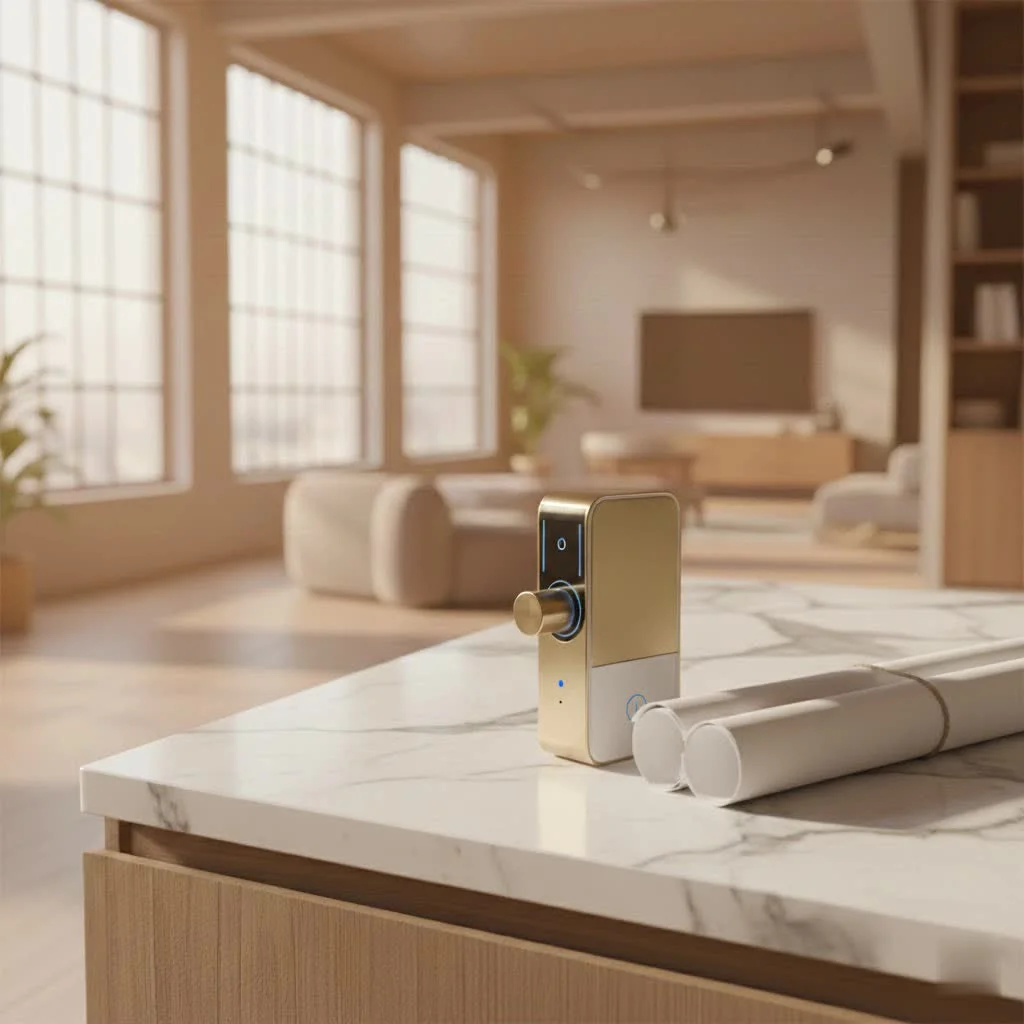
What Makes a Schlage Smart Door Lock a Top Choice?
Schlage has been a household name in door hardware for over a century, building a reputation for durability and security. Their foray into smart lock technology wasn’t just a step, but a leap, leveraging decades of expertise to create products that are both advanced and incredibly user-friendly. For expert smart home reviews on this site.
Unmatched Expertise and Innovation
Schlage isn’t just slapping tech onto a lock; they’re integrating smart features with robust, time-tested hardware. This commitment ensures that while you’re enjoying the latest conveniences like keyless entry and remote access, you’re not compromising on fundamental security. Their continuous innovation means you’re getting features that truly enhance your daily life.
Robust Security Features You Can Trust
Security is paramount, and every Schlage smart door lock is built with this in mind. They often boast high ANSI/BHMA (American National Standards Institute/Builders Hardware Manufacturers Association) certifications, typically Grade 1 or 2, which are the highest residential security ratings. This means they can withstand significant force and tampering attempts, offering superior protection against forced entry. Beyond physical strength, Schlage employs advanced encryption for wireless communication, safeguarding your digital access.
Seamless Integration with Your Smart Home Ecosystems
One of the biggest advantages of a Schlage smart door lock is its ability to play well with others. Whether you’re an Apple HomeKit enthusiast, an Amazon Alexa loyalist, or a Google Assistant user, there’s likely a Schlage smart lock designed to fit perfectly into your existing smart home setup. This integration allows for voice control, custom routines, and centralized management of all your smart devices.
Decoding Schlage Smart Lock Models: Which One is Right for You?
Schlage offers a diverse lineup of smart locks, each catering to slightly different needs and smart home preferences. Understanding the distinctions is key to choosing your ideal lock.
Schlage Encode Plus: The Apex of Convenience and Connectivity
|
Our Picks for the Best Smart Lock in 2026
As an Amazon Associate I earn from qualifying purchases.
|
||
| Num | Product | Action |
|---|---|---|
| 1 | LOCKSTAR® Smart Door Lock • Keyless Entry Deadbolt Door Lock • Multiple Entry Methods – APP • Fingerprint Touch ID • Keypad Code • Card FOB • Traditional Key • Smart Home Devices |

|
| 2 | Smart Door Handle Lock with Keypad: Yamiry Fingerprint Smart Knob - Keyless Entry Digital Lock for Front Door - Deadbolt with APP - Generate Passcode Remotely - DIY Installation |
|
| 3 | Wyze Palm Lock, Smart Door Lock with Palm Vein Recognition, Keyless Entry Smart Locks for Front Door, Keypad, Auto Lock, Dual Battery, Wi-Fi, Works with Alexa & Google, BHMA, IP53, Mechanical Key |
|
| 4 | Yale Security Assure Lock 2 Deadbolt, Black Suede Keyed Smart Entry Door Lock with Wi-Fi Connected Keypad for Code Entry and Remote Access, YRD410-WF1-BSP |
|
| 5 | Tapo Smart Wi-Fi Deadbolt Door Lock – Keyless Tactile Buttons, Customized Access with in-App Monitoring, Auto-Lock, IP54 Weatherproof, BHMA Grade 3, Compatible with Standard Door Sizes, Tapo DL100 |
|
| 6 | Video Smart Lock S398, 4-in-1 Camera + Video Doorbell + Fingerprint Keyless Door Lock + Indoor Display Monitor, Smart WiFi Deadbolt, App Remote Control, Easy Installation, Chime Included |
|
| 7 | ULTRALOQ U-Bolt Pro WiFi Smart Lock with Door Sensor, 8-in-1 Keyless Entry Door Lock with Fingerprint ID, App Remote Control, Built-in WiFi Keypad Deadbolt, Auto Unlock, IP65 Waterproof, Easy Install |
|
| 8 | 3D Face Recognition Smart Door Lock with Lock Body, Fingerprint/Ic Card/Password/Key Unlocked/Camera and Doorbell/Tuya WiFi App/Night Vision/Door Opening Record/Photo/Anti-Prying Alarm. |
|
| 9 | ULTRALOQ Bolt Smart Lock, Built-in Wi-Fi, Matter Over Thread, Works with Apple Home, Alexa, Google, 7-in-1 Keyless Entry Deadbolt with Fingerprint ID, App, Keypad, Remote Control, 18 Months Battery |
|
| 10 | TEEHO TE001 Keyless Entry Door Lock with Keypad - Smart Deadbolt Lock for Front Door with 2 Keys - Auto Lock - Easy Installation - Satin Nickel |
|
The Schlage Encode Plus is currently the top-tier offering, designed for ultimate convenience and robust smart home integration.
- Key Features: It comes with built-in Wi-Fi, meaning no additional hub is required for remote access. Its standout feature is Apple Home Key compatibility, allowing you to unlock your door just by tapping your iPhone or Apple Watch. It also works seamlessly with Apple HomeKit, Amazon Alexa, and Google Assistant.
- Best For: This lock is ideal for Apple users who want the absolute latest in smart lock technology and a truly frictionless entry experience. It’s also perfect for anyone seeking direct Wi-Fi connectivity without needing a separate bridge or hub.
Schlage Encode WiFi Deadbolt: Effortless Access, Anywhere
The original Schlage Encode brought built-in Wi-Fi to the masses, simplifying smart lock setup and usage.
- Key Features: Like its “Plus” sibling, it features integrated Wi-Fi for remote access and control, eliminating the need for a separate hub. It integrates smoothly with Amazon Alexa and Google Assistant, allowing voice commands and smart routines.
- Best For: This is an excellent choice for general smart home users who prioritize robust Wi-Fi connectivity and remote control without the added cost or complexity of a separate bridge, but don’t specifically need Apple Home Key or HomeKit.
Schlage Sense Smart Deadbolt: Bluetooth Simplicity with HomeKit Flair
The Schlage Sense was a pioneer in bringing smart lock features to a wider audience, especially for HomeKit users.
- Key Features: It primarily uses Bluetooth for local control and works directly with Apple HomeKit. For remote access when you’re away from home, it requires the optional Schlage Sense Wi-Fi Adapter (sold separately) or a HomeKit hub (like an Apple TV or HomePod) strategically placed nearby.
- Best For: Individuals who are deeply embedded in the Apple HomeKit ecosystem and prefer Bluetooth for local control, or those on a tighter budget who are willing to purchase an optional adapter for remote functionality.
Schlage Connect Smart Deadbolt: The Hub-Centric Powerhouse (Z-Wave/Zigbee)
The Schlage Connect series offers robust connectivity for those already invested in a smart home hub.
- Key Features: Available in Z-Wave and Zigbee variants, these locks communicate with your smart home system via a dedicated hub (e.g., Samsung SmartThings, Ring Alarm, Nexia). This setup provides reliable remote access and integration within a broader smart home network.
- Best For: Users who already own a compatible smart home hub and desire a lock that can integrate deeply into their existing Z-Wave or Zigbee network for maximum automation and reliability.
Essential Features to Look for in Your Schlage Smart Lock
Beyond the model differences, several core features contribute to the overall utility and security of a Schlage smart door lock.
Keypad Entry & Traditional Key Override
Every Schlage smart lock offers convenient keypad entry, allowing you to ditch your physical keys. You can set unique codes for family members, guests, or service providers. Crucially, all Schlage smart locks also include a traditional key cylinder, ensuring you always have a manual backup option in case of battery failure or technical issues.
Remote Access & Monitoring
With Wi-Fi enabled models or those paired with a compatible hub, you gain the power of remote access. This means you can lock or unlock your door from anywhere using your smartphone app, check your lock’s status, and receive notifications when someone enters or leaves your home.
Auto-Lock & Built-in Alarms
Many Schlage smart locks feature an auto-lock function, which can be configured to automatically secure your door after a set period (e.g., 30 seconds, 1 minute). This eliminates the “did I lock the door?” anxiety. Additionally, tamper alarms can alert you to potential security breaches or suspicious activity at your door.
User Code Management & Scheduling
The companion app for your Schlage smart door lock provides comprehensive control over user codes. You can create temporary codes for visitors, schedule access times for dog walkers or cleaners, and instantly revoke codes when they’re no longer needed. This level of control is invaluable for managing access to your home.
Battery Life & Low Battery Alerts
Schlage smart locks are battery-powered, typically using standard AA batteries. Battery life varies by model and usage but generally lasts for several months. The app will provide low battery alerts well in advance, giving you ample time to swap them out.
Installing Your Schlage Smart Door Lock: A DIY Guide
Installing a Schlage smart door lock is surprisingly straightforward and well within the capabilities of most DIY enthusiasts. You typically won’t need a professional installer.
Tools Needed
What tools do you need to install a Schlage smart lock?
Generally, you’ll only require a Phillips head screwdriver. Some installations might benefit from a tape measure to check door dimensions, but the process is mostly tool-free beyond the screwdriver.
Step-by-Step Installation
How do I install my Schlage smart lock?
The process usually involves removing your existing deadbolt, inserting the new deadbolt, attaching the exterior keypad assembly, installing the interior thumbturn assembly, and then connecting the wiring harness. Schlage provides excellent step-by-step guides, often with visual aids, to walk you through the physical installation.
App Setup & Calibration
Once the physical lock is installed, the next crucial step is setting it up with the Schlage Home app (or your chosen smart home app). This involves pairing the lock, calibrating its open/close mechanism, and then configuring your user codes and smart features. The app guides you through this, ensuring the lock operates smoothly and accurately.
Maximizing Security with Your Schlage Smart Lock
A smart lock is only as secure as its weakest link. Follow these best practices to ensure your Schlage smart door lock provides maximum protection.
Best Practices for Code Management
What are the best practices for managing user codes on a smart lock?
Regularly change your primary access codes and avoid using easily guessable sequences like birthdates or consecutive numbers. For temporary guests or service providers, create unique, time-limited codes that can be easily revoked. Never share your master programming code.
Firmware Updates
Just like your smartphone, your smart lock benefits from regular firmware updates. These updates often include security patches and performance enhancements. Make sure your lock’s firmware is always up-to-date via the Schlage Home app to protect against potential vulnerabilities.
Physical Door Security
Even the best Schlage smart door lock can’t compensate for a weak door or door frame. Ensure your door is solid, your strike plate is reinforced with long screws (at least 3 inches into the door frame stud), and your hinges are secured. A strong lock needs a strong foundation.
Troubleshooting Common Schlage Smart Lock Issues
Even with top-tier technology, occasional hiccups can occur. Here’s how to address some common issues.
Battery Drain
Why is my Schlage smart lock draining batteries quickly?
Rapid battery drain can sometimes be caused by poor Wi-Fi signal strength, frequent usage, or a misaligned deadbolt causing the motor to work harder. Check your Wi-Fi signal, ensure your door closes smoothly, and consider replacing batteries with high-quality alkaline ones.
Connectivity Problems
What should I do if my Schlage smart lock isn’t connecting to Wi-Fi or my hub?
First, ensure your home Wi-Fi network is stable and the lock is within range of your router or smart home hub. Try restarting your router/hub. If issues persist, factory resetting the lock and re-pairing it might be necessary, following the instructions in your lock’s manual.
Keypad Unresponsiveness
My Schlage smart lock keypad isn’t responding. What’s wrong?
This is often a sign of low batteries. Replace the batteries immediately. If new batteries don’t solve the problem, check for any physical obstructions, clean the keypad surface, or try a soft reset if your model supports it.
App Syncing Errors
What causes app syncing errors with my Schlage smart lock?
Ensure your smartphone has a stable internet connection and that the Schlage Home app is updated to the latest version. Sometimes, simply closing and reopening the app or restarting your phone can resolve temporary syncing glitches. Also, verify that the lock’s firmware is current.
“A smart lock is more than just convenience; it’s a proactive layer of defense. The true genius of a Schlage smart door lock lies in how it seamlessly merges advanced technology with robust, fundamental security principles, empowering homeowners with unparalleled control and peace of mind.” – Dr. Evelyn Reed, leading expert in residential security technology.
Frequently Asked Questions (FAQ)
Q: Do Schlage smart locks work with all door types?
A: Schlage smart locks are designed to fit standard residential doors with typical boreholes (usually 2-1/8 inches) and backsets (2-3/8 or 2-3/4 inches). They also accommodate common door thicknesses. Always check the specific product’s specifications for compatibility with your door.
Q: Is a hub required for all Schlage smart locks?
A: No, it depends on the model. Schlage Encode and Encode Plus models have built-in Wi-Fi and do not require a separate hub for remote access. Schlage Sense requires a Wi-Fi adapter for remote access (or a HomeKit hub), and Schlage Connect (Z-Wave/Zigbee) models require a compatible smart home hub.
Q: How do I manage user codes?
A: User codes are managed through the dedicated Schlage Home app on your smartphone. The app allows you to create, modify, schedule, and delete codes for various users, giving you granular control over who has access and when.
Q: What’s the battery life like for a Schlage smart door lock?
A: Battery life typically ranges from 6 months to a year, depending on the model, usage frequency, environmental factors, and network strength. The Schlage Home app will provide low battery alerts, giving you ample time to replace them.
Q: Can I still use a physical key with a Schlage smart door lock?
A: Yes, absolutely. All Schlage smart locks come with a traditional key cylinder, providing a manual key override as a backup in case of battery failure or if you prefer traditional entry.
Q: How secure are Schlage smart locks against hacking?
A: Schlage smart locks employ advanced encryption protocols (like AES 128-bit) to protect wireless communications, making them highly resistant to digital hacking attempts. Combined with their robust physical security features, they offer a strong defense.
Q: What’s the main difference between Schlage Encode and Encode Plus?
A: The primary difference is Apple Home Key support and HomeKit compatibility. The Schlage Encode Plus features Apple Home Key, allowing you to unlock with a tap of your iPhone or Apple Watch, and has native HomeKit support. The original Schlage Encode has built-in Wi-Fi but does not offer Home Key or native HomeKit integration.
Elevate Your Home with a Schlage Smart Door Lock
Investing in a Schlage smart door lock isn’t just about convenience; it’s about upgrading your home’s security, gaining unprecedented control over access, and embracing the future of smart living. From the cutting-edge Schlage Encode Plus to the reliable Schlage Connect, there’s a perfect fit for every home and every smart homeowner. By understanding the features, models, and best practices, you can confidently choose, install, and maximize the security and convenience your Schlage smart lock offers.
Ready to transform your home’s entry experience? Explore the range of Schlage smart door locks, find the model that speaks to your needs, and step into a world where security is smart, and access is effortless. Share your experiences with us at JTDNC.com – we’d love to hear how your Schlage smart lock is making your life easier and your home safer!
Smart home that does not lock you in
Free PDF — protocol compatibility matrix for 30 hubs and devices.
