A smart cabinet lock is an electronic locking mechanism for drawers and cabinets that integrates with smart home ecosystems, offering keyless entry via smartphone apps, fingerprint recognition, RFID cards, or numeric keypads. These devices enhance security by providing features like auto-locking and tamper alerts, and improve convenience by eliminating physical keys. They are often discreetly installed inside furniture, preserving aesthetics while allowing remote management and activity monitoring through Bluetooth or Wi-Fi connectivity.
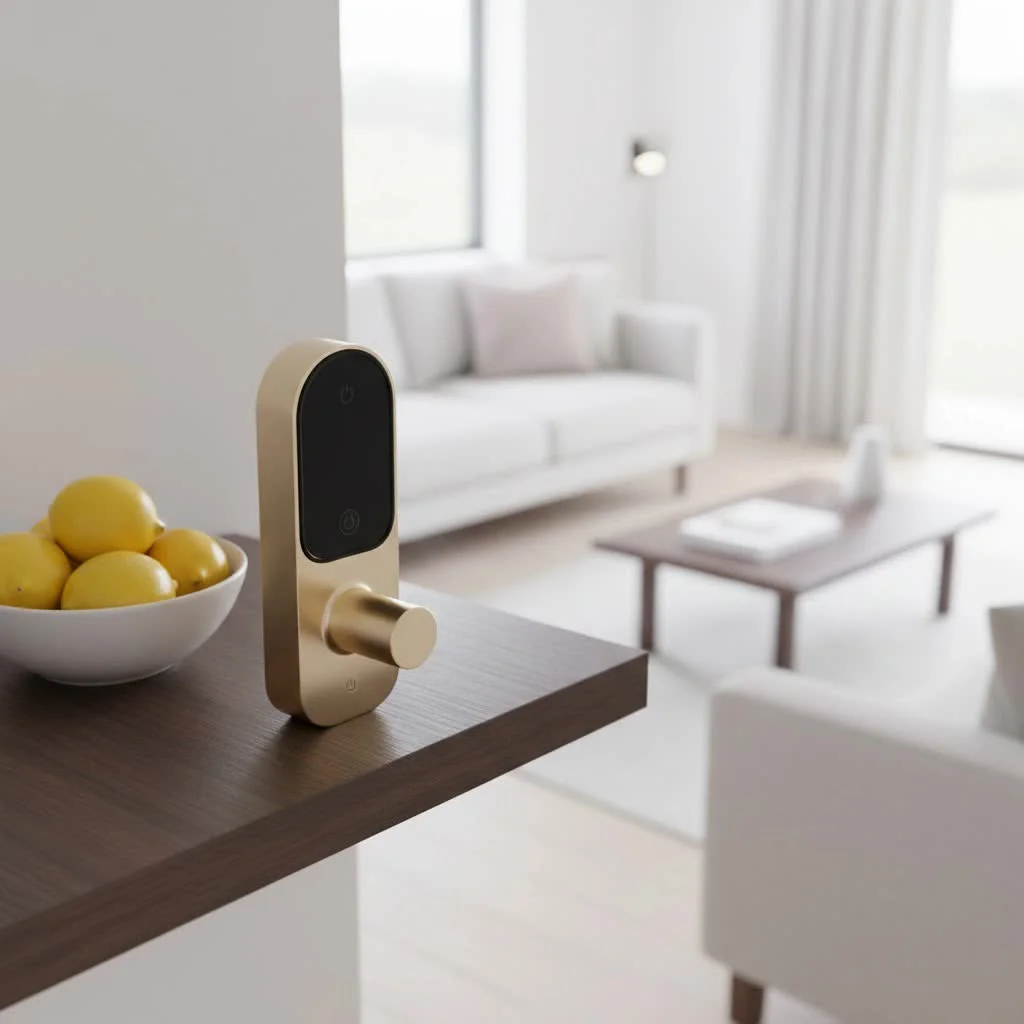
Smart cabinet locks are essential for modern homes, particularly those with young children, curious pets, or high-value items needing extra protection. They extend advanced security features from smart doors to interior furniture like kitchen cabinets, liquor cabinets, office drawers, and display cases. Understanding the various types and features of smart cabinet locks is crucial for making an informed decision that enhances your living space by safeguarding important documents, medicines, or tools. For browse all smart home articles on this site.
What Exactly is a Smart Cabinet Lock?
At its core, a smart cabinet lock is an electronic locking mechanism designed for drawers, cabinets, and other small enclosures, integrating with smart home ecosystems. Unlike traditional locks that rely on physical keys, these devices offer a variety of keyless entry methods, typically controlled via a smartphone app, fingerprint recognition, RFID cards, or even numeric keypads. This digital approach not only enhances security but also significantly improves convenience and accessibility.
These locks are often discreet, installed on the inside of the cabinet or drawer, making them invisible from the exterior and preserving the aesthetic of your furniture. They communicate using technologies like Bluetooth or Wi-Fi, allowing for remote management, activity monitoring, and integration with other smart devices in your home. The transition from bulky, easily misplaced keys to sleek, digital access is a major upgrade for anyone looking to modernize their home security.
Why Should You Upgrade to a Smart Cabinet Lock?
The reasons to embrace a smart cabinet lock are manifold, extending far beyond simple security. They address a range of modern-day needs, offering solutions that traditional locks simply cannot.
Enhanced Security and Peace of Mind
This is perhaps the most compelling reason. Smart cabinet locks provide a robust defense against unauthorized access. With features like auto-locking, tamper alerts, and sophisticated encryption, they make it significantly harder for intruders or curious hands to gain entry. For instance, you can secure cabinets containing cleaning supplies, sharp objects, or alcohol, preventing accidents involving children or pets. “Smart cabinet locks offer an undeniable layer of protection, turning any ordinary cabinet into a fortress,” says Dr. Evelyn Reed, a leading Security Systems Architect. “The ability to monitor access remotely adds an invaluable sense of control.”
Unmatched Convenience and Accessibility
|
Our Picks for the Best Smart Lock in 2026
As an Amazon Associate I earn from qualifying purchases.
|
||
| Num | Product | Action |
|---|---|---|
| 1 | TEEHO TE001 Keyless Entry Door Lock with Keypad - Smart Deadbolt Lock for Front Door with 2 Keys - Auto Lock - Easy Installation - Satin Nickel |

|
| 2 | Wyze Palm Lock, Smart Door Lock with Palm Vein Recognition, Keyless Entry Smart Locks for Front Door, Keypad, Auto Lock, Dual Battery, Wi-Fi, Works with Alexa & Google, BHMA, IP53, Mechanical Key |
|
| 3 | ULTRALOQ U-Bolt Pro WiFi Smart Lock with Door Sensor, 8-in-1 Keyless Entry Door Lock with Fingerprint ID, App Remote Control, Built-in WiFi Keypad Deadbolt, Auto Unlock, IP65 Waterproof, Easy Install |
|
| 4 | Yale Security Assure Lock 2 Deadbolt, Black Suede Keyed Smart Entry Door Lock with Wi-Fi Connected Keypad for Code Entry and Remote Access, YRD410-WF1-BSP |
|
| 5 | 3D Face Recognition Smart Door Lock with Lock Body, Fingerprint/Ic Card/Password/Key Unlocked/Camera and Doorbell/Tuya WiFi App/Night Vision/Door Opening Record/Photo/Anti-Prying Alarm. |
|
| 6 | ULTRALOQ Bolt Smart Lock, Built-in Wi-Fi, Matter Over Thread, Works with Apple Home, Alexa, Google, 7-in-1 Keyless Entry Deadbolt with Fingerprint ID, App, Keypad, Remote Control, 18 Months Battery |
|
| 7 | Video Smart Lock S398, 4-in-1 Camera + Video Doorbell + Fingerprint Keyless Door Lock + Indoor Display Monitor, Smart WiFi Deadbolt, App Remote Control, Easy Installation, Chime Included |
|
| 8 | Tapo Smart Wi-Fi Deadbolt Door Lock – Keyless Tactile Buttons, Customized Access with in-App Monitoring, Auto-Lock, IP54 Weatherproof, BHMA Grade 3, Compatible with Standard Door Sizes, Tapo DL100 |
|
| 9 | LOCKSTAR® Smart Door Lock • Keyless Entry Deadbolt Door Lock • Multiple Entry Methods – APP • Fingerprint Touch ID • Keypad Code • Card FOB • Traditional Key • Smart Home Devices |
|
| 10 | Smart Door Handle Lock with Keypad: Yamiry Fingerprint Smart Knob - Keyless Entry Digital Lock for Front Door - Deadbolt with APP - Generate Passcode Remotely - DIY Installation |
|
Say goodbye to fumbling for keys. Keyless entry methods mean quick and effortless access. Imagine needing to grab something from a locked drawer while your hands are full; a quick fingerprint scan or a tap on your phone is all it takes. For multiple users, you can easily grant and revoke access digitally, eliminating the need to cut duplicate keys or worry about lost ones. This is particularly useful in shared living spaces or offices.
Remote Control and Monitoring
Many smart cabinet locks connect to your home Wi-Fi or Bluetooth, allowing you to control and monitor them from anywhere via a smartphone app. Forgot to lock the medicine cabinet? A quick check on your app confirms its status, and you can lock it remotely. Some systems even provide logs of who accessed the cabinet and when, offering a detailed audit trail that can be invaluable for sensitive items.
Seamless Smart Home Integration
For those with existing smart home setups, smart cabinet locks can integrate beautifully. Link them with your voice assistant to check status, or set up routines where specific cabinets lock automatically when you leave the house or at a certain time of day. This creates a cohesive and automated security environment that works silently in the background.
Types of Smart Cabinet Locks: Finding Your Perfect Fit
The market offers a diverse range of smart cabinet locks, each with its unique set of features and ideal applications. Understanding the different types will help you choose the best smart cabinet lock for your specific needs.
1. Fingerprint Smart Cabinet Locks
These locks use biometric technology, allowing access only to authorized fingerprints. They are incredibly convenient and secure, as fingerprints are unique and can’t be lost or stolen.
- Pros: High security, no keys or codes to quick access.
- Cons: Can be affected by dirty or wet fingers, may require multiple attempts if not scanned correctly.
- Best for: Personal drawers, jewelry boxes, gun cabinets, highly sensitive documents.
2. RFID Smart Cabinet Locks
RFID (Radio-Frequency Identification) locks utilize a small chip embedded in a card, fob, or even a sticker. You simply tap the RFID tag near the lock to gain access.
- Pros: Easy to use, cards can be discreetly carried, multiple users can have their own access card.
- Cons: Cards can be lost, though replacing them is usually straightforward.
- Best for: Shared office cabinets, display cases in retail, kitchens where multiple family members need access.
3. Bluetooth/App-Controlled Smart Cabinet Locks
These locks connect to your smartphone via Bluetooth, allowing you to unlock them through a dedicated app. Some also offer remote access if connected to a Wi-Fi bridge.
- Pros: Smartphone is your key, easy to manage user access, often includes activity logs.
- Cons: Relies on smartphone battery, range limitations for Bluetooth-only models.
- Best for: General home cabinets, securing personal belongings, situations where remote management is desired.
4. Keypad Smart Cabinet Locks
Featuring a numeric keypad, these locks require users to enter a specific code. They are a familiar and straightforward option for many.
- Pros: No keys to carry, easy to share access codes, often have a physical key override.
- Cons: Codes can be forgotten or shared improperly, potential for “shoulder surfing.”
- Best for: Cabinets needing quick, shared access where a code is easy to such as school lockers or shared storage.
Key Features to Look For in a Smart Cabinet Lock
When selecting a smart cabinet lock, consider these essential features to ensure it meets your security and convenience requirements:
- Installation Type:
- Surface-mounted: Easy to install, often visible.
- Recessed/Hidden: Requires drilling, offers a seamless, invisible look.
- Power Source: Most are battery-operated. Look for long battery life and low-battery indicators.
- Connectivity: Bluetooth (local control) or Wi-Fi (remote control). Wi-Fi models often require a bridge.
- Access Methods: Fingerprint, RFID, app, keypad, or a combination. A physical key override is always a good backup.
- Security Features:
- Auto-lock: Locks automatically after a set period.
- Tamper alarms: Alerts you if someone tries to force the lock.
- Encryption: Protects wireless communication.
- User Management: Ability to easily add, delete, or modify user access.
- Activity Logs: Tracks who accessed the lock and when.
- Smart Home Integration: Compatibility with platforms like Amazon Alexa, Google Home, Apple HomeKit, or Samsung SmartThings.
Installation and Setup: A DIY-Friendly Upgrade
One of the great things about many smart cabinet locks is their relatively straightforward installation process, often making them a perfect DIY project. While specific steps vary by model, here’s a general overview:
- Preparation: Read the manual thoroughly. Gather necessary tools (screwdriver, drill if needed, measuring tape).
- Mounting the Lock Body: Most locks are designed to be mounted on the inside of the cabinet or drawer. This might involve screws or strong adhesive, depending on the model. Ensure proper alignment for the locking mechanism.
- Installing the Latch/Striker Plate: Position the latch on the cabinet frame or the adjacent drawer/door so that it aligns perfectly with the lock body when the cabinet is closed.
- Power Up: Insert the required batteries.
- Configuration: Download the accompanying app (for app-controlled locks), pair the device, and follow the on-screen instructions to set up user access (fingerprints, RFID cards, codes).
- Test Thoroughly: Before securing all screws, test the lock multiple times to ensure it functions correctly, locks securely, and unlocks smoothly with all chosen access methods.
For recessed models, more precise drilling might be required, but manufacturers usually provide templates to guide you. If you’re uncomfortable with drilling, surface-mounted adhesive options offer an even easier path to smart security.
Troubleshooting Common Smart Cabinet Lock Issues
Even the most advanced technology can encounter a hiccup now and then. Here are some common issues and how to troubleshoot your smart cabinet lock:
- “My lock isn’t responding.”
- Check Batteries: This is the most common culprit. Replace them with fresh ones.
- Restart Device: Remove batteries, wait a few seconds, then reinsert.
- Check App Connection: Ensure Bluetooth is on, or your Wi-Fi bridge is powered and connected to the internet.
- “My fingerprint isn’t being recognized.”
- Clean Sensor/Finger: Ensure both the sensor and your finger are clean and dry.
- Re-enroll Fingerprint: Sometimes, re-registering your fingerprint can resolve recognition issues.
- Try Different Finger: If the issue persists, try a different enrolled finger.
- “The lock won’t auto-lock.”
- Check Settings: Verify that the auto-lock feature is enabled in your app settings and the delay time is configured correctly.
- Sensor Alignment: Ensure the lock’s sensor (if it has one to detect closure) is properly aligned.
- “I’m locked out!”
- Physical Key Override: Most locks have a physical key as a backup.
- External Power Supply: Some locks have external terminals for a 9V battery jump-start if internal batteries die while locked.
- Reset Procedure: As a last resort, some locks have a factory reset, but be aware this will delete all user data.
The Future is Secure and Smart
Smart cabinet locks represent a small but significant step in enhancing personal security and convenience within our homes and workspaces. They empower you to protect what matters most with sophisticated, yet user-friendly, technology. From securing valuables and dangerous items to simply making everyday access a breeze, a smart cabinet lock is a worthy investment for any modern home.
Embracing this technology means stepping into a future where security is seamless, intuitive, and always within reach. So, take the plunge, explore the options, and discover how a smart cabinet lock can improve your home security and bring unparalleled peace of mind. Your belongings, and your family’s safety, will thank you.
Frequently Asked Questions
What are the main benefits of installing a smart cabinet lock?
The main benefits of installing a smart cabinet lock include enhanced security, unmatched convenience, remote control and monitoring, and seamless smart home integration. These locks offer features like auto-locking and tamper alerts, and eliminate the need for physical keys, providing peace of mind for securing valuables or dangerous items.
How do smart cabinet locks differ from traditional cabinet locks?
Smart cabinet locks differ from traditional locks by offering keyless entry methods such as fingerprint, RFID, app control, or keypads, instead of physical keys. They often integrate with smart home ecosystems via Bluetooth or Wi-Fi, allowing for remote management, activity logs, and automated routines, which traditional locks cannot provide.
What types of access methods are available for smart cabinet locks?
Smart cabinet locks offer several access methods, including fingerprint recognition for biometric security, RFID cards or fobs for tap-to-unlock convenience, smartphone app control via Bluetooth or Wi-Fi, and numeric keypads for code-based entry. Many models also include a physical key override as a backup.
Can smart cabinet locks be integrated with existing smart home systems?
Yes, many smart cabinet locks are designed for seamless integration with existing smart home systems like Amazon Alexa, Google Home, Apple HomeKit, or Samsung SmartThings. This allows users to check lock status with voice commands or set up automated routines, such as locking cabinets when leaving the house.
What should I consider when choosing a smart cabinet lock?
When choosing a smart cabinet lock, consider the installation type (surface-mounted or recessed), power source (battery life), connectivity (Bluetooth or Wi-Fi), and preferred access methods (fingerprint, RFID, app, keypad). Also, look for security features like auto-lock, tamper alarms, encryption, user management capabilities, and activity logs.
Install a Smart Cabinet Lock
This guide provides a general overview for installing a smart cabinet lock, often a DIY-friendly project.
Thoroughly read the instruction manual provided with your smart cabinet lock. Gather all necessary tools, which typically include a screwdriver, measuring tape, and potentially a drill if your model requires recessed installation.
Mount the main lock body on the inside of the cabinet or drawer. Depending on the model, this may involve screws or strong adhesive. Ensure the lock body is properly aligned with where the locking mechanism will engage.
Position the latch or striker plate on the cabinet frame or the adjacent door/drawer. It must align perfectly with the lock body when the cabinet is closed to ensure proper locking and unlocking functionality.
Insert the required batteries into the lock. For app-controlled models, download the accompanying app, pair the device, and follow the on-screen instructions to set up user access, such as fingerprints, RFID cards, or numeric codes.
Before fully securing all components, test the lock multiple times. Verify that it functions correctly, locks securely, and unlocks smoothly using all chosen access methods to ensure reliable operation.
Smart home that does not lock you in
Free PDF — protocol compatibility matrix for 30 hubs and devices.

I was really on the fence about getting a smart cabinet lock, but after reading about the different types, I went with one that uses fingerprint recognition. It’s been a game-changer for keeping my liquor cabinet secure from curious teenagers without having to remember a key or code. Installation was surprisingly straightforward, and it blends in perfectly with my existing furniture.
We have a toddler who gets into EVERYTHING, so the idea of a smart cabinet lock for our kitchen cabinets was super appealing. The auto-locking feature is fantastic for peace of mind. My only minor complaint is that the app sometimes takes a second or two longer than I’d like to connect via Bluetooth, but it’s not a dealbreaker. Definitely worth it for the added security.
This was exactly what I needed for my display cases. I have some collectibles that I want to protect, and the discreet installation of these locks is perfect. You can’t even tell they’re there, which maintains the aesthetic of my living room. The ability to use an RFID card is also super convenient when my hands are full.
I got a smart lock for my office drawers, hoping to integrate it seamlessly with my existing smart home ecosystem. While the concept of remote management is great, I found the Wi-Fi connectivity to be a bit finicky. It occasionally drops offline, which means I can’t always check the activity log when I want to. It’s good for basic security, but the smart features could be more reliable.