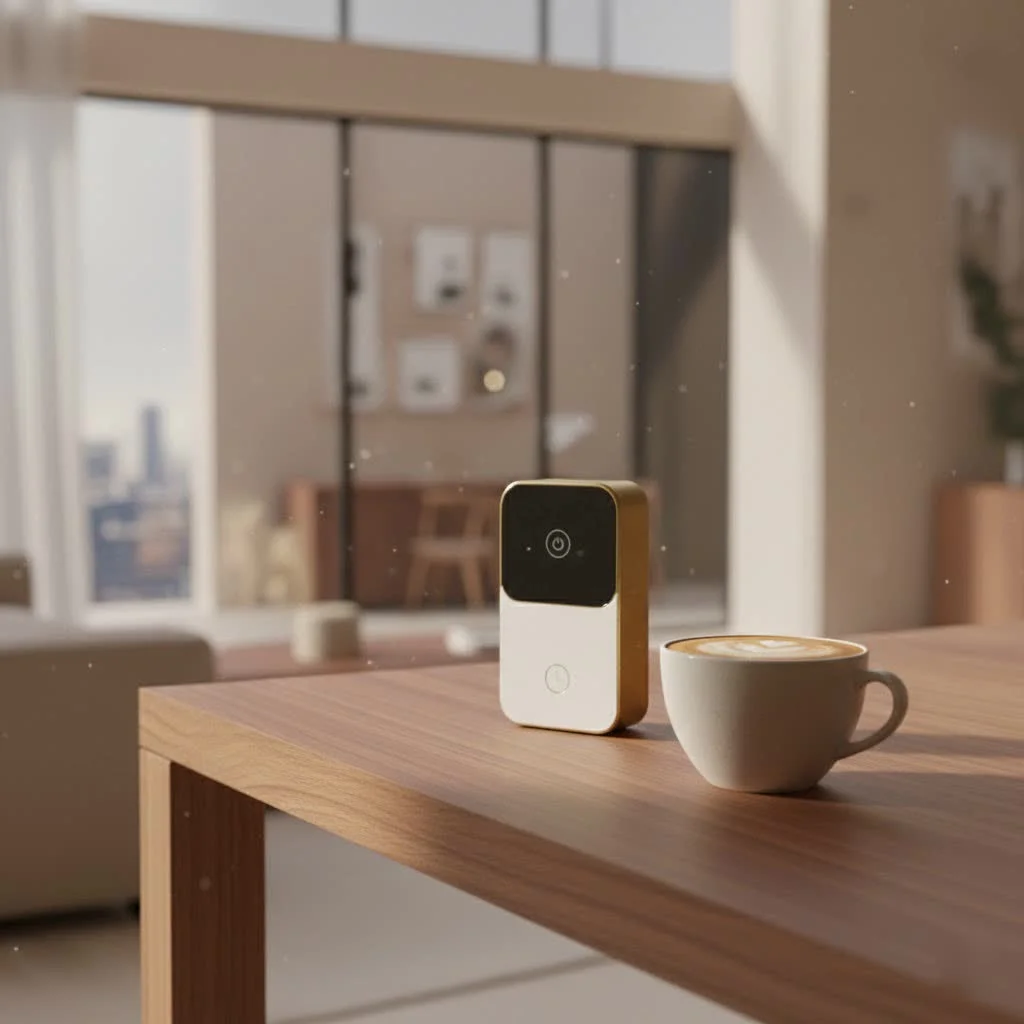
Keyless smart locks are electronic locking systems that replace traditional physical keys with digital mechanisms, offering enhanced convenience and security for modern homes. These devices utilize various authentication methods such as numeric keypads, biometric scanners, smartphone apps, or RFID fobs to secure and unlock doors. They typically connect to a home’s network via Wi-Fi, Bluetooth, or Z-Wave, allowing for remote access, real-time alerts, and seamless integration with smart home ecosystems like Amazon Alexa or Google Assistant.
What Exactly is a Keyless Smart Lock?
At its heart, a keyless smart lock is an electronic locking system designed to liberate you from the tyranny of physical keys. Instead of traditional metal, these locks utilize digital mechanisms to secure and unlock your door. Think of it as your door getting a high-tech brain transplant. Inside, a motorized deadbolt is activated by authenticated input—be it a numeric code, a signal from your smartphone app, or even your unique biometric data like a fingerprint. For compare top smart home on this site.
These locks typically connect to your home’s network via Wi-Fi for remote access and real-time alerts, or Bluetooth for proximity-based unlocking. Some even use Z-Wave technology to seamlessly integrate with a broader smart home ecosystem. The magic happens when an internal motor rotates the thumb-turn mechanism, engaging or disengaging the bolt, all without a physical key ever touching the lock.
There are several popular ways a keyless smart lock grants you entry:
- Keypads: Punch in a unique numeric code – simple, straightforward, and a favorite for many.
- Biometrics: A quick scan of your fingerprint, or in some advanced models, even facial recognition, offers lightning-fast, highly secure access.
- Smartphone Apps: Control your lock from virtually anywhere, granting access or checking its status with a tap on your phone.
- RFID or Fobs: Tapping a specialized card or fob can also provide entry, common in commercial settings but gaining traction in residential use.
Why Make the Switch? The Unbeatable Benefits of Keyless Smart Locks
The appeal of a keyless smart lock goes far beyond just “no keys.” It’s about elevating your daily life with layers of convenience and security you never knew you needed.
Convenience at Your Fingertips (No More Lost Keys!)
Picture this: arms full of groceries, a toddler on your hip, and it’s raining. Fumbling for keys is the last thing you want. With a keyless smart lock, that’s history. Simply tap your code, let the lock scan your finger, or have it auto-unlock as you approach with your smartphone. It’s liberation from a keychain, eliminating the stress of lost or misplaced keys forever. This also means no more hiding spare keys under flowerpots, a notoriously insecure practice.
Enhanced Home Security and Peace of Mind
|
Our Picks for the Best Smart Lock in 2026
As an Amazon Associate I earn from qualifying purchases.
|
||
| Num | Product | Action |
|---|---|---|
| 1 | Video Smart Lock S398, 4-in-1 Camera + Video Doorbell + Fingerprint Keyless Door Lock + Indoor Display Monitor, Smart WiFi Deadbolt, App Remote Control, Easy Installation, Chime Included |

|
| 2 | TEEHO TE001 Keyless Entry Door Lock with Keypad - Smart Deadbolt Lock for Front Door with 2 Keys - Auto Lock - Easy Installation - Satin Nickel |
|
| 3 | ULTRALOQ Bolt Smart Lock, Built-in Wi-Fi, Matter Over Thread, Works with Apple Home, Alexa, Google, 7-in-1 Keyless Entry Deadbolt with Fingerprint ID, App, Keypad, Remote Control, 18 Months Battery |
|
| 4 | Smart Door Handle Lock with Keypad: Yamiry Fingerprint Smart Knob - Keyless Entry Digital Lock for Front Door - Deadbolt with APP - Generate Passcode Remotely - DIY Installation |
|
| 5 | ULTRALOQ U-Bolt Pro WiFi Smart Lock with Door Sensor, 8-in-1 Keyless Entry Door Lock with Fingerprint ID, App Remote Control, Built-in WiFi Keypad Deadbolt, Auto Unlock, IP65 Waterproof, Easy Install |
|
| 6 | Yale Security Assure Lock 2 Deadbolt, Black Suede Keyed Smart Entry Door Lock with Wi-Fi Connected Keypad for Code Entry and Remote Access, YRD410-WF1-BSP |
|
| 7 | LOCKSTAR® Smart Door Lock • Keyless Entry Deadbolt Door Lock • Multiple Entry Methods – APP • Fingerprint Touch ID • Keypad Code • Card FOB • Traditional Key • Smart Home Devices |
|
| 8 | 3D Face Recognition Smart Door Lock with Lock Body, Fingerprint/Ic Card/Password/Key Unlocked/Camera and Doorbell/Tuya WiFi App/Night Vision/Door Opening Record/Photo/Anti-Prying Alarm. |
|
| 9 | Wyze Palm Lock, Smart Door Lock with Palm Vein Recognition, Keyless Entry Smart Locks for Front Door, Keypad, Auto Lock, Dual Battery, Wi-Fi, Works with Alexa & Google, BHMA, IP53, Mechanical Key |
|
| 10 | Tapo Smart Wi-Fi Deadbolt Door Lock – Keyless Tactile Buttons, Customized Access with in-App Monitoring, Auto-Lock, IP54 Weatherproof, BHMA Grade 3, Compatible with Standard Door Sizes, Tapo DL100 |
|
“The peace of mind that comes with knowing your home’s entry points are fortified with intelligent, real-time monitoring is invaluable,” says Sophia Chen, Lead Security Architect at JTDNC. Unlike traditional locks that can be picked or bumped, keyless smart locks employ advanced security measures. Many utilize strong encryption standards, like AES-128 or AES-256, similar to those used by banks. Features like tamper alerts notify your phone if someone attempts to break in or repeatedly enters the wrong PIN. You also get activity logs, providing a detailed history of who entered and exited your home and when. Some even boast auto-locking features, ensuring your door is secured automatically after a set time – a true blessing for those “did I lock the door?” moments.
Smart Home Integration: A Connected Ecosystem
A keyless smart lock isn’t just a standalone device; it’s a vital component of a truly connected smart home. Integrating with platforms like Amazon Alexa, Google Assistant, or Apple HomeKit, these locks allow you to create custom automation routines. Imagine your front door automatically locking when your alarm system is armed, or your lights turning on as you unlock the door after dark. This seamless integration transforms your house into an intuitive, responsive living space.
Flexible Access for Guests and Services
Need to let in a pet sitter, cleaner, or a visiting friend while you’re away? A keyless smart lock makes it incredibly easy. You can create temporary or permanent access codes for specific individuals, setting time-limited access windows. When they no longer need entry, simply revoke their code – no need for costly rekeying. This granular control over who enters your home, and when, is a major upgrade for modern households.
Are Keyless Smart Locks Truly Secure? Addressing Common Concerns
While the benefits are clear, it’s natural to have questions about the security and reliability of any smart technology, especially when it guards your home.
Addressing Hacking Risks and Data Privacy
One of the most frequently asked questions is about hacking. While no system is 100% impenetrable, reputable keyless smart locks are designed with robust cybersecurity in mind. They use encryption, secure Wi-Fi connections, and often require regular firmware updates to patch vulnerabilities. Choosing a trusted brand that invests in continuous security enhancements is crucial. Compared to the ease of picking a traditional lock or the risk of a lost physical key, the digital safeguards of a smart lock often provide a superior layer of protection against unauthorized entry.
Regarding privacy, some smart locks may collect data on access patterns. It’s important to understand a brand’s privacy policy and choose locks that prioritize user privacy and offer strong data encryption.
Power Outages and Battery Life: What You Need to Know
Keyless smart locks rely on power, typically AA batteries, to operate their electronic mechanisms. This naturally leads to concerns about being locked out during a power outage or if batteries die. Thankfully, most modern keyless smart locks come with built-in safeguards:
- Low-Battery Alerts: You’ll receive warnings on your smartphone or through LED indicators on the lock itself weeks before the battery is critically low.
- Physical Key Override: Many models include a traditional keyhole as a backup, ensuring you can always gain entry manually if needed.
- Backup Power Ports: Some locks feature a small port where you can temporarily connect a 9V battery to provide enough power for one last entry.
Regularly checking battery levels and keeping spare batteries on hand can easily mitigate this concern.
Installation and Compatibility Considerations
While many keyless smart locks are designed for DIY installation with just a screwdriver, compatibility with your existing door hardware is key. You’ll need to confirm measurements like the backset (distance from the door’s edge to the center of the bore hole), door thickness, and existing bore holes. Some advanced features or complex integrations might benefit from professional installation, ensuring optimal alignment and functionality. If your door or frame isn’t perfectly square, addressing these issues first will dramatically improve both security and battery life.
Choosing Your Perfect Keyless Smart Lock: A Buyer’s Checklist
Selecting the right keyless smart lock involves balancing features, security, and your specific lifestyle needs. Here’s what to look for:
Connectivity: Wi-Fi, Bluetooth, or Z-Wave?
- Wi-Fi: Offers full remote control from anywhere with an internet connection.
- Bluetooth: Ideal for proximity-based unlocking (when you’re near the door) and often better for battery life.
- Z-Wave/Matter/Thread: Excellent for seamless integration into larger smart home systems, often requiring a hub. Consider Matter compatibility for future-proofing your smart home.
Authentication Methods: What Works Best for You?
Do you prefer keypads for simple code entry, biometric scanners for fast, secure access, or app control for ultimate flexibility? Many locks offer multiple access options, providing convenience for every household member and guest.
Security Certifications and Encryption
Look for locks with ANSI/BHMA Grade 1 or 2 mechanical security ratings – Grade 1 being the highest. Ensure the lock uses strong encryption (like AES-128 or AES-256) and is from a reputable manufacturer known for regular software updates.
Compatibility with Your Door and Smart Home
Check if the lock fits your door’s dimensions and type (deadbolt replacement or lever handle). If you already have a smart home ecosystem (Alexa, Google Home, Apple HomeKit), ensure the keyless smart lock integrates seamlessly with it.
Battery Life and Backup Options
Inquire about expected battery life and always choose a model with a low-battery indicator. Confirm there’s a reliable backup entry method, such as a physical key override, to prevent lockouts.
Expert Insight: The Future of Your Front Door
“The evolution of keyless smart locks isn’t just about convenience; it’s about empowerment,” notes David Pham, a Senior Smart Home Security Analyst at JTDNC. “We’re moving towards intelligent entryways that adapt to our lives, anticipate our needs, and offer unparalleled control over our home’s most critical access point. The integration with AI and even more sophisticated biometrics is just around the corner, making our homes more intuitive and safer than ever before.”
Keyless Smart Locks: FAQs
Q1: How do keyless smart locks get power?
A1: Most keyless smart locks are battery-powered, typically using standard AA batteries. They are designed to be energy-efficient and provide weeks or even months of power, with systems in place to alert you when batteries are running low.
Q2: Can I still use a physical key with a keyless smart lock?
A2: Many keyless smart locks include a physical key override feature. This acts as a crucial backup, allowing you to unlock your door with a traditional key in case of battery failure, system malfunction, or if your phone is lost or stolen.
Q3: Are keyless smart locks difficult to install?
A3: Many popular keyless smart locks are designed for straightforward DIY installation, often requiring only a Phillips screwdriver and a few minutes. However, some complex systems or specific door configurations might benefit from professional installation to ensure optimal performance and security.
Q4: What if my Wi-Fi goes down?
A4: If your Wi-Fi network goes down, you can still access your keyless smart lock using alternative methods like a keypad code, a fingerprint scan (for biometric models), or the physical key override. Wi-Fi primarily enables remote access and smart home integration, not basic locking/unlocking.
Q5: How do I manage access for multiple users?
A5: Keyless smart locks come with user management features, typically through a dedicated smartphone app. You can create unique PIN codes or register fingerprints for each family member, guest, or service provider, and often set schedules or temporary access periods.
Conclusion
Stepping into the world of a keyless smart lock is more than just buying a new gadget; it’s an investment in a more convenient, secure, and integrated home life. From eliminating the stress of lost keys and providing flexible access for guests, to integrating seamlessly with your smart home ecosystem, the benefits are clear. As a leading expert at JTDNC, I firmly believe that embracing this technology is a smart move for anyone looking to upgrade their home security and streamline their daily routine. Make the leap, experience the freedom, and unlock a truly modern living experience with a keyless smart lock today.
Frequently Asked Questions
How do keyless smart locks receive power to operate?
Most keyless smart locks are powered by standard AA batteries, designed for energy efficiency to last weeks or months. These systems include alerts to notify users when battery levels are low, ensuring timely replacement.
Can a physical key still be used with a keyless smart lock?
Many keyless smart locks feature a physical key override, providing a crucial backup. This allows manual entry with a traditional key in cases of battery failure, system malfunction, or if a smartphone is lost or stolen.
Is the installation process for keyless smart locks complicated?
Many popular keyless smart locks are designed for straightforward DIY installation, often requiring only a Phillips screwdriver and a few minutes. However, complex systems or specific door configurations might benefit from professional installation for optimal performance and security.
What happens if my home's Wi-Fi network goes offline?
If your Wi-Fi network goes down, you can still access your keyless smart lock using alternative methods such as a keypad code, a fingerprint scan (for biometric models), or the physical key override. Wi-Fi primarily enables remote access and smart home integration, not basic locking/unlocking functions.
How can I manage access for multiple individuals with a smart lock?
Keyless smart locks include user management features, typically accessible through a dedicated smartphone app. You can create unique PIN codes or register fingerprints for each family member, guest, or service provider, and often set specific schedules or temporary access periods for enhanced control.
What security certifications should I look for in a keyless smart lock?
When choosing a keyless smart lock, look for ANSI/BHMA Grade 1 or 2 mechanical security ratings, with Grade 1 being the highest. Additionally, ensure the lock uses strong encryption standards like AES-128 or AES-256 and is from a reputable manufacturer known for regular software updates to address vulnerabilities.
Choosing Your Perfect Keyless Smart Lock
Selecting the right keyless smart lock involves balancing features, security, and your specific lifestyle needs. Follow these steps to make an informed decision.
Consider whether Wi-Fi, Bluetooth, or Z-Wave/Matter/Thread best suits your needs. Wi-Fi offers remote control, Bluetooth is ideal for proximity, and Z-Wave/Matter/Thread integrates well with larger smart home systems, often requiring a hub.
Determine your preferred entry method: keypads for codes, biometric scanners for fast access, or app control for flexibility. Many locks offer multiple options to accommodate various users and situations.
Look for locks with ANSI/BHMA Grade 1 or 2 mechanical security ratings and strong encryption (e.g., AES-128 or AES-256). Choose reputable manufacturers known for consistent software updates to ensure robust security.
Confirm the lock fits your door's dimensions and type (e.g., deadbolt replacement). Ensure it integrates seamlessly with your existing smart home ecosystem, such as Amazon Alexa, Google Home, or Apple HomeKit.
Inquire about the expected battery life and always select a model with a low-battery indicator. Confirm the presence of a reliable backup entry method, such as a physical key override, to prevent potential lockouts.
Smart home that does not lock you in
Free PDF — protocol compatibility matrix for 30 hubs and devices.
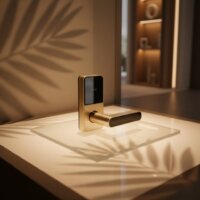
I got a keyless smart lock with a numeric keypad, and while it’s mostly good, the battery life isn’t quite what I expected. I feel like I’m changing the batteries more often than I’d like. The remote access feature is super handy for letting in the dog walker, but I wish the power source was more reliable. Still, it’s better than carrying a bulky set of keys.
I finally upgraded to a keyless smart lock after years of fumbling with keys, and it’s been a game-changer. The ability to use my smartphone app to unlock the door when my hands are full with groceries is incredibly convenient. I also love getting real-time alerts on my phone if someone tries to tamper with the lock. It’s definitely worth the investment for peace of mind.
Integrating my new smart lock with Amazon Alexa was surprisingly easy. Now I can just tell Alexa to lock the door when I’m heading out, which is super convenient. The motorized deadbolt feels really solid and secure. I’m really impressed with how much more control I have over my home’s access now.
The biometric scanner on my new smart lock is fantastic. No more worrying about lost keys or forgotten codes. It was a bit tricky to set up with my existing smart home ecosystem, but once it was connected to Google Assistant, everything worked smoothly. I appreciate the added layer of security it provides.