The Kwikset Halo Touch Smart Lock offers ultimate fingerprint security for modern homes by integrating a biometric fingerprint scanner, built-in Wi-Fi, and comprehensive smart features. This innovative lock allows users to unlock their door with a simple touch, eliminating the need for traditional keys or keypad codes, and supports up to 100 fingerprints for 50 individual users.
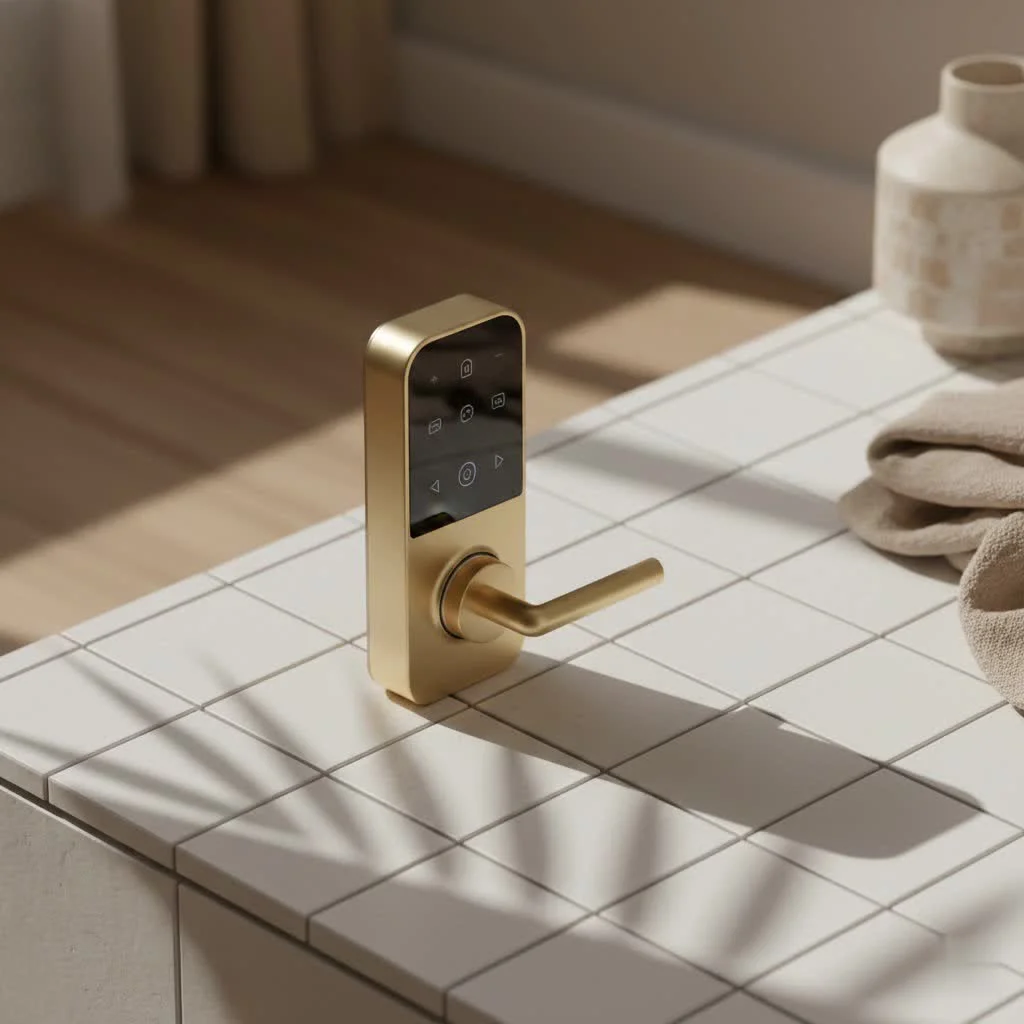 Smart Lock with fingerprint sensor” style=”margin: 20px auto;width: 800px;max-width: 100%;height: auto” />
The Power of Touch: Unlocking Your Home with a Fingerprint
What truly sets the Kwikset Halo Touch Smart Lock apart from many competitors is its integrated biometric fingerprint scanner. This isn’t just a fancy gimmick; it’s a major upgrade for daily convenience and enhanced security. Instead of struggling with a traditional key or inputting a keypad code, you can simply place your registered finger on the sensor, and the door unlocks in a swift, silent motion.
This feature is incredibly practical for busy households. Think about coming home with arms full of groceries, wrangling children, or walking the dog – unlocking your door becomes a seamless, stress-free experience. The Halo Touch allows you to register up to 100 fingerprints, accommodating up to 50 individual users, making it ideal for families, guests, and service providers. This means everyone who needs access can have their unique “key” at their fingertips.
Beyond the Fingerprint: Comprehensive Features of the Halo Touch Smart Lock
While the fingerprint access is undeniably the star, the Kwikset Halo Touch Smart Lock is packed with a suite of features that deliver comprehensive control and robust security, establishing it as a reliable foundation for your smart home.
Built-in Wi-Fi for Seamless Connectivity
One of the most significant advantages of the Kwikset Halo Touch is its built-in Wi-Fi capability. Unlike many smart locks that require a separate hub or bridge to connect to your home network, the Halo Touch connects directly to your existing 2.4GHz Wi-Fi. This means a simpler setup process and less clutter around your router.
Kwikset App Control: Your Command Center
With the Kwikset mobile app, your smartphone transforms into a powerful command center for your Halo Touch smart lock. From virtually anywhere with an internet connection, you can:
- Remotely Lock and Unlock: Forgot to lock the door when you left for work? No problem. A quick tap in the app secures your home.
- Manage Users: Easily add, delete, or modify fingerprint access for family members or temporary guests right from your phone.
- View Activity History: Keep tabs on who comes and goes with a detailed log of lock activity, giving you peace of mind.
- Receive Notifications: Get instant alerts on your smartphone whenever your door is locked, unlocked, or if there’s any unusual activity.
Voice Assistant Integration: Hands-Free Convenience
|
Our Picks for the Best Smart Lock in 2026
As an Amazon Associate I earn from qualifying purchases.
|
||
| Num | Product | Action |
|---|---|---|
| 1 | Wyze Palm Lock, Smart Door Lock with Palm Vein Recognition, Keyless Entry Smart Locks for Front Door, Keypad, Auto Lock, Dual Battery, Wi-Fi, Works with Alexa & Google, BHMA, IP53, Mechanical Key |

|
| 2 | ULTRALOQ U-Bolt Pro WiFi Smart Lock with Door Sensor, 8-in-1 Keyless Entry Door Lock with Fingerprint ID, App Remote Control, Built-in WiFi Keypad Deadbolt, Auto Unlock, IP65 Waterproof, Easy Install |
|
| 3 | 3D Face Recognition Smart Door Lock with Lock Body, Fingerprint/Ic Card/Password/Key Unlocked/Camera and Doorbell/Tuya WiFi App/Night Vision/Door Opening Record/Photo/Anti-Prying Alarm. |
|
| 4 | Yale Security Assure Lock 2 Deadbolt, Black Suede Keyed Smart Entry Door Lock with Wi-Fi Connected Keypad for Code Entry and Remote Access, YRD410-WF1-BSP |
|
| 5 | Video Smart Lock S398, 4-in-1 Camera + Video Doorbell + Fingerprint Keyless Door Lock + Indoor Display Monitor, Smart WiFi Deadbolt, App Remote Control, Easy Installation, Chime Included |
|
| 6 | Tapo Smart Wi-Fi Deadbolt Door Lock – Keyless Tactile Buttons, Customized Access with in-App Monitoring, Auto-Lock, IP54 Weatherproof, BHMA Grade 3, Compatible with Standard Door Sizes, Tapo DL100 |
|
| 7 | LOCKSTAR® Smart Door Lock • Keyless Entry Deadbolt Door Lock • Multiple Entry Methods – APP • Fingerprint Touch ID • Keypad Code • Card FOB • Traditional Key • Smart Home Devices |
|
| 8 | Smart Door Handle Lock with Keypad: Yamiry Fingerprint Smart Knob - Keyless Entry Digital Lock for Front Door - Deadbolt with APP - Generate Passcode Remotely - DIY Installation |
|
| 9 | ULTRALOQ Bolt Smart Lock, Built-in Wi-Fi, Matter Over Thread, Works with Apple Home, Alexa, Google, 7-in-1 Keyless Entry Deadbolt with Fingerprint ID, App, Keypad, Remote Control, 18 Months Battery |
|
| 10 | TEEHO TE001 Keyless Entry Door Lock with Keypad - Smart Deadbolt Lock for Front Door with 2 Keys - Auto Lock - Easy Installation - Satin Nickel |
|
The Halo Touch also plays well with popular voice assistants, offering another layer of hands-free control. It’s compatible with both Amazon Alexa and Google Assistant, allowing you to lock your door with simple voice commands. While unlocking via voice commands might have some limitations depending on the assistant for security reasons, the locking functionality adds considerable convenience to your smart home routine.
Traditional Keyway: A Reliable Backup
Despite its advanced technology, the Kwikset Halo Touch doesn’t abandon tradition entirely. It includes a standard keyway, providing a reliable physical backup in case of power outages, dead batteries, or if you prefer a traditional method for certain situations.
Uncompromising Security Features
At its core, a smart lock must prioritize security, and the Kwikset Halo Touch doesn’t disappoint. It comes equipped with:
- SmartKey Security: Kwikset’s proprietary technology offers advanced protection against common break-in methods like lock picking and bumping. It also allows you to re-key the lock yourself in seconds, which is incredibly handy if you ever lose a key or want to standardize your home’s keying.
- ANSI/BHMA Grade AAA Certified: This is the highest residential security, durability, and finish rating, assuring you of its robust construction and performance.
- 256-bit AES Encryption: All wireless communication is protected with military-grade encryption, safeguarding your personal data and preventing unauthorized access.
- Tamper-Resistant Interior Cover: Designed to deter physical manipulation from the inside, adding another layer of security.
Effortless Integration: Installing Your Halo Touch Smart Lock
Is Kwikset Halo Touch smart lock installation a daunting task? Not at all! One of the great things about the Halo Touch is how straightforward its installation is, even for those who aren’t seasoned DIYers. You generally only need a Philips head screwdriver, and the process typically takes minutes, not hours.
The general steps involve:
- Removing Your Old Hardware: Unscrew and take off your existing deadbolt.
- Installing the New Deadbolt Latch and Exterior Assembly: The new deadbolt slides into place, followed by the exterior portion of the Halo Touch, which houses the fingerprint sensor and keyway.
- Connecting the Interior Assembly: This involves routing a cable through the door and securing the interior component to a mounting plate. It’s crucial to ensure the cable is not pinched for optimal performance.
- Inserting Batteries and Door Handing: After installing the included AA batteries, the lock will perform an “auto-handing” process, learning your door’s orientation (left-handed or right-handed) to ensure smooth operation.
The Kwikset app guides you through the entire setup, including connecting to your Wi-Fi and registering your initial fingerprints. It’s designed to be a smooth, intuitive experience.
Living with Halo Touch: Daily Use and Smart Home Connectivity
Integrating the Kwikset Halo Touch smart lock into your daily life quickly feels natural. Imagine returning from a long trip, and instead of digging through luggage for keys, a simple touch lets you in. Or perhaps a dog walker needs access while you’re away; you can easily grant them temporary fingerprint access through the app and revoke it once their task is done, all without needing to cut extra keys.
While the Halo Touch excels at direct Wi-Fi connectivity and integration with Alexa and Google Assistant, it’s its smart home ecosystem limitations. It currently doesn’t support broader platforms like Apple HomeKit or IFTTT (If This Then That) applets, which could be a consideration if you’re building a highly complex smart home setup with many different brands and extensive automation scenarios. However, for most users seeking a reliable, secure, and convenient smart lock, its existing integrations are more than sufficient.
Keeping Your Home Secure: Troubleshooting Common Kwikset Halo Touch Issues
Even the best technology can occasionally encounter a hiccup. If you run into issues with your Kwikset Halo Touch smart lock, don’t fret! Most common problems have straightforward solutions.
Why is my Kwikset Halo Touch not connecting to Wi-Fi?
Wi-Fi connectivity issues are often related to signal strength or router settings. Ensure your home Wi-Fi network is broadcasting on the 2.4GHz frequency and has a strong signal at the lock’s location. Sometimes, a simple power cycle of your router and modem can resolve connection glitches. If the signal is consistently weak, a Wi-Fi extender might be a good investment.
How can I improve Kwikset Halo Touch battery life?
Battery drain is a common concern for smart lock owners. To maximize your Kwikset Halo Touch battery life, always use fresh, high-quality, non-rechargeable alkaline batteries. Ensure your door is properly aligned and the lock isn’t experiencing resistance when locking or unlocking, as this makes the motor work harder and consumes more power. Regularly check for and install any available firmware updates through the Kwikset app, as these often include power efficiency improvements.
What if the fingerprint sensor isn’t responding?
If the fingerprint sensor seems unresponsive, first ensure your finger is clean and dry. Sometimes, simply trying a different registered finger or pressing more firmly can help. If issues persist, try re-enrolling your fingerprints through the Kwikset app to ensure they are properly stored. In rare cases, a factory reset of the lock, followed by a fresh setup, can resolve persistent sensor issues. The Kwikset app will typically guide you through these steps, and their customer support is also readily available if you need further assistance.
Expert Insight: What Sets the Halo Touch Apart?
“The Kwikset Halo Touch represents a pivotal shift in residential security. Its integrated fingerprint technology isn’t just about convenience; it’s about making security truly effortless and accessible for everyone in the household,” says Michael Chen, a leading smart home security analyst. “By removing the traditional key entirely from daily interactions, it significantly streamlines home access while still maintaining robust, certified protection against modern threats. For many, it’s the perfect blend of innovation and practicality.”
Frequently Asked Questions
1. Does the Kwikset Halo Touch require a smart home hub?
No, the Kwikset Halo Touch Smart Lock connects directly to your home’s 2.4GHz Wi-Fi network, eliminating the need for a separate smart home hub or bridge.
2. How many fingerprints can I register on the Halo Touch?
The Halo Touch can store up to 100 individual fingerprints, accommodating up to 50 unique users, with each user typically registering two fingerprints.
3. Can I unlock my Kwikset Halo Touch remotely?
Yes, you can remotely lock and unlock your Kwikset Halo Touch using the Kwikset mobile app from anywhere you have an internet connection.
4. Is the Kwikset Halo Touch compatible with Apple HomeKit?
Currently, the Kwikset Halo Touch Smart Lock is not compatible with Apple HomeKit. It integrates with Amazon Alexa and Google Assistant.
5. What type of batteries does the Kwikset Halo Touch use?
The Kwikset Halo Touch uses four AA alkaline batteries, which are typically included with the lock. It’s recommended to use new, non-rechargeable alkaline batteries for optimal performance.
6. How secure is the Kwikset Halo Touch smart lock?
The Halo Touch is highly secure, boasting an ANSI/BHMA Grade AAA certification, SmartKey Security against picking and bumping, and 256-bit AES encryption for wireless communications.
7. What should I do if my Kwikset Halo Touch is draining batteries quickly?
If your batteries are draining fast, ensure your door is properly aligned, as resistance during locking/unlocking increases motor usage. Also, use quality alkaline batteries and check for any firmware updates for your lock through the Kwikset app.
The Future of Home Access is at Your Fingertips
The Kwikset Halo Touch Smart Lock stands as a shows how far home security has come. It masterfully blends the intuitive simplicity of fingerprint access with robust Wi-Fi connectivity and top-tier security features, offering a truly modern and convenient way to protect your home. If you’re ready to embrace a keyless, smarter, and more secure future for your home, the Halo Touch presents an compelling solution. Say goodbye to fumbling for keys and hello to effortless entry – your finger is all you need.
Frequently Asked Questions
Does the Kwikset Halo Touch require a smart home hub?
No, the Kwikset Halo Touch Smart Lock connects directly to your home's 2.4GHz Wi-Fi network. This eliminates the need for a separate smart home hub or bridge, simplifying installation and reducing clutter.
How many fingerprints can I register on the Halo Touch?
The Halo Touch can store up to 100 individual fingerprints. This accommodates up to 50 unique users, with each user typically registering two fingerprints for convenience and reliability.
Can I unlock my Kwikset Halo Touch remotely?
Yes, you can remotely lock and unlock your Kwikset Halo Touch using the Kwikset mobile app. This functionality is accessible from anywhere you have an internet connection, providing peace of mind and control.
Is the Kwikset Halo Touch compatible with Apple HomeKit?
Currently, the Kwikset Halo Touch Smart Lock is not compatible with Apple HomeKit. However, it seamlessly integrates with popular voice assistants such as Amazon Alexa and Google Assistant for hands-free control.
What type of batteries does the Kwikset Halo Touch use?
The Kwikset Halo Touch uses four AA alkaline batteries, which are typically included with the lock. For optimal performance and battery life, it is recommended to use new, non-rechargeable alkaline batteries.
How secure is the Kwikset Halo Touch smart lock?
The Halo Touch is highly secure, boasting an ANSI/BHMA Grade AAA certification, the highest residential security rating. It also features SmartKey Security against picking and bumping, and 256-bit AES encryption for all wireless communications.
Smart home that does not lock you in
Free PDF — protocol compatibility matrix for 30 hubs and devices.

This smart lock is pretty solid. The built-in Wi-Fi is a huge plus because I didn’t need to buy an extra hub, which saved me some money and hassle. My only minor complaint is that sometimes the app can be a little slow to load, but once it’s up, all the features work as expected. The convenience of unlocking with a touch really makes a difference.
I was excited about the Kwikset Halo Touch for the biometric fingerprint scanner, and it generally works well. However, I’ve noticed that if my finger is even slightly damp, it sometimes takes a couple of tries to register. It’s not a dealbreaker, but it can be a bit annoying when I’m in a hurry. Otherwise, the installation was straightforward, and it looks good on my door.
Finally, a smart lock that truly delivers on convenience and security! The ability to store up to 100 fingerprints for 50 individual users is fantastic for our large family and occasional guests. No more worrying about lost keys or sharing codes. It’s incredibly practical for busy households, just as mentioned. Best smart home upgrade I’ve made this year.
I’ve been using the Kwikset Halo Touch for a few weeks now, and it’s been a total game-changer. The fingerprint scanner works flawlessly every time, which is so much faster than fumbling with keys or trying to remember a code. Setting up multiple users was also super easy, and I love that I can manage everything from my phone. Definitely recommend this for anyone wanting to upgrade their home security.