Investing in the best deadbolt smart lock significantly enhances home security by combining robust physical protection with advanced digital control, offering features like keyless entry, remote access, and integration with smart home ecosystems. These locks provide unparalleled convenience and peace of mind, allowing users to manage access, monitor activity, and secure their homes from anywhere. JTDNC.com has over a decade of experience in smart home security, confirming the transformative impact of the right smart deadbolt.
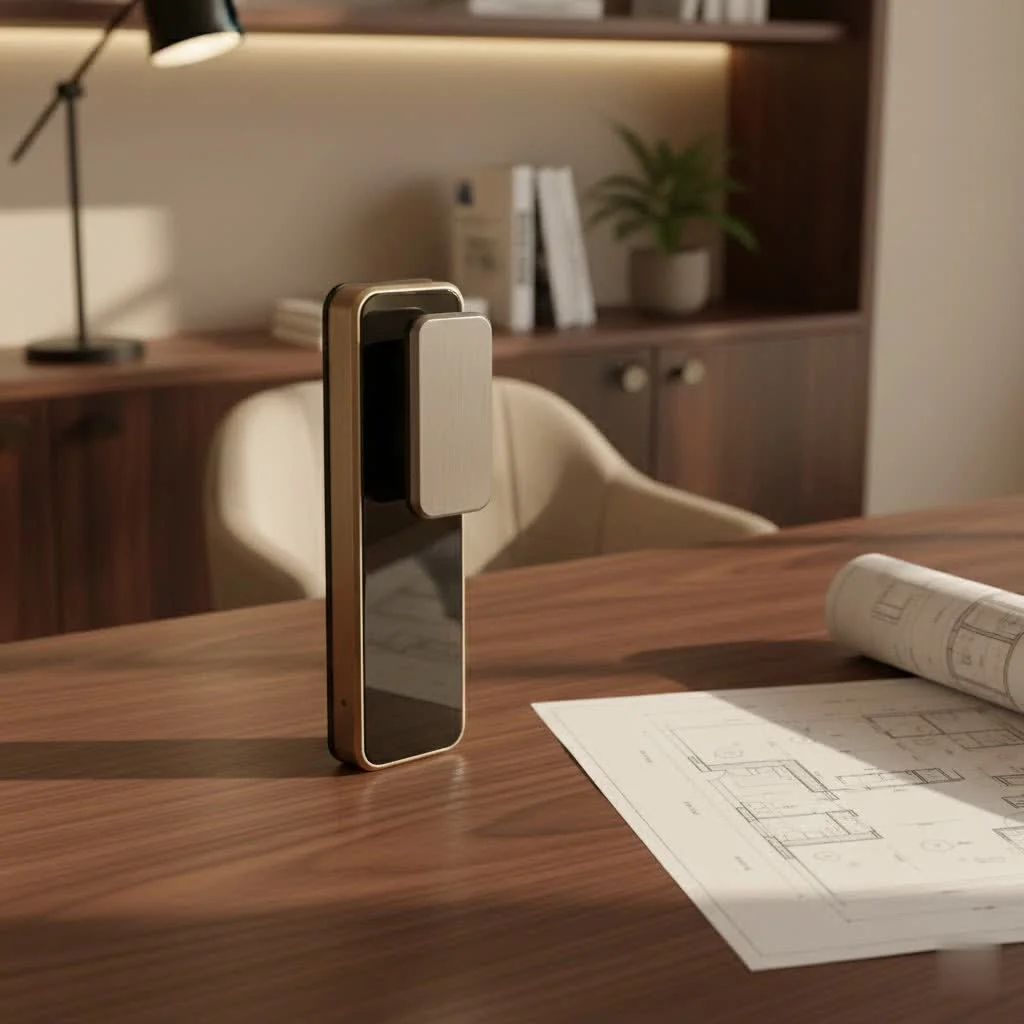
A deadbolt smart lock integrates the strength of a traditional deadbolt with modern technology, providing superior control over home access. With numerous options available, understanding key features is essential to selecting the ideal smart deadbolt for your specific needs.
What Makes a Smart Deadbolt “Smart”? Key Features to Look For
When searching for the best deadbolt smart lock, understanding its distinguishing features is crucial. It extends beyond simple phone-controlled locking and unlocking to offer a comprehensive security experience.
Multiple Ways to Access Your Home
A primary benefit of smart deadbolts is the diverse range of entry methods, often eliminating the need for physical keys, though they usually remain an option for backup.
- Keypads and PIN Codes: Most smart deadbolts include an illuminated keypad for personalized codes, ideal for family, service providers, or temporary guests. Many support dozens to hundreds of unique codes, often with customizable schedules.
- Fingerprint Scanners (Biometric Access): For maximum convenience and security, biometric smart deadlocks allow unlocking with a registered fingerprint. This method is exceptionally fast and removes the need for codes or keys. The Kwikset Halo Touch, for example, offers seamless fingerprint access.
- Smartphone App Control: The dedicated app allows users to lock/unlock doors, check status, and manage access codes remotely from almost anywhere.
- Voice Commands: Integration with voice assistants like Amazon Alexa, Google Assistant, or Apple HomeKit (Siri) enables hands-free locking and unlocking.
- Traditional Key Override: Nearly all high-quality smart deadbolts include a physical key slot as a fail-safe for battery failures or technical glitches.
- Geofencing and Auto-Unlock: Advanced models can detect your phone’s proximity to automatically unlock upon approach and re-lock after entry or departure. The Yale Assure Lock 2 with Touch Fingerprint Access exemplifies this feature.
- Specialized Access: Features like Apple Home Key support allow unlocking with an iPhone or Apple Watch, while advanced facial or palm recognition is available in models like the Lockly Visage Zeno Series and TCL D1 Pro Palm Vein Smart Lock.
Seamless Connectivity Options
The communication method between your smart deadbolt, phone, and other smart home devices is fundamental.
- Built-in Wi-Fi: Many of the best deadbolt smart lock options now feature integrated Wi-Fi, eliminating the need for an additional hub for remote access, simplifying installation. The Ultraloq Bolt Fingerprint Edition is a prime example with built-in Wi-Fi.
- Bluetooth: All smart locks use Bluetooth for local control within approximately 30 feet. For remote access, Bluetooth-only locks typically require a separate Wi-Fi bridge or hub.
- Z-Wave/Zigbee: These mesh networking protocols are popular for smart home devices, offering reliable, low-power communication but requiring a compatible smart home hub.
- Matter Compatibility: This emerging standard unifies smart home devices, ensuring compatibility across platforms like Apple HomeKit, Google Home, Amazon Alexa, and Samsung SmartThings. Matter-supported locks, such as the Eufy FamiLock S3 Max, are future-proof.
Robust Security and Durability Ratings
|
Our Picks for the Best Smart Lock in 2026
As an Amazon Associate I earn from qualifying purchases.
|
||
| Num | Product | Action |
|---|---|---|
| 1 | LOCKSTAR® Smart Door Lock • Keyless Entry Deadbolt Door Lock • Multiple Entry Methods – APP • Fingerprint Touch ID • Keypad Code • Card FOB • Traditional Key • Smart Home Devices |

|
| 2 | TEEHO TE001 Keyless Entry Door Lock with Keypad - Smart Deadbolt Lock for Front Door with 2 Keys - Auto Lock - Easy Installation - Satin Nickel |
|
| 3 | ULTRALOQ U-Bolt Pro WiFi Smart Lock with Door Sensor, 8-in-1 Keyless Entry Door Lock with Fingerprint ID, App Remote Control, Built-in WiFi Keypad Deadbolt, Auto Unlock, IP65 Waterproof, Easy Install |
|
| 4 | Tapo Smart Wi-Fi Deadbolt Door Lock – Keyless Tactile Buttons, Customized Access with in-App Monitoring, Auto-Lock, IP54 Weatherproof, BHMA Grade 3, Compatible with Standard Door Sizes, Tapo DL100 |
|
| 5 | ULTRALOQ Bolt Smart Lock, Built-in Wi-Fi, Matter Over Thread, Works with Apple Home, Alexa, Google, 7-in-1 Keyless Entry Deadbolt with Fingerprint ID, App, Keypad, Remote Control, 18 Months Battery |
|
| 6 | Video Smart Lock S398, 4-in-1 Camera + Video Doorbell + Fingerprint Keyless Door Lock + Indoor Display Monitor, Smart WiFi Deadbolt, App Remote Control, Easy Installation, Chime Included |
|
| 7 | 3D Face Recognition Smart Door Lock with Lock Body, Fingerprint/Ic Card/Password/Key Unlocked/Camera and Doorbell/Tuya WiFi App/Night Vision/Door Opening Record/Photo/Anti-Prying Alarm. |
|
| 8 | Smart Door Handle Lock with Keypad: Yamiry Fingerprint Smart Knob - Keyless Entry Digital Lock for Front Door - Deadbolt with APP - Generate Passcode Remotely - DIY Installation |
|
| 9 | Yale Security Assure Lock 2 Deadbolt, Black Suede Keyed Smart Entry Door Lock with Wi-Fi Connected Keypad for Code Entry and Remote Access, YRD410-WF1-BSP |
|
| 10 | Wyze Palm Lock, Smart Door Lock with Palm Vein Recognition, Keyless Entry Smart Locks for Front Door, Keypad, Auto Lock, Dual Battery, Wi-Fi, Works with Alexa & Google, BHMA, IP53, Mechanical Key |
|
A deadbolt’s primary function is security. Always look for industry-standard certifications when selecting a smart deadbolt.
- ANSI/BHMA Grading: The American National Standards Institute (ANSI) and the Builders Hardware Manufacturers Association (BHMA) rate locks for durability and security.
- Grade 1: The highest commercial and residential security rating, designed to withstand rigorous attacks. The Ultraloq U-Bolt Pro with Wi-Fi often achieves this grade.
- Grade 2: Excellent for residential use, balancing security and affordability. Many top smart deadbolts, like the Yale Assure Lock 2, fall into this category.
- Grade 3: Basic security, generally suitable for interior doors or as a secondary lock, and not recommended for primary exterior doors.
- Anti-Hack Features: Look for features like patented PIN Genie keypads that scramble numbers to prevent “peeping” or code memorization.
- Tamper Alarms: Built-in alarms can alert you via the app or audibly if someone attempts to force entry or tamper with the lock.
- Auto-Lock Functionality: Many smart deadbolts can be programmed to automatically lock after a set period, preventing accidental unsecured entry.
Smart Home Integration
For a truly connected home, your smart deadbolt should integrate seamlessly with your existing smart ecosystem. Ensure compatibility with:
- Amazon Alexa: For voice control and routines.
- Google Assistant/Google Home: For voice control and integration into Google Home ecosystems.
- Apple HomeKit/Siri: Essential for Apple users desiring seamless control via the Home app or Siri.
- Samsung SmartThings, IFTTT: For broader automation possibilities with other smart devices.
Power and Battery Life
Most smart deadbolts are battery-powered. Understanding their power requirements and expected battery life is crucial to prevent lockouts.
- Typically run on AA or CR2 batteries.
- Battery life ranges from a few months to over a year, depending on usage and Wi-Fi connectivity, with Wi-Fi-enabled locks draining batteries faster.
- Low battery alerts sent to your phone are a standard, critical feature.
- Many provide an emergency battery terminal or USB port for temporary power if batteries completely deplete.
Installation Type: Full Replacement vs. Retrofit
Consider the installation method before purchasing.
- Full Deadbolt Replacement: These locks completely replace your existing deadbolt, including the exterior keyhole, interior thumbturn, and bolt mechanism. This offers the highest integration and typically more features. Most installations are DIY-friendly, requiring basic tools like a Phillips screwdriver and about 10-25 minutes.
- Retrofit Smart Lock: Ideal for renters or those who prefer their existing deadbolt’s exterior, retrofit options like the August Wi-Fi Smart Lock replace only the interior thumbturn, leaving exterior hardware and keys intact. These are generally very easy to install.
Top Contenders: Our Picks for the Best Deadbolt Smart Locks in 2025
After extensive testing and hands-on experience at JTDNC.com, here are some standout smart deadbolt locks that consistently impress with their performance, security, and smart features.
- Best Overall Smart Deadbolt: Yale Assure Lock 2. This lock consistently earns high marks for its sleek design, reliable performance, and versatile access options, including keypad, app, and in some models, fingerprint access. It integrates well with Apple HomeKit, Alexa, and Google Assistant. Its compact design is a significant aesthetic advantage.
- Best for Biometric Security: Kwikset Halo Touch Smart Deadbolt. For those prioritizing fingerprint access, the Kwikset Halo Touch offers quick, reliable biometric entry with a stylish, discreet design. It includes built-in Wi-Fi and works with Alexa and Google Assistant, ensuring seamless keyless entry.
- Best for Advanced Biometrics & Apple Users: Lockly Visage Zeno Series. This powerful lock provides fingerprint and keypad entry, plus unique facial recognition, offering a futuristic experience. It is particularly strong for Apple HomeKit and Home Key users.
- Best Budget-Friendly Smart Deadbolt: TP-Link Tapo DL100/DL110 Smart Wi-Fi Deadbolt. For smart lock functionality without a high cost, the Tapo DL100 (keypad) and DL110 (keypad + fingerprint) offer built-in Wi-Fi, multiple access methods, and strong smart home compatibility at an accessible price point.
- Best Invisible Smart Lock: Level Lock Pro. If you desire smart features while maintaining a traditional exterior lock appearance, the Level Lock Pro is ideal. It discreetly hides its technology within the deadbolt, offering app, key card, and Apple Home Key access.
- Best Retrofit Smart Lock: August Wi-Fi Smart Lock. For renters or those who prefer not to alter existing exterior hardware, the August Wi-Fi Smart Lock is an excellent choice. It fits over your existing deadbolt’s interior thumbturn, adding smart features without a full replacement.
- Most Versatile and Reliable: Ultraloq Bolt Fingerprint. Praised for its robust construction and wide array of unlocking methods, including fingerprint, keypad, app, and key. It boasts built-in Wi-Fi and extensive third-party integration, making it a strong all-around performer.
A JTDNC.com Buyer’s Guide: Making the Right Choice
Choosing the best deadbolt smart lock is a personal decision based on your specific needs and priorities. Here’s how JTDNC.com advises readers on this crucial upgrade:
Assess Your Security Needs
Consider your lifestyle. If you frequently have guests, dog walkers, or service providers, a lock with easy temporary code management, like the Yale Assure Lock 2, would be ideal. For the highest physical security, prioritize Grade 1 ANSI/BHMA certifications, often found in robust deadbolts like the Ultraloq U-Bolt Pro. For an Airbnb or rental property, remote access and activity logs are essential features.
Consider Your Smart Home Ecosystem
What smart devices do you already own? An Apple HomeKit user will greatly benefit from a lock that supports Home Key, such as the Lockly Visage Zeno Series or Level Lock Pro. If you use Amazon Alexa or Google Assistant, ensure your chosen deadbolt integrates seamlessly with those platforms. Opting for a Matter-compatible lock will offer the broadest future compatibility.
Installation Preferences: DIY or Pro?
Most smart deadbolts are designed for straightforward DIY installation, often requiring only a Phillips-head screwdriver. However, some full replacements might be challenging for novices. Retrofit locks (e.g., August Wi-Fi Smart Lock) are generally the easiest to install, as they don’t involve replacing the entire deadbolt mechanism. Always check product instructions and available video guides before committing.
Budget Considerations
Smart deadbolts vary widely in price, from budget-friendly options around $60-$100 (like the TP-Link Tapo DL100) to premium models exceeding $300 (such as the Lockly Visage Zeno Series or Level Lock Pro). Determine your “must-have” versus “nice-to-have” features to find the best value within your budget. Higher prices often indicate more advanced features, better build quality, or more sophisticated connectivity options.
Design and Aesthetics
Your smart deadbolt will be a visible part of your home’s exterior. Do you prefer a sleek, modern look with a prominent keypad or touchscreen, or something more discreet that blends with traditional hardware? Brands like Level offer “invisible” smart locks, while Kwikset Halo Touch provides a stylish, minimalist design. Consider available finishes to match your door hardware.
Expert Insights on Smart Deadbolt Security
At JTDNC.com, we prioritize security, and modern smart deadbolts are engineered with robust security in mind.
“The real strength of a smart deadbolt lies not just in its physical construction, but in the layers of digital security it provides,” explains Clara Jensen, Lead Security Analyst at JTDNC.com. “From encrypted communications to multi-factor authentication, the best deadbolt smart lock offers sophisticated defenses that often surpass traditional mechanisms.”
While theoretical hacking is a concern for any internet-connected device, reputable smart lock manufacturers prioritize security through encrypted communications. Users must maintain strong Wi-Fi passwords, enable multi-factor authentication (MFA) on smart lock apps, and regularly apply firmware updates to patch potential vulnerabilities. Most burglaries are crimes of opportunity, and a well-secured smart deadbolt acts as a strong deterrent.
What happens during a power or Wi-Fi outage? This is a common concern, but rest easy. Nearly all smart deadbolts are battery-powered, so they continue to function during power cuts. Even if your Wi-Fi goes down, most models still allow local access via Bluetooth, keypad, fingerprint, or the ever-reliable physical key. Always keep a backup physical key in a safe, accessible place outside your home for emergencies.
Frequently Asked Questions (FAQ)
Are smart locks truly secure?
Yes, smart locks from reputable brands are generally very secure. They combine strong physical deadbolt construction (often Grade 1 or 2 ANSI/BHMA certified) with digital security measures like encrypted communication, unique access codes, and activity logs. Proper usage, including strong passwords and firmware updates, further enhances security.
Do smart deadbolts always have physical keys?
Most high-quality smart deadbolts include a traditional physical keyhole as a backup, ensuring you can always gain entry even if the battery dies or technology malfunctions. This provides an essential layer of peace of mind.
What happens if the power or Wi-Fi goes out?
Smart deadbolts are typically battery-powered, so they will continue to function during a power outage. If Wi-Fi is lost, most locks revert to local control via Bluetooth, keypad, or fingerprint scanner. A physical key override is almost always included for emergency access.
Is smart lock installation difficult?
For most standard doors, installing a smart deadbolt is a DIY-friendly project that usually takes 10-45 minutes with basic tools like a screwdriver. Many brands provide detailed instructions and video guides. Retrofit smart locks are even simpler to install. However, for non-standard doors or complex integrations, professional installation might be advisable.
How long do smart lock batteries last?
Battery life varies depending on the lock model, usage frequency, and connectivity (Wi-Fi use drains batteries faster). On average, you can expect batteries to last several months to over a year. Smart locks typically send low-battery alerts to your phone well in advance.
Can smart locks be hacked?
Like any internet-connected device, smart locks theoretically have vulnerabilities. However, leading manufacturers employ strong encryption and security protocols to make hacking extremely difficult. Using strong, unique passwords, enabling multi-factor authentication, and keeping your lock’s firmware updated are critical steps to minimize any risk.
improve your Home Security with the Best Deadbolt Smart Lock
Upgrading to the best deadbolt smart lock is more than just a tech purchase; it’s an investment in your home’s safety, your family’s convenience, and your everyday peace of mind. From granting temporary access to monitoring entry activity, these intelligent devices offer a level of control and flexibility that traditional locks simply cannot match.
At JTDNC.com, we’re committed to helping you navigate the exciting world of smart home security. We encourage you to explore the options, consider your unique needs, and confidently choose a smart deadbolt that empowers you to protect what matters most. Embrace the future of home security today – you’ll wonder how you ever lived without it!
Frequently Asked Questions
Are smart deadbolt locks truly secure for home protection?
Yes, smart locks from reputable brands are generally very secure. They combine strong physical deadbolt construction, often Grade 1 or 2 ANSI/BHMA certified, with digital security measures like encrypted communication and unique access codes. Proper usage, including strong passwords and firmware updates, further enhances security.
Do all smart deadbolt locks include a physical key override?
Most high-quality smart deadbolts include a traditional physical keyhole as a backup. This ensures you can always gain entry even if the battery dies or technology malfunctions. This feature provides an essential layer of peace of mind for users.
What happens to a smart lock during a power or Wi-Fi outage?
Smart deadbolts are typically battery-powered, so they will continue to function during a power outage. If Wi-Fi is lost, most locks revert to local control via Bluetooth, keypad, or fingerprint scanner. A physical key override is almost always included for emergency access.
Is installing a smart deadbolt lock a difficult DIY project?
For most standard doors, installing a smart deadbolt is a DIY-friendly project that usually takes 10-45 minutes with basic tools like a screwdriver. Many brands provide detailed instructions and video guides. Retrofit smart locks are even simpler to install, though professional installation might be advisable for non-standard doors.
How long can I expect the batteries in a smart lock to last?
Battery life varies depending on the lock model, usage frequency, and connectivity, with Wi-Fi use draining batteries faster. On average, you can expect batteries to last several months to over a year. Smart locks typically send low-battery alerts to your phone well in advance.
Can smart locks be hacked, and how can I prevent it?
Like any internet-connected device, smart locks theoretically have vulnerabilities. However, leading manufacturers employ strong encryption and security protocols to make hacking extremely difficult. Using strong, unique passwords, enabling multi-factor authentication, and keeping your lock's firmware updated are critical steps to minimize any risk.
Smart home that does not lock you in
Free PDF — protocol compatibility matrix for 30 hubs and devices.

The ability to manage access for dog walkers and house sitters with temporary codes has been incredibly useful. I used to hide a spare key, which always made me nervous. Now I can set specific times for entry and get notifications when they come and go. It’s a huge step up in control and security for my home.
I was hesitant about the price range for some of these high-end smart locks, but I found a great option that fit my budget and still offered remote access. Being able to check if my door is locked from work gives me so much peace of mind. The app interface is pretty intuitive, though it took a minute to get used to all the different settings.
I got one of the deadbolt smart locks that integrates with smart home ecosystems, and while the security features are solid, I’ve had a few glitches with the voice commands. Sometimes it just doesn’t respond, which is a bit frustrating when I’m trying to unlock the door hands-free. It’s a good lock overall, but that specific feature could be more reliable.
I finally upgraded to a smart deadbolt after reading about the convenience of keyless entry, and it’s been a game-changer. No more fumbling for keys with groceries in hand! The installation was straightforward, and linking it to my existing smart home system was a breeze. Definitely recommend for anyone looking to simplify their daily routine and boost security.