Ultraloq smart locks offer a comprehensive solution for keyless home entry, providing multiple access methods including fingerprint, keypad codes, smartphone app, voice control, and traditional keys. These locks integrate seamlessly with popular smart home ecosystems like Apple HomeKit, Amazon Alexa, and Google Assistant, enhancing both convenience and security for homeowners. Many models, such as the U-Bolt Pro Wi-Fi, feature built-in Wi-Fi for remote management, while others like the Bolt NFC support Apple HomeKey for tap-to-unlock functionality.
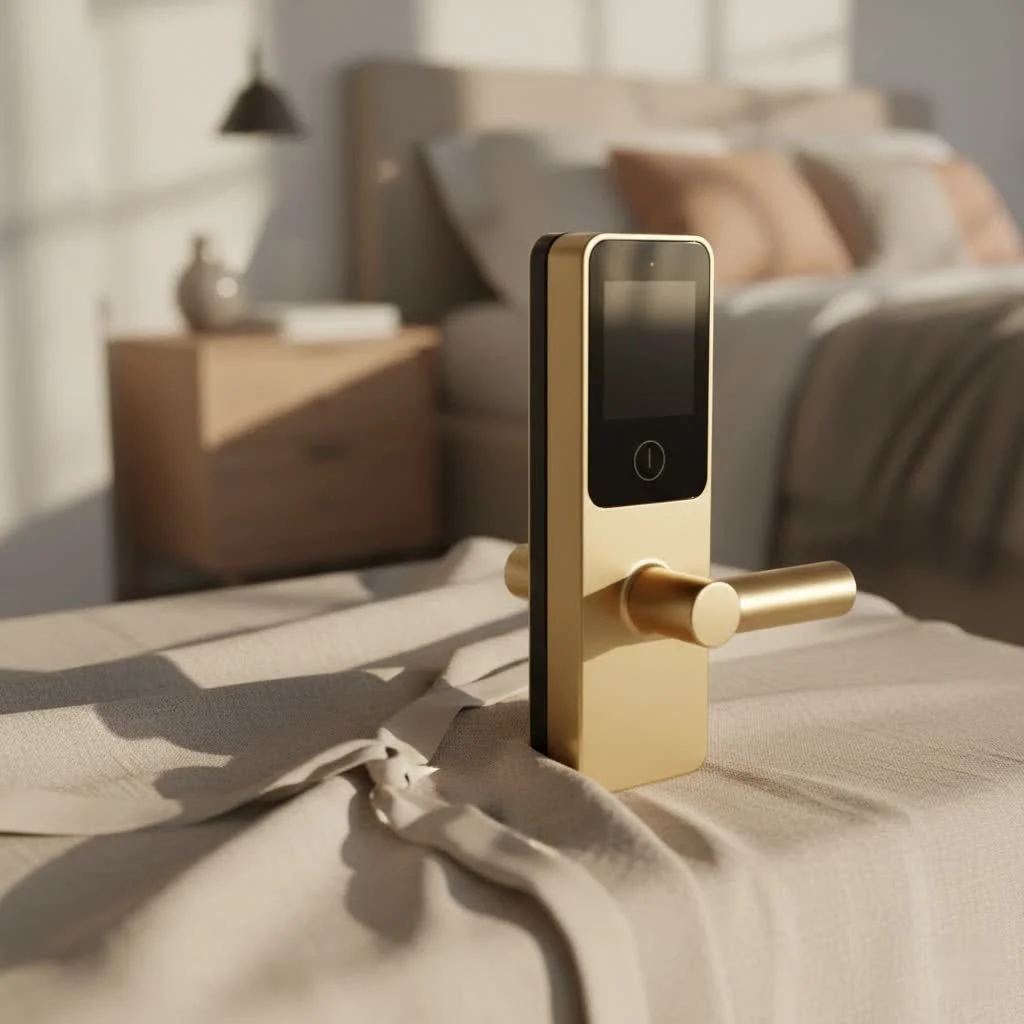 smart lock installed on a modern front door” style=”margin: 20px auto;width: 800px;max-width: 100%;height: auto” />
What Makes Ultraloq Smart Locks Stand Out?
Ultraloq has carved a niche for itself by prioritizing both convenience and comprehensive security. These aren’t just locks; they are intelligent access systems designed to seamlessly integrate into your daily life and smart home ecosystem. For explore our smart home reviews on this site.
A many Entry Methods for Every Lifestyle
One of the most appealing aspects of an Ultraloq smart lock is the sheer variety of ways you can lock and unlock your door. Forget fumbling for keys; Ultraloq offers options tailored for everyone in your household, from tech-savvy teens to visiting grandparents.
First and foremost is fingerprint recognition. Many Ultraloq models, like the popular U-Bolt Pro and Bolt Fingerprint, feature a responsive biometric scanner. Imagine arriving home with groceries, and with a simple touch, your door unlocks – no keys, no codes, just your unique fingerprint providing swift and secure entry. It’s incredibly fast and convenient, especially when your hands are full.
Next up, the reliable keypad code. Ultraloq keypads often come with an “anti-peep” feature, allowing you to input extra random digits before or after your actual code. This clever design prevents onlookers from guessing your entry sequence, adding an extra layer of privacy and security. You can create unique codes for family members, friends, or even temporary codes for service providers, ensuring controlled access without ever sharing a physical key.
For the modern homeowner, the smartphone app is a major upgrade. The intuitive U-tec app gives you complete control over your Ultraloq smart lock from anywhere in the world. You can lock or unlock your door with a tap, check the lock’s status, view access logs, and even set up “Magic Shake” (on some models) to unlock your door with a simple shake of your phone.
Voice commands are also a major draw. With compatibility across platforms like Amazon Alexa and Google Assistant, you can simply tell your smart speaker to lock or unlock your door. Newer models, such as the Ultraloq Bolt Fingerprint, also boast Apple HomeKit integration, allowing for Siri voice commands and control via the Apple Home app.
And for those who appreciate tradition or need a backup, a physical key is always included. Hidden discreetly, this traditional key port provides an essential failsafe in case of a power outage or dead batteries, ensuring you’re never truly locked out. modern models like the Ultraloq Bolt NFC embrace Apple HomeKey and NFC technology, letting you unlock your door by simply tapping your iPhone or Apple Watch.
Seamless Smart Home Integration
|
Our Picks for the Best Smart Lock in 2026
As an Amazon Associate I earn from qualifying purchases.
|
||
| Num | Product | Action |
|---|---|---|
| 1 | ULTRALOQ Bolt Smart Lock, Built-in Wi-Fi, Matter Over Thread, Works with Apple Home, Alexa, Google, 7-in-1 Keyless Entry Deadbolt with Fingerprint ID, App, Keypad, Remote Control, 18 Months Battery |

|
| 2 | ULTRALOQ U-Bolt Pro WiFi Smart Lock with Door Sensor, 8-in-1 Keyless Entry Door Lock with Fingerprint ID, App Remote Control, Built-in WiFi Keypad Deadbolt, Auto Unlock, IP65 Waterproof, Easy Install |
|
| 3 | 3D Face Recognition Smart Door Lock with Lock Body, Fingerprint/Ic Card/Password/Key Unlocked/Camera and Doorbell/Tuya WiFi App/Night Vision/Door Opening Record/Photo/Anti-Prying Alarm. |
|
| 4 | Wyze Palm Lock, Smart Door Lock with Palm Vein Recognition, Keyless Entry Smart Locks for Front Door, Keypad, Auto Lock, Dual Battery, Wi-Fi, Works with Alexa & Google, BHMA, IP53, Mechanical Key |
|
| 5 | LOCKSTAR® Smart Door Lock • Keyless Entry Deadbolt Door Lock • Multiple Entry Methods – APP • Fingerprint Touch ID • Keypad Code • Card FOB • Traditional Key • Smart Home Devices |
|
| 6 | Video Smart Lock S398, 4-in-1 Camera + Video Doorbell + Fingerprint Keyless Door Lock + Indoor Display Monitor, Smart WiFi Deadbolt, App Remote Control, Easy Installation, Chime Included |
|
| 7 | Yale Security Assure Lock 2 Deadbolt, Black Suede Keyed Smart Entry Door Lock with Wi-Fi Connected Keypad for Code Entry and Remote Access, YRD410-WF1-BSP |
|
| 8 | TEEHO TE001 Keyless Entry Door Lock with Keypad - Smart Deadbolt Lock for Front Door with 2 Keys - Auto Lock - Easy Installation - Satin Nickel |
|
| 9 | Smart Door Handle Lock with Keypad: Yamiry Fingerprint Smart Knob - Keyless Entry Digital Lock for Front Door - Deadbolt with APP - Generate Passcode Remotely - DIY Installation |
|
| 10 | Tapo Smart Wi-Fi Deadbolt Door Lock – Keyless Tactile Buttons, Customized Access with in-App Monitoring, Auto-Lock, IP54 Weatherproof, BHMA Grade 3, Compatible with Standard Door Sizes, Tapo DL100 |
|
A truly smart lock needs to play well with your existing smart home devices, and Ultraloq understands this. Many Ultraloq smart lock models integrate with a wide array of popular smart home ecosystems. Whether you’re an Apple enthusiast or deeply rooted in the Google or Amazon ecosystems, you’ll likely find an Ultraloq that fits right in.
Newer models like the Ultraloq Bolt Fingerprint feature built-in Wi-Fi, meaning you don’t need an external hub or bridge to connect your lock to your home network for remote control and smart home integrations. This simplifies installation and reduces clutter. Older U-Bolt Pro models, however, might require a Wi-Fi bridge to enable these remote capabilities. Ultraloq also offers Z-Wave compatible locks for users with specific smart home hubs like Samsung SmartThings or Home Assistant, expanding the possibilities for advanced automation.
Advanced Security and Convenient Features
Beyond the multiple entry options and broad compatibility, Ultraloq smart locks are packed with features designed to enhance both your security and convenience.
Auto-lock and auto-unlock capabilities ensure your door is secured when you leave and opens effortlessly upon your return (using geofencing on some models). Integrated door sensors in certain models can even notify you if your door is left ajar, adding another layer of security.
For guests, pet sitters, or cleaning services, you can easily create and manage temporary or scheduled access codes, which expire automatically or are only valid during specific times. This eliminates the need for physical key exchanges and provides granular control over who enters your home and when.
The access log feature within the U-tec app is invaluable. It provides a real-time history of who entered your home and by what method, giving you complete visibility over your door activity. Paired with customizable real-time alerts, you’ll know instantly if someone attempts to tamper with your lock or if a specific user unlocks the door.
Even in an emergency, Ultraloq has you covered. Should your batteries run low, you’ll receive low battery notifications long before they die completely. If you somehow miss these, an emergency power interface (often a micro USB port) allows you to temporarily power the lock with a portable battery pack, giving you time to replace the batteries.
Finally, Ultraloq prides itself on durable build quality. Many of their locks are engineered to meet stringent Builders Hardware Manufacturers Association (BHMA) standards, assuring you of their reliability and resistance to physical attacks.
Choosing Your Perfect Ultraloq: Key Models and Considerations
With several excellent models available, selecting the ideal Ultraloq smart lock for your home depends on your specific needs, budget, and desired feature set.
Ultraloq U-Bolt Pro Wi-Fi: A Feature-Rich Workhorse
The Ultraloq U-Bolt Pro Wi-Fi has long been a favorite, and for good reason. It’s often praised as a strong contender for the “best budget smart lock” due to its impressive array of features at a competitive price point. This model typically offers six ways to unlock: fingerprint, keypad code, smartphone app, voice control, Magic Shake, and a traditional key. Its built-in Wi-Fi makes remote management straightforward, eliminating the need for a separate bridge. It’s an excellent choice for general homeowners, those managing short-term rentals, or even small businesses needing robust access control without overcomplicating things.
Ultraloq Bolt Fingerprint & Bolt NFC: Embracing the Future with HomeKit and Matter
For those deeply invested in the Apple ecosystem or eager for the latest smart home standards, the Ultraloq Bolt Fingerprint and Bolt NFC models represent the modern. The Bolt Fingerprint model, in particular, has garnered significant attention for its seamless Apple HomeKit integration, allowing for control via Siri and the Apple Home app, a feature often requested by Apple users. The Ultraloq Bolt Fingerprint Matter Edition was a pioneer as one of the first Matter-over-Thread smart locks with a fingerprint reader. The Bolt NFC takes convenience a step further by enabling Apple HomeKey, allowing you to tap your iPhone or Apple Watch to unlock your door. These models are perfect for users seeking premium integration and future-proof compatibility.
Factors to Weigh Before You Buy
When making your decision, consider these key aspects:
- Connectivity: Do you prefer a lock with built-in Wi-Fi for straightforward remote access, or are you comfortable with a model that uses a Wi-Fi bridge for connectivity? Built-in Wi-Fi generally offers a simpler setup.
- Smart Home Ecosystem Compatibility: Are you primarily using Apple HomeKit, Amazon Alexa, Google Home, or another platform like SmartThings or Home Assistant? Ensure the Ultraloq model you choose seamlessly integrates with your preferred ecosystem.
- Installation Complexity: Ultraloq locks are generally designed for DIY installation, often taking under an hour. However, some models might require slightly more steps due to additional features.
- Budget and Desired Features: While Ultraloq offers great value, their various models come at different price points. Prioritize the features that matter most to you – be it biometric access, HomeKit support, or robust remote management – to find the best fit within your budget.
Installation and Maintenance: Getting the Most from Your Ultraloq
Installing and maintaining your Ultraloq smart lock doesn’t have to be daunting. With a bit of know-how, you can ensure it operates flawlessly for years to come.
A Smooth Installation Journey
One of the great things about Ultraloq smart locks is their user-friendly installation. Most models are designed to replace standard deadbolts and come with clear, step-by-step instructions and all the necessary hardware, often including a handy mounting template and even a small screwdriver. The entire process can often be completed in 15-30 minutes, even for a beginner. The U-tec app plays a crucial role here, guiding you through the setup, configuration, and initial programming of your access methods. While some users reported minor quirks during Wi-Fi setup, such as manually typing the network name, the overall experience is generally smooth and well-supported.
Keeping Your Smart Lock Running Flawlessly
Proper maintenance ensures your Ultraloq smart lock remains a reliable guardian of your home.
- Battery Life Management: Ultraloq devices are known for their decent battery life, often lasting several months on a single set of AA batteries. The U-tec app will provide low battery notifications well in advance, giving you ample time to replace them. Regularly checking these notifications and having spare batteries on hand is a smart practice.
- Firmware Updates: Like any smart device, Ultraloq periodically releases firmware updates to improve performance, enhance security, and add new features. Make it a habit to check for and install these updates via the U-tec app.
- Cleaning and Care: Keep the fingerprint sensor and keypad clean from dust and grime. A soft, dry cloth is usually sufficient. Avoid harsh chemicals that could damage the electronics or finishes.
- Emergency Preparedness: Familiarize yourself with the location of the physical key override and the emergency micro USB power port. Knowing these backups exist and how to use them can save you a lot of stress in unexpected situations.
Expert Insights on Ultraloq Smart Locks
“Ultraloq has consistently pushed the boundaries of what a smart lock can do, particularly with their robust biometric options and expanding smart home compatibility,” says Alexander Vance, Senior Smart Home Security Analyst at JTDNC.com. “Their commitment to versatile access methods, from fingerprint to HomeKey, truly empowers homeowners with choice and control over their property’s security. It’s an investment in both convenience and peace of mind.”
Frequently Asked Questions
How secure is an Ultraloq smart lock?
Ultraloq smart locks are designed with multiple layers of security, including advanced encryption for app communication, anti-peep keypads to prevent code guessing, and often meeting BHMA (Builders Hardware Manufacturers Association) standards for physical durability. The fingerprint sensor provides a highly secure biometric entry method, while traditional key backups offer a reliable failsafe.
Can I use my Ultraloq smart lock without Wi-Fi?
Yes, most Ultraloq smart locks can function locally using Bluetooth for app control (when near the lock), fingerprint, keypad codes, and physical keys, even without a Wi-Fi connection. However, remote control, real-time alerts, and integration with cloud-based smart home platforms (like Alexa or Google Home) will require Wi-Fi, either built-in or via a bridge.
What smart home platforms are compatible with Ultraloq?
Ultraloq smart locks offer broad compatibility, often integrating with Amazon Alexa, Google Assistant, Apple HomeKit (on newer models like the Bolt Fingerprint and Bolt NFC), Samsung SmartThings, and IFTTT. Some models also support Z-Wave for more specialized smart home hubs and Matter-over-Thread for the latest universal smart home standard.
How long do Ultraloq batteries last?
Battery life for an Ultraloq smart lock typically ranges from 6 to 12 months, depending on usage frequency, the specific model, and whether Wi-Fi features are heavily utilized. The U-tec app provides low battery notifications, allowing you to replace them proactively.
Is Ultraloq easy to install for a DIYer?
Yes, Ultraloq smart locks are generally considered DIY-friendly. They come with clear instructions and all necessary hardware for installation, which usually takes between 15-30 minutes for someone with basic tools. The U-tec app further simplifies the setup process.
What if the battery dies on my Ultraloq?
If your Ultraloq smart lock’s batteries die, you can still gain entry using the physical backup key. Many models also feature a discreet micro USB port on the exterior, allowing you to temporarily power the lock with a portable power bank or a 9V battery (for some models) to gain access and replace the internal batteries.
Can I give temporary access with an Ultraloq?
Absolutely! The U-tec app allows you to easily create and manage temporary, scheduled, or one-time access codes for guests, pet sitters, cleaners, or delivery services. You can set specific dates, times, or durations for these codes, and even revoke them instantly if needed.
Embrace the Future of Home Security with Ultraloq
The Ultraloq smart lock represents a significant leap forward in home security and convenience. By offering a diverse range of access methods, seamless smart home integration, and a suite of advanced security features, Ultraloq empowers you to manage your home’s entry points with unprecedented ease and confidence. Whether you’re a busy professional, a parent, a short-term rental host, or simply someone who values modern security, an Ultraloq smart lock offers a compelling solution to streamline your daily routine and fortify your home. It’s time to leave your keys behind and step into a smarter, more secure future. Visit JTDNC.com today to explore how an Ultraloq smart lock can improve your home’s security.
Frequently Asked Questions
How secure are Ultraloq smart locks for home protection?
Ultraloq smart locks are highly secure, incorporating advanced encryption, anti-peep keypads, and often meeting BHMA standards for physical durability. The fingerprint sensor provides a robust biometric entry method, complemented by traditional key backups for reliability.
Can an Ultraloq smart lock operate without an active Wi-Fi connection?
Yes, most Ultraloq smart locks can function locally using Bluetooth for app control (when nearby), fingerprint, keypad codes, and physical keys, even without Wi-Fi. However, remote control, real-time alerts, and cloud-based smart home integrations require a Wi-Fi connection, either built-in or via a bridge.
What smart home platforms are compatible with Ultraloq devices?
Ultraloq smart locks offer broad compatibility, integrating with Amazon Alexa, Google Assistant, Apple HomeKit (on newer models like Bolt Fingerprint and Bolt NFC), Samsung SmartThings, and IFTTT. Some models also support Z-Wave and Matter-over-Thread for advanced smart home setups.
What is the typical battery life for an Ultraloq smart lock?
Battery life for an Ultraloq smart lock generally ranges from 6 to 12 months, depending on usage frequency, the specific model, and Wi-Fi feature utilization. The U-tec app provides timely low battery notifications to ensure proactive replacement.
Is installing an Ultraloq smart lock a simple DIY task?
Yes, Ultraloq smart locks are designed for DIY-friendly installation, typically taking 15-30 minutes with basic tools. They include clear instructions and all necessary hardware, and the U-tec app further streamlines the setup process.
How can I grant temporary access using an Ultraloq smart lock?
The U-tec app allows you to easily create and manage temporary, scheduled, or one-time access codes for guests, pet sitters, or cleaning services. You can set specific dates, times, or durations for these codes and revoke them instantly if needed, providing granular control over home entry.
Install and Maintain Your Ultraloq Smart Lock
Learn how to easily install your Ultraloq smart lock and perform routine maintenance to ensure its long-term reliability and performance.
Gather all necessary hardware, including the mounting template and screwdriver provided with your Ultraloq smart lock. Ensure your existing deadbolt is removed and the door is ready for the new installation. Most installations can be completed in 15-30 minutes.
Follow the step-by-step instructions provided with your specific Ultraloq model to install the lock hardware. The U-tec app will guide you through the setup and initial configuration. Ensure all components are securely fastened according to the manual.
Use the U-tec app to set up your access methods, including fingerprint, keypad codes, and smartphone control. The app is crucial for programming and integrating your lock with your home network. Address any minor Wi-Fi setup quirks, such as manually typing the network name, if they arise.
Monitor battery life through the U-tec app, which provides low battery notifications well in advance. Ultraloq devices typically last several months on AA batteries. Keep spare batteries on hand and familiarize yourself with the emergency power interface (micro USB port) for backup.
Regularly check for and install firmware updates via the U-tec app to improve performance and security. Keep the fingerprint sensor and keypad clean with a soft, dry cloth, avoiding harsh chemicals. Familiarize yourself with the physical key override for emergencies.
Smart home that does not lock you in
Free PDF — protocol compatibility matrix for 30 hubs and devices.

I’ve been using an Ultraloq lock for a few months now, and the multiple access methods are fantastic. I mostly use the keypad codes, but it’s nice to have the smartphone app as a backup. Integration with my Google Assistant was pretty straightforward too, which is a big plus. My only minor gripe is that the battery life seems a little shorter than I expected, but it’s not a dealbreaker.
I got the Ultraloq Bolt NFC specifically for the Apple HomeKey feature, and while it’s cool when it works, I’ve had a few instances where it didn’t register on the first tap. It’s usually fine after a second try, but it can be a bit annoying when you’re in a hurry. The traditional key option is a good fallback though, and the overall security feels solid.
This smart lock has made my life so much easier! I love being able to give temporary codes to my kids’ friends when they come over, and then deleting them later. The voice control through Alexa is also a neat feature for when my hands are full. It really does integrate seamlessly into our smart home ecosystem, just like it said.
I finally upgraded to the Ultraloq U-Bolt Pro Wi-Fi and it’s been a game changer. The built-in Wi-Fi for remote management is super convenient, especially when I need to let the dog walker in while I’m at work. Setting up the fingerprint access was a breeze, and it works flawlessly every time. Definitely recommend for anyone looking to ditch their keys.