Welcome to the future of home security, where your front door is not just a barrier but an intelligent guardian, seamlessly blending advanced technology with everyday convenience. For over a decade, I’ve been immersed in the world of smart locks and home security solutions, and I can confidently say that the Lockly smart lock range stands out as a true innovator. On jtdnc.com, we’re dedicated to helping you navigate the complexities of smart home upgrades, and today, we’re diving deep into what makes Lockly a top contender for securing your most important asset: your home.
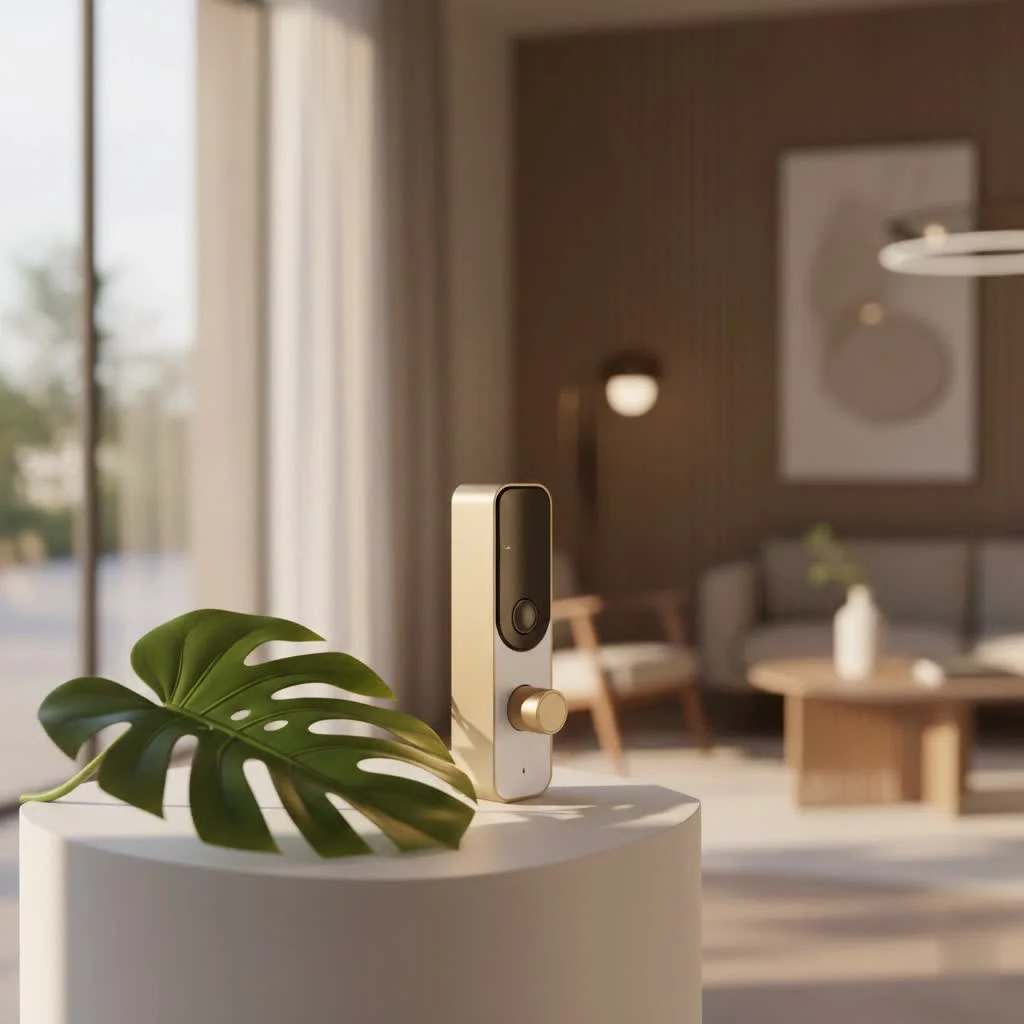
Lockly has quickly become synonymous with cutting-edge security, transforming how we interact with our entryways. Gone are the days of fumbling for keys or worrying about lost spares. With a Lockly smart lock, you gain unparalleled control, flexibility, and, most importantly, peace of mind, all wrapped in a sleek, robust design. For see our smart home recommendations on this site.
What Makes Lockly Smart Locks a Cut Above the Rest?
When you’re considering a smart lock, you’re looking for more than just a gadget; you’re investing in advanced protection and ease of use. Lockly smart locks excel in several key areas, offering features that genuinely set them apart in a crowded market.
The Patented PIN Genie® Technology
Imagine a keypad where the numbers literally shuffle after every use. That’s the brilliance behind Lockly’s patented PIN Genie® keypad. This isn’t just a fancy trick; it’s a fundamental security enhancement. Traditional keypads can be vulnerable to “shoulder surfing” or smudge attacks, where observant eyes or lingering fingerprints reveal your code. PIN Genie® technology defeats these methods by constantly randomizing the position of the digits, making it virtually impossible for anyone to guess your Lockly smart lock code by watching you enter it. It’s a simple yet incredibly effective layer of security that gives you genuine confidence every time you unlock your door.
Unrivaled 3D Biometric Fingerprint Access
For those who crave ultimate convenience without compromising security, Lockly’s 3D biometric fingerprint sensor is a game-changer. Integrated seamlessly into many Lockly smart lock models, this sensor offers lightning-fast authentication—often in less than 0.5 seconds. But it’s not just about speed; it’s about accuracy and security. Unlike simpler optical scanners, Lockly’s 3D sensor reads the unique ridges and valleys of your actual finger, not just a flat image. This sophisticated technology can even detect “live” fingerprints, thwarting attempts to use fake or copied prints. You can typically store up to 99 unique fingerprints, making it ideal for families, busy households, or even small businesses.
Versatile Access Methods for Every Lifestyle
|
Our Picks for the Best Smart Lock in 2026
As an Amazon Associate I earn from qualifying purchases.
|
||
| Num | Product | Action |
|---|---|---|
| 1 | ULTRALOQ U-Bolt Pro WiFi Smart Lock with Door Sensor, 8-in-1 Keyless Entry Door Lock with Fingerprint ID, App Remote Control, Built-in WiFi Keypad Deadbolt, Auto Unlock, IP65 Waterproof, Easy Install |

|
| 2 | Video Smart Lock S398, 4-in-1 Camera + Video Doorbell + Fingerprint Keyless Door Lock + Indoor Display Monitor, Smart WiFi Deadbolt, App Remote Control, Easy Installation, Chime Included |
|
| 3 | LOCKSTAR® Smart Door Lock • Keyless Entry Deadbolt Door Lock • Multiple Entry Methods – APP • Fingerprint Touch ID • Keypad Code • Card FOB • Traditional Key • Smart Home Devices |
|
| 4 | Smart Door Handle Lock with Keypad: Yamiry Fingerprint Smart Knob - Keyless Entry Digital Lock for Front Door - Deadbolt with APP - Generate Passcode Remotely - DIY Installation |
|
| 5 | Wyze Palm Lock, Smart Door Lock with Palm Vein Recognition, Keyless Entry Smart Locks for Front Door, Keypad, Auto Lock, Dual Battery, Wi-Fi, Works with Alexa & Google, BHMA, IP53, Mechanical Key |
|
| 6 | 3D Face Recognition Smart Door Lock with Lock Body, Fingerprint/Ic Card/Password/Key Unlocked/Camera and Doorbell/Tuya WiFi App/Night Vision/Door Opening Record/Photo/Anti-Prying Alarm. |
|
| 7 | Tapo Smart Wi-Fi Deadbolt Door Lock – Keyless Tactile Buttons, Customized Access with in-App Monitoring, Auto-Lock, IP54 Weatherproof, BHMA Grade 3, Compatible with Standard Door Sizes, Tapo DL100 |
|
| 8 | Yale Security Assure Lock 2 Deadbolt, Black Suede Keyed Smart Entry Door Lock with Wi-Fi Connected Keypad for Code Entry and Remote Access, YRD410-WF1-BSP |
|
| 9 | ULTRALOQ Bolt Smart Lock, Built-in Wi-Fi, Matter Over Thread, Works with Apple Home, Alexa, Google, 7-in-1 Keyless Entry Deadbolt with Fingerprint ID, App, Keypad, Remote Control, 18 Months Battery |
|
| 10 | TEEHO TE001 Keyless Entry Door Lock with Keypad - Smart Deadbolt Lock for Front Door with 2 Keys - Auto Lock - Easy Installation - Satin Nickel |
|
A truly smart lock offers multiple ways to grant access, adapting to your preferences and needs. Lockly smart locks provide a comprehensive suite of entry options:
- Customizable PIN Codes: Create permanent, temporary, or one-time codes for family, friends, pet sitters, or delivery personnel.
- 3D Fingerprint Recognition: As discussed, for swift, secure, keyless entry.
- eKeys/eBadges: Grant digital keys through the Lockly app, allowing you to set specific durations or single-use access for guests, even when you’re away.
- Physical Key Backup: For those moments when technology takes a break, a traditional physical key cylinder provides a reliable failsafe.
- Voice Control: Integrate your Lockly smart lock with popular smart home assistants like Amazon Alexa and Google Assistant for hands-free locking and unlocking.
- Facial Recognition: Advanced models like the Lockly Visage Zeno introduce state-of-the-art facial recognition for effortless, hands-free entry, even in low light.
Offline Access Code™: Smart Control, No Internet Required
What if your Wi-Fi goes down, or you need to grant access to someone without an internet connection? Lockly’s Offline Access Code™ (OAC) feature ensures you’re never locked out of options. Through a unique encryption algorithm, you can generate temporary access codes from your Lockly app, even when your lock is offline. Simply share the code, and the recipient can gain entry, offering incredible flexibility for rental properties, service providers, or unexpected visitors. This is a crucial differentiator that many competitors lack.
Uncompromising Security and Data Privacy
When it comes to your home’s security, trust is paramount. Lockly smart locks are engineered with robust security measures to protect both your property and your personal data. They utilize 128-bit AES encryption, an industry standard for securing network traffic, preventing unauthorized access and hacking attempts. Furthermore, Lockly goes a step further in data privacy by storing sensitive biometric data, like fingerprint templates, locally on an encrypted microchip within the lock itself, rather than on cloud servers. This localized storage minimizes the risk of widespread data breaches, ensuring your personal information remains private. Lockly’s commitment to data security is even backed by ISO 27001 certification, highlighting their dedication to the highest information security management standards.
“In today’s connected world, a smart lock needs to be more than just convenient; it needs to be a digital fortress for your home and your data,” explains Jane Doe, a cybersecurity expert and smart home consultant. “Lockly’s approach to local data storage and military-grade encryption offers a level of assurance that is critical for any homeowner.”
Lockly Smart Lock Models: Finding Your Perfect Fit
Lockly offers a diverse range of smart locks, each designed with specific features to cater to different needs and budgets. Understanding the key differences can help you choose the ideal Lockly smart lock for your home. Most models are available in both deadbolt and latch styles, integrating seamlessly with your existing door hardware.
The Secure Series: Standard, Plus, and Pro
The Lockly Secure series forms the core of their offering, providing a scalable solution for varying levels of connectivity and biometric access.
- Lockly Secure Standard: This entry-level model offers reliable Bluetooth connectivity and the renowned PIN Genie® keypad for secure code entry. It’s a solid choice for those seeking enhanced security without the need for advanced remote features right out of the box.
- Lockly Secure Plus: Building on the Standard, the Secure Plus incorporates the advanced 3D biometric fingerprint sensor, offering quick and convenient keyless access alongside the PIN Genie® keypad.
- Lockly Secure Pro: The ultimate in the Secure series, the Lockly Secure Pro integrates a built-in Wi-Fi hub, allowing for true remote control via the Lockly app from anywhere in the world. It also includes a door sensor to monitor your door’s open/closed status and comes standard with the 3D fingerprint reader and PIN Genie® technology. When comparing Lockly Secure Pro vs. Plus, the built-in Wi-Fi and door sensor are the main distinguishing features.
Lockly Vision: See Who’s at Your Door
The Lockly Vision series elevates your entryway security by integrating a high-definition video doorbell camera directly into the smart lock. This means you can not only secure your door but also see, hear, and speak to visitors from your smartphone, whether you’re home or away. Advanced versions, like the Vision Elite, even include solar charging to extend battery life. The Lockly Vision provides real-time alerts, two-way audio, and secure cloud video storage, acting as a complete entryway security solution.
Lockly Visage Zeno: The Future of Entry with Facial Recognition
Introduced at CES, the Lockly Visage Zeno is at the forefront of smart lock innovation, featuring sophisticated facial recognition technology. This groundbreaking Lockly smart lock allows you to unlock your door simply by approaching it, without needing a key, PIN, or even your phone. Coupled with the 3D fingerprint reader and PIN Genie® keypad, the Visage Zeno offers an unparalleled hands-free entry experience, truly redefining convenience and cutting-edge security.
Other Notable Lockly Models
- Lockly Model 6S/7S: These Bluetooth-enabled keypad locks provide robust security with the PIN Genie® technology, making them excellent budget-friendly options for those who prioritize secure keypad entry.
- Lockly Flex Touch: Designed for simplicity, this model offers a discreet 3D fingerprint sensor for quick, one-touch access while maintaining a minimalist aesthetic.
Installation and Setup: Is It DIY-Friendly?
One of the common concerns when upgrading to a smart lock is the installation process. Thankfully, installing a Lockly smart lock is designed to be a straightforward DIY task for most homeowners, often taking around 15-30 minutes.
What You’ll Need:
- A Phillips head screwdriver.
- Four AA batteries.
- Your smartphone for the Lockly app.
The Process:
- Remove Your Old Lock: If replacing an existing deadbolt, this is usually the first step.
- Door Compatibility Check: Ensure your door meets the thickness requirements (typically 1¾” to 2″). Lockly provides drill sheets if you’re working with a new door that doesn’t have existing holes.
- Follow the App: The Lockly mobile app provides clear, step-by-step instructions with visual aids, guiding you through each phase of the installation. This is often more intuitive than flipping through a paper manual.
- Component Assembly: You’ll install the exterior assembly, the deadbolt latch, the interior mounting plate, and finally, the interior assembly. Wiring connections are typically simple plug-and-play.
- Self-Check and Handing: After installing the batteries, a quick self-test by holding the program button for a few seconds will ensure the lock has correctly determined your door’s handing (left or right swing) and is functioning properly. You’ll hear a confirmation beep if successful.
- Initial Setup: Remember that crucial initial eight-digit passcode found in your Quick Start Guide. You’ll need it to initiate the lock and begin programming your user codes and fingerprints via the app.
While some models like the Lockly Vision or Visage Zeno might involve slightly more complex steps due to integrated cameras or facial recognition modules, the overall process remains user-friendly. For those who are comfortable with basic home improvement tasks, installing your Lockly smart lock can be a rewarding DIY project.
Smart Home Integration and Seamless Connectivity
A smart lock’s true power lies in its ability to integrate with your broader smart home ecosystem. Lockly smart locks are built for connectivity, offering both Bluetooth and Wi-Fi options.
Bluetooth Connectivity
All Lockly smart lock models come with Bluetooth connectivity as a standard feature. This allows you to control the lock, manage users, and view activity logs from your smartphone when you are within Bluetooth range.
Wi-Fi Connectivity
For remote access—locking or unlocking your door from anywhere in the world—Wi-Fi connectivity is essential.
- Built-in Wi-Fi: Models like the Lockly Secure Pro and Visage Zeno feature built-in Wi-Fi, allowing for direct remote control without additional hardware.
- Secure Link Wi-Fi Hub: For other Bluetooth-only Lockly smart lock models, a separately purchased Lockly Secure Link Wi-Fi Hub can be added to enable full remote access functionality. This hub bridges the gap between your lock and your home Wi-Fi network.
Voice Assistant Compatibility
Lockly smart locks seamlessly integrate with popular voice assistants:
- Amazon Alexa: Lock or unlock your door, check its status, and manage access using simple voice commands through your Alexa-enabled devices.
- Google Assistant: Similar functionality is available for Google Assistant users, allowing you to incorporate your Lockly smart lock into your Google Home routines.
This level of integration means your Lockly smart lock isn’t just a standalone device; it’s a key component of your intelligent home security system, working in harmony with your other smart devices.
Enhanced Security Features for Comprehensive Protection
Beyond the core access methods, Lockly smart locks incorporate a suite of features designed to provide a comprehensive security blanket for your home:
- Real-time Smart Alerts: Receive instant notifications on your smartphone for events such as door unlocks, keypad inputs, motion detection (with camera models), or tamper attempts. This keeps you informed about all activity at your entryway, 24/7.
- Activity Logs: The Lockly app maintains a detailed log of who entered, when, and how, giving you a complete history of access to your home.
- Auto-Lock Scheduling: Never forget to lock your door again. You can program your Lockly smart lock to automatically lock after a set period (e.g., 30 seconds, 5 minutes), ensuring your home is always secured.
- Low-Battery Alerts: The app will notify you when the battery levels are running low, giving you ample time to replace the four AA batteries before they completely drain.
- Emergency Power Port: In the rare event that your batteries die before you can replace them, a 9V battery port on the exterior of the lock allows you to temporarily power the system and gain entry using your code or fingerprint, ensuring you’re never locked out.
- Tamper Detection: Built-in sensors can detect forced entry attempts or tampering, triggering alarms and sending alerts to your phone.
These features, combined with the robust physical construction of Lockly smart locks, contribute to a significantly higher level of home security compared to traditional locks.
Choosing the Right Lockly Smart Lock for Your Home
With so many excellent options, how do you pick the best Lockly smart lock for you? Consider these factors:
- Budget: Lockly offers models across various price points. Determine what you’re comfortable spending.
- Required Features:
- Do you need a fingerprint reader? (Secure Plus, Pro, Vision, Visage Zeno)
- Is a built-in camera important? (Vision series)
- Do you want facial recognition? (Visage Zeno)
- Is remote Wi-Fi control a must-have? (Secure Pro, Visage Zeno, or Secure Link Hub for other models)
- Door Type and Aesthetics: Ensure the lock’s style (deadbolt or latch) and finish (Satin Nickel, Venetian Bronze, Matte Black) complement your door and home decor.
- Smart Home Ecosystem: Confirm compatibility with your existing smart home devices and voice assistants.
For example, if you’re a busy professional who wants to manage access remotely and receive comprehensive alerts, the Lockly Secure Pro is an excellent choice. If you prioritize keyless entry with biometrics and want the flexibility of a traditional keypad, the Lockly Secure Plus offers great value. And for those who desire the ultimate in security and convenience, including video monitoring and facial recognition, the Lockly Vision Elite or Visage Zeno are worth the investment.
Lockly Smart Lock: A Summary of Pros and Cons
Like any technology, Lockly smart locks have their strengths and a few points to consider.
Pros:
- Advanced Security: Patented PIN Genie® technology and highly accurate 3D fingerprint sensors offer superior protection against common lock vulnerabilities.
- Multiple Access Options: Fingerprint, PIN, eKey, physical key, voice, and even facial recognition provide unparalleled flexibility.
- Robust App Control: Intuitive mobile app for managing users, monitoring activity, and remote control (with Wi-Fi).
- Excellent Data Privacy: Localized biometric data storage and strong encryption offer peace of mind.
- DIY-Friendly Installation: Generally straightforward process with app-guided instructions.
- Comprehensive Features: Auto-locking, temporary codes, real-time alerts, and emergency power options enhance convenience and security.
Cons:
- Price Point: Some advanced models, particularly those with cameras or facial recognition, can be more expensive than basic smart locks.
- Wi-Fi Hub for Some Models: Not all models have built-in Wi-Fi, requiring a separate Secure Link Hub for full remote access.
- Initial Setup Time: While installation is generally quick, programming multiple fingerprints and codes can be a bit time-consuming initially.
Frequently Asked Questions (FAQ) About Lockly Smart Locks
How secure is a Lockly Smart Lock?
Lockly smart locks are highly secure, featuring patented PIN Genie® technology to prevent code exposure, 3D biometric fingerprint readers that only recognize live fingerprints, 128-bit AES encryption for data, and local storage of biometric data to protect your privacy. Many models also include tamper alerts and a physical key backup.
Do Lockly Smart Locks require a Wi-Fi connection?
Not all Lockly smart locks require Wi-Fi. All models come with Bluetooth for control within range. However, for remote access and control from anywhere, models like the Lockly Secure Pro and Visage Zeno have built-in Wi-Fi, while others can achieve remote functionality by adding a Lockly Secure Link Wi-Fi Hub.
Can I give temporary access to guests?
Yes, Lockly smart locks allow you to create temporary PIN codes or send digital eKeys (eBadges) through the Lockly app. These can be set to expire after a specific time or a single use, providing secure and convenient access for visitors, service providers, or delivery personnel without sharing your permanent codes.
Is Lockly compatible with smart home systems like Alexa or Google Assistant?
Absolutely. Many Lockly smart lock models, especially those with Wi-Fi capabilities (either built-in or with the Secure Link Hub), are fully compatible with Amazon Alexa and Google Assistant, allowing you to control your lock using voice commands and integrate it into your smart home routines.
What happens if the battery dies on my Lockly Smart Lock?
Lockly smart locks will notify you via the app when the battery is low, giving you plenty of time to replace the four AA batteries. In the rare event that the batteries completely drain, Lockly locks feature an external 9V battery port, allowing you to temporarily power the lock and gain entry using your code or fingerprint.
How many fingerprints can a Lockly Smart Lock store?
Most Lockly smart lock models with a 3D biometric fingerprint sensor can store up to 99 unique fingerprints. This makes them ideal for households with multiple users, ensuring everyone can enjoy the convenience of one-touch keyless entry.
Secure Your Sanctuary with a Lockly Smart Lock
Embracing a Lockly smart lock is more than just an upgrade; it’s a transformation of your home’s security, blending advanced technology with intuitive design. From the ingenious PIN Genie® keypad to the rapid 3D fingerprint sensor and the groundbreaking facial recognition of the Visage Zeno, Lockly offers solutions that cater to every homeowner’s needs for safety, convenience, and peace of mind.
As experts in smart home security at jtdnc.com, we believe that choosing a Lockly smart lock is an investment in a smarter, more secure future for your home. Why settle for traditional security when you can have a guardian that’s always evolving, always protecting, and always connected? Take the step today to elevate your home security and experience the unparalleled confidence that comes with a Lockly smart lock.
Smart home that does not lock you in
Free PDF — protocol compatibility matrix for 30 hubs and devices.
