Fingerprint smart locks are advanced electronic devices that use your unique biometric data, specifically your fingerprint, to grant access to your home, offering enhanced security and unparalleled convenience. These locks eliminate the need for traditional keys, providing fast, keyless entry and robust protection against unauthorized access. They represent a significant upgrade in home security, integrating modern technology with modern living.
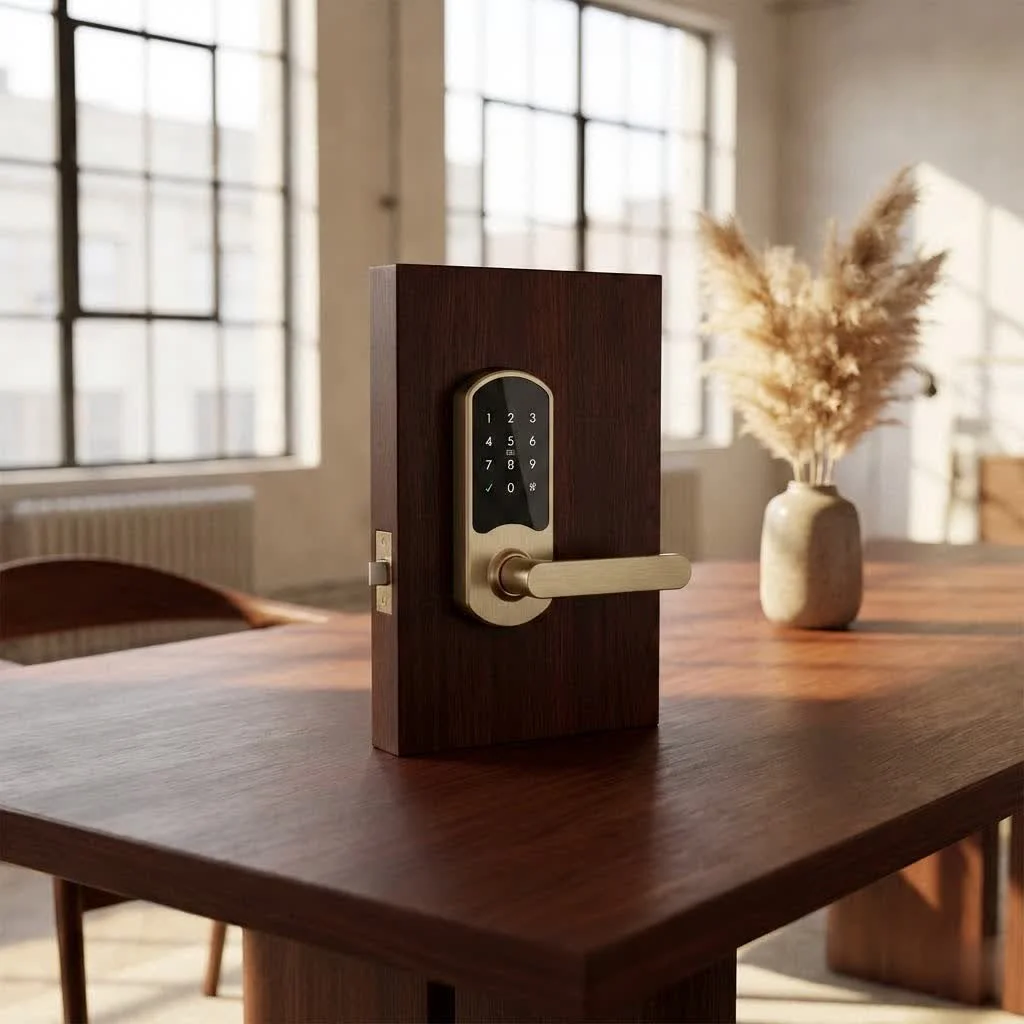
What Exactly is a Fingerprint Smart Lock and How Does It Work Its Magic?
At its core, a fingerprint smart lock is a sophisticated electronic lock that uses your unique biometric data – specifically, your fingerprint – to grant access. Think of it as your own personal, unloseable key. But how does this magic happen?
When you place your finger on the scanner, a sensor captures the intricate ridge patterns. This raw data is then instantaneously converted into an encrypted digital template. This template is then matched against pre-stored profiles of authorized users within the lock’s secure memory. If there’s a match, poof – the door unlocks, typically in less than a second. It’s remarkably fast and incredibly accurate, even if your finger is slightly damp or dusty. The best systems also boast “anti-spoof” technology, making it virtually impossible for someone to fool the lock with a copied print. The beauty is that this highly personal biometric data is often stored locally on the device itself, providing an extra layer of privacy and security against cloud-based breaches.
Why Make the Switch? The Irresistible Benefits of a Fingerprint Smart Lock
Upgrading to a fingerprint smart lock isn’t just about cool tech; it’s about transforming your daily routine and enhancing your peace of mind. Here’s why these devices are becoming a must-have for savvy homeowners:
Unmatched Convenience: Say Goodbye to Keys Forever
Imagine arriving home with groceries, kids, or pets, and simply touching your door to unlock it. No more digging through bags, fumbling in the dark, or worrying about forgetting your keys. Fingerprint smart locks offer lightning-fast, keyless entry that streamlines your day. It’s like magic, but it’s just your unique touch making life simpler.
Enhanced Security: A Fort Knox at Your Fingertips
Traditional locks can be picked, bumped, or duplicated. A fingerprint smart lock, however, leverages the uniqueness of your biometric data, making it incredibly difficult to bypass. Most models come packed with advanced security features:
- Anti-Peep Keypads: Allows you to enter dummy digits before or after your actual code, thwarting prying eyes.
- Tamper Alarms: Alerts you to any attempts at forced entry.
- Auto-Lock Functionality: Ensures your door locks automatically after a set period, so you never have to wonder if you ed to secure it.
- Encrypted Data Storage: Your biometric information is protected, often stored securely on the device itself, not in the cloud.
“Modern fingerprint smart locks integrate multiple layers of protection, from robust physical construction to advanced digital encryption. This holistic approach makes them significantly more secure than conventional deadbolts,” shares security expert Dr. Anya Sharma.
Seamless Smart Home Integration: Your Connected Castle
|
Our Picks for the Best Smart Lock in 2026
As an Amazon Associate I earn from qualifying purchases.
|
||
| Num | Product | Action |
|---|---|---|
| 1 | Smart Door Handle Lock with Keypad: Yamiry Fingerprint Smart Knob - Keyless Entry Digital Lock for Front Door - Deadbolt with APP - Generate Passcode Remotely - DIY Installation |

|
| 2 | ULTRALOQ U-Bolt Pro WiFi Smart Lock with Door Sensor, 8-in-1 Keyless Entry Door Lock with Fingerprint ID, App Remote Control, Built-in WiFi Keypad Deadbolt, Auto Unlock, IP65 Waterproof, Easy Install |
|
| 3 | Wyze Palm Lock, Smart Door Lock with Palm Vein Recognition, Keyless Entry Smart Locks for Front Door, Keypad, Auto Lock, Dual Battery, Wi-Fi, Works with Alexa & Google, BHMA, IP53, Mechanical Key |
|
| 4 | Yale Security Assure Lock 2 Deadbolt, Black Suede Keyed Smart Entry Door Lock with Wi-Fi Connected Keypad for Code Entry and Remote Access, YRD410-WF1-BSP |
|
| 5 | ULTRALOQ Bolt Smart Lock, Built-in Wi-Fi, Matter Over Thread, Works with Apple Home, Alexa, Google, 7-in-1 Keyless Entry Deadbolt with Fingerprint ID, App, Keypad, Remote Control, 18 Months Battery |
|
| 6 | Tapo Smart Wi-Fi Deadbolt Door Lock – Keyless Tactile Buttons, Customized Access with in-App Monitoring, Auto-Lock, IP54 Weatherproof, BHMA Grade 3, Compatible with Standard Door Sizes, Tapo DL100 |
|
| 7 | TEEHO TE001 Keyless Entry Door Lock with Keypad - Smart Deadbolt Lock for Front Door with 2 Keys - Auto Lock - Easy Installation - Satin Nickel |
|
| 8 | Video Smart Lock S398, 4-in-1 Camera + Video Doorbell + Fingerprint Keyless Door Lock + Indoor Display Monitor, Smart WiFi Deadbolt, App Remote Control, Easy Installation, Chime Included |
|
| 9 | LOCKSTAR® Smart Door Lock • Keyless Entry Deadbolt Door Lock • Multiple Entry Methods – APP • Fingerprint Touch ID • Keypad Code • Card FOB • Traditional Key • Smart Home Devices |
|
| 10 | 3D Face Recognition Smart Door Lock with Lock Body, Fingerprint/Ic Card/Password/Key Unlocked/Camera and Doorbell/Tuya WiFi App/Night Vision/Door Opening Record/Photo/Anti-Prying Alarm. |
|
Many fingerprint smart locks play nicely with popular smart home ecosystems like Amazon Alexa, Google Assistant, and Apple HomeKit. This means you can integrate your lock into broader routines, such as having your lights turn on when you unlock the door or receiving notifications if the door is left ajar. Some even support Apple HomeKey, allowing you to unlock with a tap of your iPhone or Apple Watch.
Multi-Access Options: Because Life Needs Flexibility
While the fingerprint scanner is the star, most smart locks offer a variety of backup and alternative entry methods. This versatility is incredibly useful.
- PIN Codes: Perfect for family members, friends, or service providers.
- Smartphone App: Lock or unlock remotely, check activity logs, and manage user access from anywhere.
- Physical Keys: A crucial mechanical backup for emergencies or power outages.
- NFC Cards/Fobs: Another quick tap-to-unlock option for some models.
Some high-end models even include facial recognition or palm vein scanning for even more advanced, diverse access.
Visitor Management Made Easy: Welcome Guests, Control Access
Need to let a pet sitter, cleaner, or contractor in while you’re away? No problem. You can generate temporary PIN codes or even enroll their fingerprints for specific timeframes, revoking access once their task is complete. This eliminates the need for key handovers and ensures you’re always in control.
Activity Logs and Real-time Alerts: Always in the Know
Curiosity satisfied! Your smart lock’s companion app often provides a detailed activity log, showing who entered and when. Plus, you can receive real-time notifications on your smartphone whenever the door is locked or unlocked, giving you unparalleled insight into your home’s comings and goings.
What to Look For: Essential Features of the Best Fingerprint Smart Locks
Choosing the right fingerprint smart lock can feel daunting with so many options. Here’s a checklist of key features to consider:
- Fingerprint Recognition Speed & Accuracy: Aim for locks that unlock in under a second and reliably recognize your print, even with minor moisture or dust. Look for anti-spoof technology to prevent unauthorized entry.
- Multiple Unlocking Methods: Redundancy is key. Ensure it offers fingerprint, keypad, app control, and a physical key override.
- Connectivity: Wi-Fi allows for remote access and smart home integration. Bluetooth is great for close-range control. Some locks offer both, or use a bridge for Wi-Fi.
- Robust Security Features: Look for military-grade encryption for data, anti-peep keypads, tamper alarms, forced entry detection, and customizable auto-lock timers.
- Battery Life & Backup Options: A good smart lock should last 6-12 months on a single set of batteries. Low-battery alerts are essential, as are emergency charging ports (like USB) and, critically, a mechanical key override. You never want to be locked out!
- Durability & Weather Resistance: Especially for exterior doors, choose locks made from strong materials like zinc alloy with ratings for weather resistance to withstand the elements.
- User Capacity: Consider how many unique fingerprints or passcodes the lock can store. Most residential locks handle plenty for a typical family, but larger households or small businesses might need more.
- Installation Ease: Many modern fingerprint smart locks are designed for DIY installation, fitting standard door holes within 15-30 minutes using basic tools. Always check compatibility with your door type and thickness.
- Smart Home Compatibility: If you have an existing smart home ecosystem (Alexa, Google Home, Apple HomeKit), ensure the lock integrates seamlessly.
Leading the Charge: Noteworthy Fingerprint Smart Locks
The market is brimming with excellent fingerprint smart lock options, each with its own strengths. Brands like Ultraloq are often praised for their versatility and multiple unlocking methods, while Yale offers sleek designs and robust smart home compatibility. Eufy frequently integrates video cameras and doorbells directly into their smart locks, providing an all-in-one security solution. Other strong contenders include Schlage, Lockly, Aqara, and Kwikset, each offering reliable performance and distinct features tailored to various needs. Exploring reviews for current year models will help you pinpoint the best fit for your home.
Getting Started: Installation and Maintenance Tips for Your Smart Lock
Integrating a fingerprint smart lock into your home is often surprisingly straightforward.
- Installation: Many models are designed for DIY installation, requiring only a screwdriver and following clear instructions or video guides. However, if you’re uncomfortable, don’t hesitate to call a professional locksmith or smart home installer. Proper installation is crucial for optimal security and functionality.
- Battery Management: Smart locks run on batteries, usually AA or rechargeable packs. Expect them to last 6-12 months depending on usage. Always pay attention to low-battery alerts and keep spare batteries on hand or know where your emergency charging port is.
- Cleaning the Scanner: Periodically wipe the fingerprint scanner with a soft, dry cloth to ensure optimal reading accuracy.
- Firmware Updates: Just like your smartphone, your smart lock’s software may receive updates. Enable automatic updates via the mobile app to ensure you have the latest security patches and features.
- Review Access Logs: Make it a habit to occasionally review your lock’s activity logs through the app. This helps you monitor who’s entering your home and can flag any suspicious activity.
Are Fingerprint Smart Locks Truly Safe? Addressing Your Concerns
It’s natural to wonder about the security of any new technology securing your home. The good news is, fingerprint smart locks are, in many ways, more secure than traditional locks. They eliminate vulnerabilities like key duplication and lock picking. With advanced encryption and local storage of biometric data, your information is well-protected.
However, like any security system, their effectiveness relies on choosing a reputable brand that prioritizes security, proper installation, and sensible usage (e.g., using strong PINs, not sharing your backup key widely). When installed correctly and chosen from a trusted manufacturer, a fingerprint smart lock provides a formidable barrier against unauthorized access, offering a superior level of protection compared to conventional lock-and-key systems.
The Future is at Your Fingertips
Fingerprint smart locks are more than just a passing trend; they are the logical next step in home security and convenience. They offer a blend of effortless access, robust protection, and seamless integration into our increasingly connected lives. By understanding their benefits and features, you can confidently choose the perfect fingerprint smart lock to enhance your home’s security, simplify your daily routine, and enjoy the peace of mind that comes with knowing your castle is protected by the most unique key of all – your own touch. Ready to ditch the keys and embrace the future? Your door awaits.
Frequently Asked Questions
How do fingerprint smart locks enhance home security?
Fingerprint smart locks enhance home security by using unique biometric data, making them incredibly difficult to bypass compared to traditional locks. They often include features like anti-peep keypads, tamper alarms, and auto-lock functionality, providing multiple layers of protection. Your biometric data is typically stored locally on the device, adding an extra layer of privacy.
What are the main benefits of using a fingerprint smart lock?
The main benefits include unmatched convenience with keyless entry, enhanced security through biometric authentication, seamless integration with smart home systems like Alexa and Google Assistant, and flexible multi-access options such as PIN codes and physical keys. These locks also offer easy visitor management and detailed activity logs for monitoring access.
Can fingerprint smart locks be integrated with existing smart home systems?
Yes, many fingerprint smart locks are designed to integrate seamlessly with popular smart home ecosystems, including Amazon Alexa, Google Assistant, and Apple HomeKit. This allows for advanced automation, such as turning on lights when the door unlocks or receiving notifications if the door is left ajar. Some models even support Apple HomeKey for iPhone or Apple Watch unlocking.
What features should I look for when buying a fingerprint smart lock?
When buying a fingerprint smart lock, look for fast and accurate recognition (under 1 second), multiple unlocking methods (fingerprint, keypad, app, key), Wi-Fi/Bluetooth connectivity, and robust security features like military-grade encryption. Also consider battery life (6-12 months), durability, user capacity, ease of installation, and smart home compatibility.
Are fingerprint smart locks truly safe from hacking or spoofing?
Fingerprint smart locks are generally more secure than traditional locks, eliminating vulnerabilities like key duplication and lock picking. Reputable brands incorporate advanced encryption and anti-spoof technology, making it virtually impossible to fool the lock with a copied print. Local storage of biometric data further protects user information from cloud-based breaches.
Install and Maintain Your Fingerprint Smart Lock
Learn how to properly install and maintain your fingerprint smart lock to ensure optimal security and functionality for your home.
Many fingerprint smart lock models are designed for DIY installation, often requiring only a screwdriver and following clear instructions or video guides. For optimal security and functionality, consider hiring a professional locksmith or smart home installer if you are uncomfortable with the process.
Smart locks typically run on AA or rechargeable batteries, lasting 6-12 months depending on usage. Always pay attention to low-battery alerts and keep spare batteries on hand. Most locks also feature emergency charging ports, such as USB, to prevent lockouts.
Periodically wipe the fingerprint scanner with a soft, dry cloth to maintain optimal reading accuracy. Additionally, enable automatic firmware updates via the mobile app to ensure your smart lock has the latest security patches and features, just like your smartphone.
Make it a habit to occasionally review your lock's activity logs through its companion app. This practice helps you monitor who is entering your home and can quickly flag any suspicious or unauthorized activity, enhancing your overall home security awareness.
Smart home that does not lock you in
Free PDF — protocol compatibility matrix for 30 hubs and devices.

This lock is exactly what I needed for my smart home setup. The biometric data access is incredibly fast and secure. I love that it eliminates the need for traditional keys entirely. It’s truly cutting-edge technology that integrates perfectly with modern living.
I got a fingerprint smart lock for my back door, hoping for that unparalleled convenience. It works well most of the time, but I’ve had a few instances where it didn’t recognize my print on the first try, which is a bit frustrating when you’re in a hurry. I do appreciate the robust protection it offers, though.
I was hesitant to switch from traditional keys, but this fingerprint lock has been a game-changer. The convenience of not fumbling for keys, especially with groceries, is amazing. Setup was pretty straightforward, and it’s been super reliable. Definitely a significant upgrade for our front door security.
We installed one of these after reading about the enhanced security features. It’s great for the kids too, no more lost house keys! My only minor complaint is that sometimes in really cold weather, the scanner takes a second or two longer to recognize my print. Otherwise, it’s been fantastic.