Tired of fumbling for keys in the dark, or worse, wondering if you remembered to lock the door after you left? Welcome to the future of home security. The advent of the Smart Key Door Lock has fundamentally transformed how we interact with our homes, offering a blend of cutting-edge technology, unparalleled convenience, and robust security. It’s more than just a lock; it’s a critical component of a modern, connected lifestyle, bringing peace of mind right to your fingertips.
What Exactly is a Smart Key Door Lock?
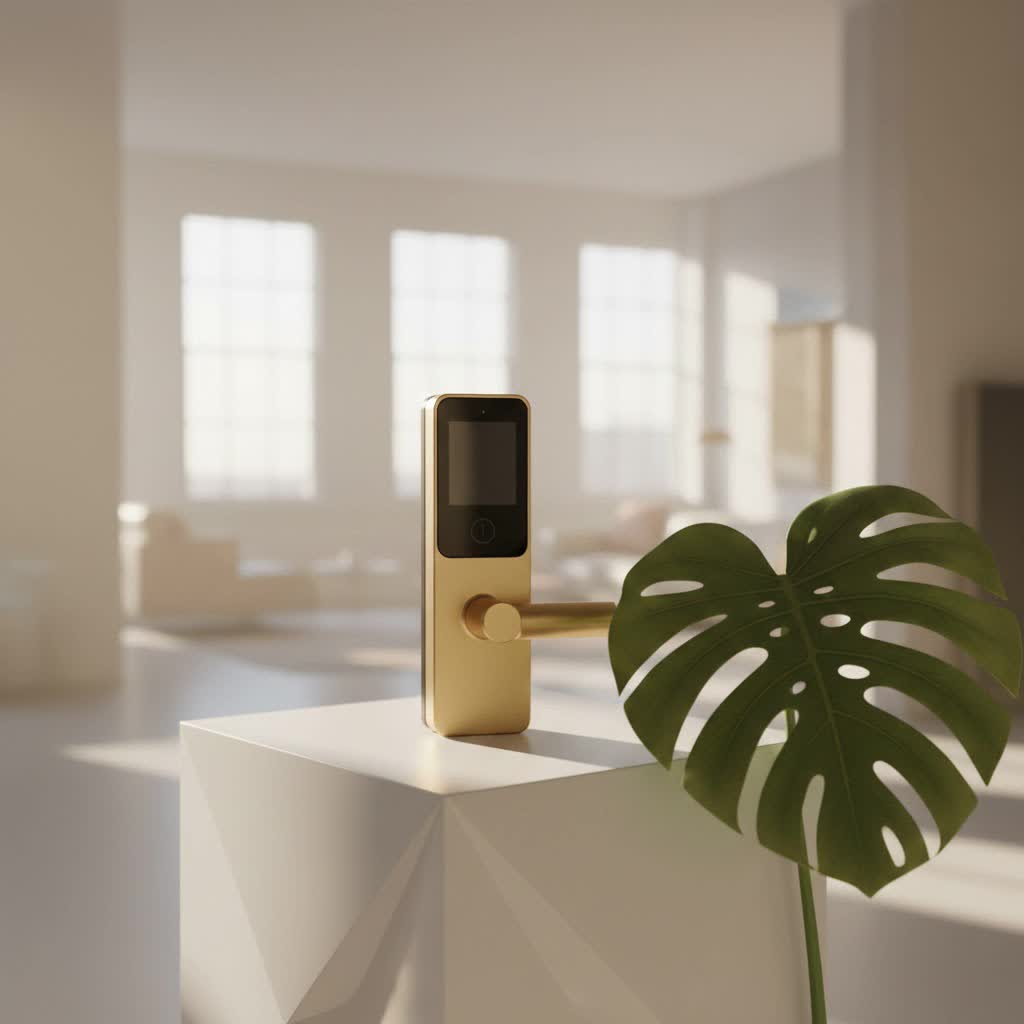
A smart key door lock is an advanced electronic locking mechanism that offers keyless entry and seamlessly integrates with your smart home ecosystem, providing enhanced security and unparalleled convenience through digital control. Unlike traditional locks that rely solely on a physical key, a smart key door lock leverages digital technologies to grant and restrict access. Think of it as your trusty deadbolt, but supercharged with intelligence. These innovative devices can be controlled remotely, programmed with unique access codes, and even monitor who comes and goes, all while maintaining a physical key override for absolute peace of mind. It’s about moving beyond the limitations of a metal key to a more flexible, secure, and user-friendly system.
The Core Technologies Behind Your Smart Key Door Lock
Understanding the technology powering these devices helps appreciate their capabilities and aids in making an informed choice. It’s not just about locking a door; it’s about intelligent access control.
Keyless Entry Methods: Beyond the Traditional Key
One of the most compelling features of any smart key door lock is the sheer variety of ways it allows you to enter your home without a traditional key:
- Keypads and PIN Codes: This is arguably the most common and straightforward method. You assign unique numerical codes to family members, friends, or even temporary guests. No more hiding spare keys under the doormat!
- Fingerprint Scanners: For biometric enthusiasts, fingerprint recognition offers quick, secure, and highly personal access. Your unique print becomes your key, eliminating the need to remember codes or carry anything.
- Smartphone Apps: Many smart key door locks come with dedicated smartphone applications. Using Bluetooth or Wi-Fi, you can lock and unlock your door with a tap, check its status, and manage access from anywhere in the world.
- Voice Control: Integrating with smart assistants like Amazon Alexa or Google Assistant, some locks allow you to lock your door with a simple voice command, adding another layer of hands-free convenience.
- Physical Key Override: Crucially, almost all smart key door locks retain a traditional key cylinder. This serves as an essential backup, ensuring you’re never locked out due to a dead battery or tech glitch.
|
Our Picks for the Best Smart Lock in 2026
As an Amazon Associate I earn from qualifying purchases.
|
||
| Num | Product | Action |
|---|---|---|
| 1 | Video Smart Lock S398, 4-in-1 Camera + Video Doorbell + Fingerprint Keyless Door Lock + Indoor Display Monitor, Smart WiFi Deadbolt, App Remote Control, Easy Installation, Chime Included |

|
| 2 | ULTRALOQ Bolt Smart Lock, Built-in Wi-Fi, Matter Over Thread, Works with Apple Home, Alexa, Google, 7-in-1 Keyless Entry Deadbolt with Fingerprint ID, App, Keypad, Remote Control, 18 Months Battery |
|
| 3 | LOCKSTAR® Smart Door Lock • Keyless Entry Deadbolt Door Lock • Multiple Entry Methods – APP • Fingerprint Touch ID • Keypad Code • Card FOB • Traditional Key • Smart Home Devices |
|
| 4 | TEEHO TE001 Keyless Entry Door Lock with Keypad - Smart Deadbolt Lock for Front Door with 2 Keys - Auto Lock - Easy Installation - Satin Nickel |
|
| 5 | Yale Security Assure Lock 2 Deadbolt, Black Suede Keyed Smart Entry Door Lock with Wi-Fi Connected Keypad for Code Entry and Remote Access, YRD410-WF1-BSP |
|
| 6 | ULTRALOQ U-Bolt Pro WiFi Smart Lock with Door Sensor, 8-in-1 Keyless Entry Door Lock with Fingerprint ID, App Remote Control, Built-in WiFi Keypad Deadbolt, Auto Unlock, IP65 Waterproof, Easy Install |
|
| 7 | 3D Face Recognition Smart Door Lock with Lock Body, Fingerprint/Ic Card/Password/Key Unlocked/Camera and Doorbell/Tuya WiFi App/Night Vision/Door Opening Record/Photo/Anti-Prying Alarm. |
|
| 8 | Tapo Smart Wi-Fi Deadbolt Door Lock – Keyless Tactile Buttons, Customized Access with in-App Monitoring, Auto-Lock, IP54 Weatherproof, BHMA Grade 3, Compatible with Standard Door Sizes, Tapo DL100 |
|
| 9 | Smart Door Handle Lock with Keypad: Yamiry Fingerprint Smart Knob - Keyless Entry Digital Lock for Front Door - Deadbolt with APP - Generate Passcode Remotely - DIY Installation |
|
| 10 | Wyze Palm Lock, Smart Door Lock with Palm Vein Recognition, Keyless Entry Smart Locks for Front Door, Keypad, Auto Lock, Dual Battery, Wi-Fi, Works with Alexa & Google, BHMA, IP53, Mechanical Key |
|
Connectivity: Staying Connected to Your Home
The “smart” in smart key door lock largely comes from its ability to communicate. Different connectivity options offer varying levels of functionality and integration:
- Bluetooth: Ideal for local control. When your phone is within range (usually 10-30 feet), you can connect directly to the lock. It’s simple to set up but doesn’t offer remote access when you’re away from home.
- Wi-Fi: The gold standard for remote access. A Wi-Fi-enabled smart key door lock connects directly to your home network, allowing you to control and monitor it from anywhere with an internet connection – no hub required.
- Z-Wave/Zigbee: These are wireless protocols specifically designed for smart home devices. They create a mesh network, meaning devices can communicate with each other, extending range and improving reliability. While they usually require a smart home hub, they offer seamless integration into a larger smart ecosystem.
“The true power of a smart key door lock lies in its connectivity,” says Dr. Eleanor Vance, a leading cybersecurity expert specializing in IoT devices. “It’s what transforms a simple lock into a proactive security hub, providing valuable insights and control beyond just physical access.”
Why Upgrade? Unpacking the Benefits of a Smart Key Door Lock
The advantages of installing a smart key door lock extend far beyond simply eliminating the need for a physical key. They fundamentally improve your home’s security posture and offer an unprecedented level of convenience.
Enhanced Security Features
Modern smart key door locks are engineered with security at their core, often surpassing the protection offered by conventional locks.
- Auto-Locking Functionality: Forget to lock the door? Many smart locks can be programmed to automatically lock after a set period, ensuring your home is always secured, even if you’re in a hurry.
- Tamper Alarms: Integrated sensors can detect forced entry attempts or tampering, triggering an alarm and often sending an alert to your smartphone.
- Encrypted Communication: Data transmitted between your lock and your smartphone or smart home hub is typically encrypted, protecting against digital interception and unauthorized access.
- Activity Logs: A detailed record of who entered your home and when, providing a valuable audit trail and enhanced oversight, particularly useful for families or rental properties.
- Temporary Access Codes: Need to let a pet sitter, cleaner, or delivery person in? You can generate temporary, time-sensitive access codes that automatically expire, eliminating the need to share permanent keys or codes.
Unmatched Convenience and Control
The day-to-day ease of use that a smart key door lock provides is truly a game-changer.
- Remote Lock/Unlock from Anywhere: Whether you’re at work, on vacation, or just stepped out for a moment, you can lock or unlock your door from your smartphone, ensuring flexibility and control.
- No More Lost Keys: Say goodbye to locksmith calls for lost keys. With keyless entry, the problem of misplaced keys becomes a relic of the past.
- Seamless Integration with Other Smart Devices: Imagine your door unlocking and your lights turning on, or your thermostat adjusting to your preferred temperature. A smart key door lock can be the trigger for various “welcome home” routines.
- Peace of Mind: The ability to check your door’s status remotely, receive alerts, and control access provides an invaluable sense of security and control over your home, whether you’re there or away.
Smart Home Integration: A Cohesive Ecosystem
A smart key door lock isn’t a standalone gadget; it’s a vital piece of a larger, interconnected smart home ecosystem. When integrated with other smart devices, its capabilities multiply. For instance, you could set up a routine where unlocking your smart door lock disarms your security system, turns on your hallway lights, and even starts your coffee maker. This level of automation simplifies daily life and creates a truly responsive home environment. It’s about building a home that works for you, intelligently and efficiently.
Choosing the Right Smart Key Door Lock for Your Home
With a myriad of options available, selecting the ideal smart key door lock can feel daunting. However, by focusing on key criteria, you can find one that perfectly fits your needs and enhances your home security.
What to Look For: Key Considerations
- Compatibility: Before anything else, ensure the lock is compatible with your door’s specifications, including thickness, backset, and existing boreholes. Most smart locks fit standard deadbolt preparations.
- Installation: Decide if you prefer a DIY installation (many are designed to be simple, requiring just a screwdriver) or if you’d rather opt for professional installation, especially for more complex setups.
- Power Source: Most smart key door locks run on standard AA or AAA batteries. Pay attention to reported battery life and ensure the lock provides ample low-battery warnings.
- Connectivity Type: Do you need basic Bluetooth control, or do you require remote access via Wi-Fi? If you have a Z-Wave or Zigbee smart home hub, choose a lock that supports these protocols for seamless integration.
- Security Ratings: Look for locks with ANSI/BHMA (American National Standards Institute/Builders Hardware Manufacturers Association) grades, with Grade 1 being the highest for residential security.
- Brand Reputation: Stick to reputable brands like Schlage, Yale, August, and Kwikset, which have a proven track record in security and smart home technology.
- App Features: A user-friendly, feature-rich companion app is crucial. Check for functionalities like activity logs, temporary code management, and customizable alerts.
Checklist for Your Smart Key Door Lock Purchase
To make your decision easier, here’s a quick checklist:
- [ ] Does it fit your door’s specifications (thickness, backset)?
- [ ] What keyless entry methods do you prefer (keypad, fingerprint, app)?
- [ ] Is the connectivity suitable for your smart home setup (Bluetooth, Wi-Fi, Z-Wave/Zigbee)?
- [ ] What’s the expected battery life, and does it have a low-battery warning system?
- [ ] Does it offer a physical key override as a backup?
- [ ] Are the security features robust (auto-lock, tamper alarms, encryption)?
- [ ] Is the companion app intuitive and easy to use?
Installation and Maintenance: Keeping Your Smart Key Door Lock Running Smoothly
Once you’ve chosen your perfect smart key door lock, proper installation and ongoing maintenance are key to ensuring its optimal performance and longevity.
DIY or Professional Installation?
Many smart key door locks are designed for easy DIY installation, often requiring just a Phillips head screwdriver and about 15-30 minutes of your time. If you’re comfortable following instructions and have basic handyman skills, you can likely handle it yourself. However, if your door requires new holes, modifications, or if you simply prefer professional assurance, a locksmith or smart home installer can ensure everything is set up correctly and securely. Always follow the manufacturer’s specific instructions.
Essential Maintenance Tips
Maintaining your smart key door lock is relatively simple but crucial for consistent performance.
- Regular Battery Checks: This is perhaps the most important tip. Pay attention to low-battery warnings from your lock or its app and replace batteries promptly. Using quality alkaline batteries is recommended.
- Software Updates: Like any smart device, your smart lock may receive firmware updates that improve security, add features, or fix bugs. Ensure your lock’s software is always up to date.
- Cleaning: Periodically wipe down the keypad or fingerprint reader with a soft, damp cloth to prevent grime buildup that could affect functionality. Avoid harsh chemicals.
- Troubleshooting Common Issues: If you experience connectivity problems or app glitches, often a simple restart of the lock (by temporarily removing batteries) or your Wi-Fi router can resolve the issue. Refer to your lock’s manual for specific troubleshooting steps.
Common Questions About Smart Key Door Locks
Here are answers to some of the most frequently asked questions about smart key door locks:
Q: Are smart key door locks truly secure from hackers?
A: Modern smart key door locks employ robust encryption and security protocols, making them highly resistant to hacking attempts. However, using strong passcodes, enabling two-factor authentication, and keeping firmware updated are crucial for maximum protection against potential vulnerabilities.
Q: What happens if the battery dies on my smart key door lock?
A: Most smart key door locks come with a physical key override, allowing you to manually unlock the door just like a traditional lock. Many also provide low-battery warnings well in advance via the app or on the lock itself, giving you plenty of time to replace them before they completely run out.
Q: Can I integrate my smart key door lock with other smart home devices?
A: Absolutely! Many smart key door locks are designed to integrate seamlessly with popular smart home platforms like Apple HomeKit, Google Home, and Amazon Alexa, as well as Z-Wave or Zigbee hubs, enabling advanced automation and customized routines with other connected devices.
Q: How difficult is it to install a smart key door lock?
A: For many standard doors that already have a deadbolt, installing a smart key door lock can be a straightforward DIY project, often requiring just a screwdriver and about 15-30 minutes. However, some complex installations or specific door types might benefit from professional assistance to ensure proper fit and function.
Q: Do smart key door locks work during a power outage?
A: Since the vast majority of smart key door locks are battery-powered, they will continue to function normally during a power outage, unaffected by the lack of household electricity. Only smart locks reliant solely on house power (which are rare) or those needing Wi-Fi for remote access might see limited functionality.
Embrace the Future of Home Access
The smart key door lock represents a significant leap forward in home security and automation. By combining advanced technology with everyday convenience, it offers a secure, flexible, and intelligent way to manage access to your home. From keyless entry and remote control to detailed activity logs and seamless smart home integration, the benefits are clear. Upgrading to a smart key door lock is an investment in your peace of mind and an enhancement to your modern living experience. Take the leap and transform your home’s security today.
