Welcome to JTDNC.com, where we transform complex home security tech into simple, actionable insights. Today, we’re diving into the world of Smart Lock technology – a game-changer for anyone looking to enhance their home’s safety and convenience. Forget fumbling for keys; with a smart lock, you’re stepping into an era where your door understands you. Whether you’re a tech enthusiast or just starting your smart home journey, understanding these intelligent devices is crucial.
What Exactly is a Smart Lock, Anyway?
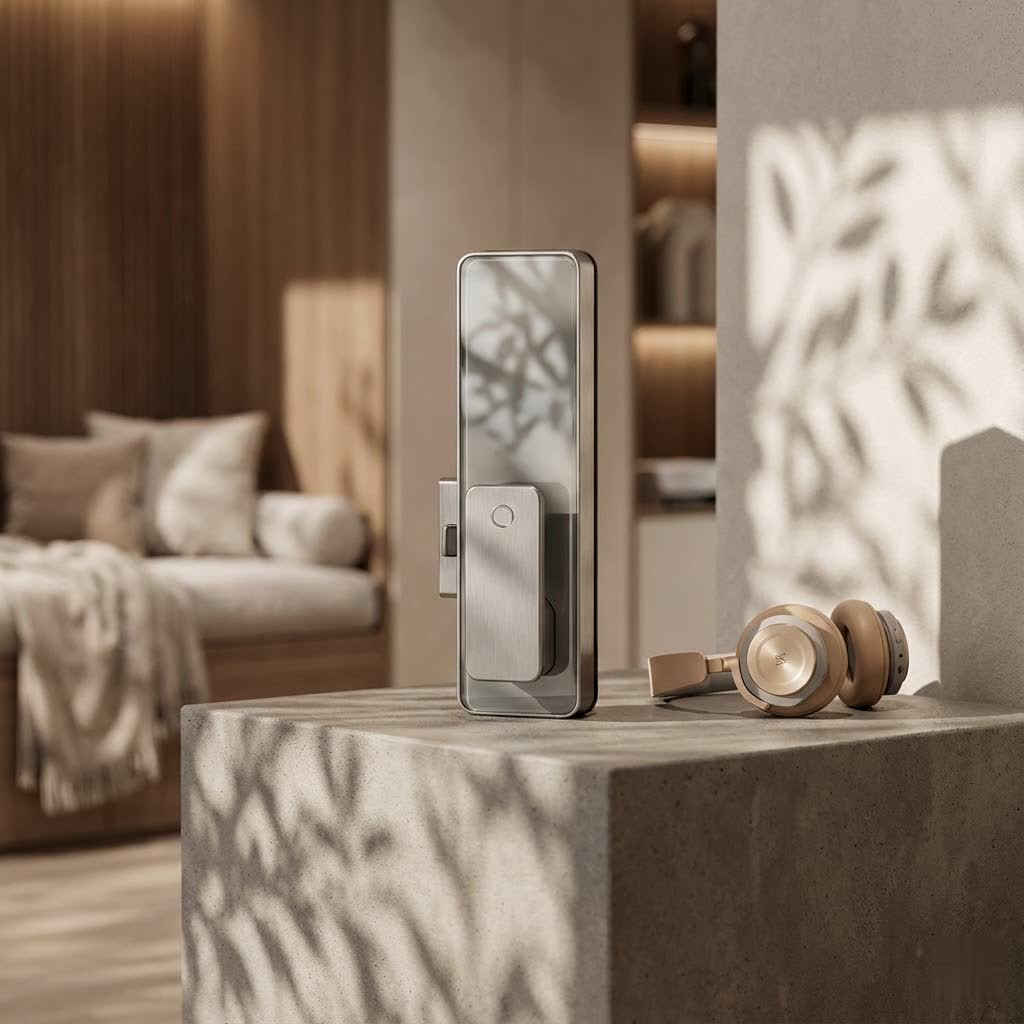
At its core, a smart lock is a connected device that either replaces your traditional door lock or enhances its capabilities. Think of it as your old deadbolt got a serious upgrade, allowing you to lock and unlock your door using a mobile app, a keypad, a fingerprint, or even your voice, often from anywhere in the world. It’s about merging physical security with digital convenience, making your entryway smarter and more responsive to your needs. This isn’t just about keyless entry; it’s about a complete reimagining of how we interact with our home’s first line of defense.
The Many Faces of Smart Lock Access: Finding Your Perfect Match
One of the coolest things about smart locks is the sheer variety of ways you can gain entry. Gone are the days when a single metal key was your only option!
Beyond the Key: Exploring Access Methods
- Keypad Entry: This is often the first feature people think of. You simply punch in a unique PIN code. Many smart locks allow you to create multiple codes for family members, guests, or service providers, and you can often set time-limited access, perfect for house sitters or temporary workers.
- Fingerprint Recognition (Biometric): Imagine just touching your lock and it opens. Biometric smart locks use your unique fingerprint to grant access, offering a highly secure and incredibly fast way to get inside without remembering codes or carrying anything. As Dr. Amelia Thorne, a leading expert in secure access systems, often states, “Biometric smart locks represent the pinnacle of personal, effortless security, making your unique self the ultimate key.”
- Smartphone App Control: This is where the “smart” really shines. With a dedicated app on your phone, you can lock and unlock your door from virtually anywhere, check its status, and receive alerts. Many apps also manage guest access and provide activity logs.
- Voice Commands: Integrate your smart lock with voice assistants like Amazon Alexa, Google Assistant, or Apple HomeKit, and you can simply tell your door to lock or unlock – hands-free convenience at its best!
- Traditional Key Override: Don’t worry, most smart locks still offer a good old physical key as a backup, ensuring you’re never locked out even if the batteries die or tech glitches occur.
- Geofencing and Auto-Unlock: Some advanced smart locks can detect when your phone is nearby (using your location) and automatically unlock as you approach, or lock behind you once you leave. It’s like your door knows you’re coming home.
|
Our Picks for the Best Smart Lock in 2026
As an Amazon Associate I earn from qualifying purchases.
|
||
| Num | Product | Action |
|---|---|---|
| 1 | ULTRALOQ U-Bolt Pro WiFi Smart Lock with Door Sensor, 8-in-1 Keyless Entry Door Lock with Fingerprint ID, App Remote Control, Built-in WiFi Keypad Deadbolt, Auto Unlock, IP65 Waterproof, Easy Install |

|
| 2 | Yale Security Assure Lock 2 Deadbolt, Black Suede Keyed Smart Entry Door Lock with Wi-Fi Connected Keypad for Code Entry and Remote Access, YRD410-WF1-BSP |
|
| 3 | 3D Face Recognition Smart Door Lock with Lock Body, Fingerprint/Ic Card/Password/Key Unlocked/Camera and Doorbell/Tuya WiFi App/Night Vision/Door Opening Record/Photo/Anti-Prying Alarm. |
|
| 4 | TEEHO TE001 Keyless Entry Door Lock with Keypad - Smart Deadbolt Lock for Front Door with 2 Keys - Auto Lock - Easy Installation - Satin Nickel |
|
| 5 | Wyze Palm Lock, Smart Door Lock with Palm Vein Recognition, Keyless Entry Smart Locks for Front Door, Keypad, Auto Lock, Dual Battery, Wi-Fi, Works with Alexa & Google, BHMA, IP53, Mechanical Key |
|
| 6 | Smart Door Handle Lock with Keypad: Yamiry Fingerprint Smart Knob - Keyless Entry Digital Lock for Front Door - Deadbolt with APP - Generate Passcode Remotely - DIY Installation |
|
| 7 | Video Smart Lock S398, 4-in-1 Camera + Video Doorbell + Fingerprint Keyless Door Lock + Indoor Display Monitor, Smart WiFi Deadbolt, App Remote Control, Easy Installation, Chime Included |
|
| 8 | LOCKSTAR® Smart Door Lock • Keyless Entry Deadbolt Door Lock • Multiple Entry Methods – APP • Fingerprint Touch ID • Keypad Code • Card FOB • Traditional Key • Smart Home Devices |
|
| 9 | ULTRALOQ Bolt Smart Lock, Built-in Wi-Fi, Matter Over Thread, Works with Apple Home, Alexa, Google, 7-in-1 Keyless Entry Deadbolt with Fingerprint ID, App, Keypad, Remote Control, 18 Months Battery |
|
| 10 | Tapo Smart Wi-Fi Deadbolt Door Lock – Keyless Tactile Buttons, Customized Access with in-App Monitoring, Auto-Lock, IP54 Weatherproof, BHMA Grade 3, Compatible with Standard Door Sizes, Tapo DL100 |
|
The Invisible Wires: Understanding Smart Lock Connectivity
How does your smart lock talk to your phone or your smart home hub? It’s all about connectivity. Choosing the right connection type is key to seamless integration and reliable performance.
- Bluetooth: Great for short-range control, usually within about 30 feet of your door. It’s perfect for unlocking as you arrive home, but you’ll need to be nearby to control it.
- Wi-Fi: The big kahuna for remote control. A Wi-Fi enabled smart lock connects directly to your home network, letting you manage your door from anywhere with an internet connection – whether you’re at work or on vacation. Some models require a separate hub, while others have Wi-Fi built right in.
- Z-Wave and Zigbee: These are popular choices for comprehensive smart home systems. They create a mesh network, extending the range and often offering better battery life than direct Wi-Fi connections. However, they usually require a compatible smart home hub to function.
- Matter: The newest kid on the block, Matter is designed to be a universal standard, aiming to make all your smart home devices, including your smart lock, work together effortlessly, regardless of brand or ecosystem.
Installation and Compatibility: Getting Your Smart Lock Up and Running
Installing a smart lock might seem daunting, but many are designed for DIY installation, often requiring just a Phillips screwdriver. However, some crucial steps and considerations ensure a smooth setup.
Before You Install: Key Considerations
- Door Compatibility: Not all smart locks fit all doors. You’ll need to measure your door’s thickness, backset (distance from the door edge to the center of the borehole), and the borehole size itself. Most smart locks are designed for standard residential deadbolts, but it’s always best to check manufacturer specifications.
- Existing Hardware: Are you replacing an existing deadbolt, or do you have a lever-style lock? Some smart locks replace your entire lock assembly, while others are “retrofit” solutions that attach to your existing hardware, allowing you to keep your current keys.
- Power Supply: Most smart locks run on standard AA or AAA batteries, typically lasting 6 months to a year. Look for models with low-battery alerts so you can replace them before they die completely. A physical key override is your best friend in a power outage or dead battery scenario.
- Tools: Generally, you’ll need basic tools like screwdrivers, and possibly a drill for more involved installations. Always follow the manufacturer’s instructions to the letter to avoid common pitfalls like misalignment, which can cause jamming.
Security and Peace of Mind: The Core Benefits of a Smart Lock
While convenience is a major draw, the primary role of any lock is security, and smart locks bring some serious advantages to the table.
How a Smart Lock Boosts Your Home Security
- Activity Logs: Ever wonder who came home when? Your smart lock can keep a detailed record of every lock and unlock event, telling you exactly who entered and when.
- Auto-Locking: Forget to lock the door when you left in a hurry? Many smart locks can be programmed to automatically lock after a set period, ensuring your home is always secured. Some even integrate with “DoorSense” technology to confirm the door is actually closed before locking.
- Tamper Alerts: If someone tries to pick your lock or force entry, many smart locks will send an alert to your phone, notifying you of potential threats in real-time.
- Enhanced Encryption: Reputable smart locks use strong encryption standards, like AES-128 or AES-256, the same level of security used by banks, making them significantly harder to “hack” than a traditional lock is to pick.
- Secure PIN Entry: Features like SecureScreen technology on keypads prevent “smudge attacks” by requiring you to enter random digits before your actual code, masking your specific PIN.
Keeping Your Smart Lock Smart: Maintenance and Troubleshooting Tips
Like any advanced gadget, your smart lock needs a little TLC to keep performing at its best. Regular maintenance ensures longevity, reliability, and continued security.
Essential Smart Lock Maintenance
- Battery Management: This is paramount! Most smart locks are battery-powered, so establish a routine to check and replace batteries every 6-12 months, or as soon as you get a low-battery alert. Keep a spare set on hand.
- Regular Cleaning: Dust, grime, and environmental debris can build up on keypads, fingerprint scanners, and moving parts. Use a soft, dry cloth to wipe down the exterior. For keypads, a slightly damp cloth with mild soap can work, but avoid getting moisture into internal components.
- Firmware Updates: Manufacturers frequently release software updates to improve performance, add new features, and, most importantly, patch security vulnerabilities. Make it a habit to check for and install these updates via your smart lock’s app.
- Lubrication: Occasionally, apply a small amount of graphite lubricant to the internal mechanical components (if accessible and recommended by the manufacturer) to ensure smooth operation and prevent stiffness.
- Connectivity Checks: If you experience connection issues, ensure your smart lock is within range of your Wi-Fi router or smart home hub. Sometimes, simply restarting your router can resolve minor glitches.
Common Questions About Smart Locks
Q: Are smart locks truly secure from hacking?
A: While no system is 100% impenetrable, reputable smart locks use robust encryption (like AES-128 or AES-256) and security protocols that make them significantly more secure against digital attacks than a traditional lock is against physical picking. Always choose locks from trusted brands and keep firmware updated.
Q: What happens if the internet goes out? Can I still use my smart lock?
A: Yes, most smart locks are designed with offline capabilities. You can typically still use the keypad, fingerprint reader, or a physical key override. Remote control features that rely on Wi-Fi, however, would be temporarily unavailable.
Q: How long do smart lock batteries typically last?
A: Battery life generally ranges from 6 months to 1 year, depending on usage frequency, connectivity type (Wi-Fi tends to consume more power), and battery quality. Look for locks that provide low-battery alerts well in advance.
Q: Can I install a smart lock myself, or do I need a professional?
A: Many smart locks are designed for straightforward DIY installation, especially those that replace standard deadbolts. If you’re comfortable with basic hand tools and following instructions, you can likely do it yourself. However, for complex setups or if you’re unsure, a professional locksmith or smart home installer can ensure optimal performance and security.
Q: Do smart locks work with all smart home systems?
A: Compatibility varies. Before purchasing, check if the smart lock integrates with your existing smart home ecosystem (e.g., Amazon Alexa, Google Assistant, Apple HomeKit, Samsung SmartThings). Newer standards like Matter aim to streamline this compatibility across brands.
Your Home, Smarter and Safer
Embracing a smart lock is more than just adding a gadget to your door; it’s an investment in convenience, enhanced security, and peace of mind. From granting remote access to tracking activity and ensuring your door is always locked, these intelligent devices offer a powerful upgrade to any home. By understanding the different types, features, and how to maintain them, you can confidently choose the perfect smart lock for your sanctuary. Ready to transform your entryway? Start exploring your options today and experience the future of home security!
