In today’s rapidly evolving world of home security, the Smart Mortise Lock stands out as a true game-changer. Imagine a lock that not only boasts the formidable strength of traditional security but also offers the unparalleled convenience and intelligent features of modern technology. That’s precisely what a smart mortise lock brings to your doorstep, transforming how you protect your home and manage access. For years, we at JTDNC.com have seen firsthand how these sophisticated devices are redefining residential and commercial security, and we’re here to break down everything you need to know, from selection to seamless integration into your smart home ecosystem.
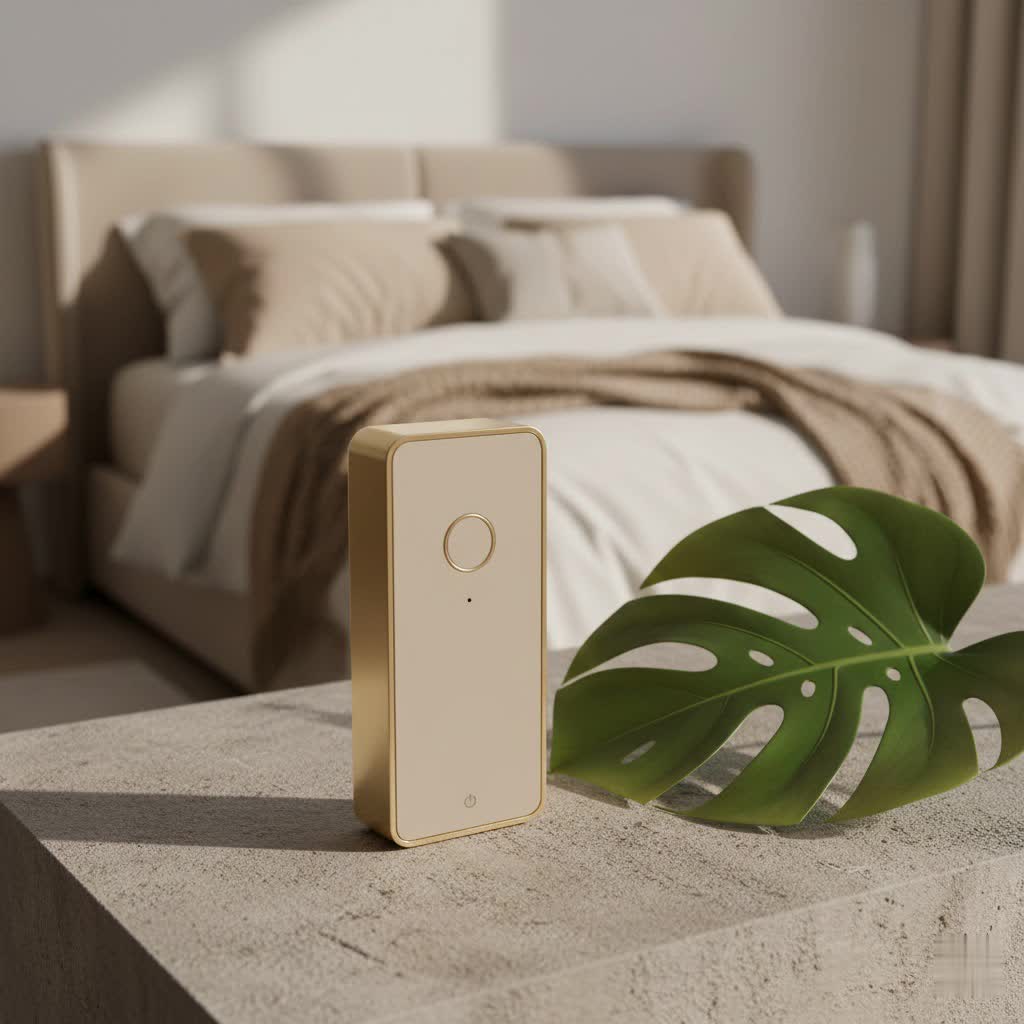
What Exactly is a Smart Mortise Lock?
At its heart, a smart mortise lock is an advanced locking system designed to fit into a “mortise”—a precisely cut pocket within the edge of your door. Unlike simpler deadbolt or cylindrical locks that might be surface-mounted or require less invasive installation, a mortise lock integrates its entire mechanism, including both the locking bolt and the latch, into a single, robust unit within the door itself. This embedded design contributes significantly to its superior strength and tamper resistance.
When we talk about a smart mortise lock, we’re adding a layer of cutting-edge technology to this already formidable foundation. These intelligent systems leverage various authentication methods—think PIN codes, biometric fingerprint scans, RFID cards, or even control via a mobile app—to grant or deny access. Most models come equipped with Wi-Fi or Bluetooth connectivity, allowing you to remotely manage your lock, review access logs, and even issue temporary passcodes for guests or service providers, all from the palm of your hand. It’s a powerful fusion of enduring mechanical security and digital convenience.
Key Components of a Smart Mortise Lock
Understanding the components can help demystify how these locks operate:
- Lock Body: The core mechanical unit that houses the deadbolt, latch, and internal mechanisms, fitting snugly into the door’s mortise pocket.
- Faceplate: The visible metal strip on the edge of the door, covering the mortise cut-out and securing the lock body.
- Strike Plate: Installed on the door frame, this metal plate provides a secure receptacle for the latch and deadbolt, ensuring proper engagement.
- Handles/Levers: These operate the latch, allowing the door to open once unlocked.
- Cylinder (for keyed locks): Where a traditional key would be inserted for manual override.
- Smart Module: The electronic brain of the lock, enabling digital access methods, connectivity, and smart home integration.
|
Our Picks for the Best Smart Lock in 2026
As an Amazon Associate I earn from qualifying purchases.
|
||
| Num | Product | Action |
|---|---|---|
| 1 | TEEHO TE001 Keyless Entry Door Lock with Keypad - Smart Deadbolt Lock for Front Door with 2 Keys - Auto Lock - Easy Installation - Satin Nickel |

|
| 2 | Wyze Palm Lock, Smart Door Lock with Palm Vein Recognition, Keyless Entry Smart Locks for Front Door, Keypad, Auto Lock, Dual Battery, Wi-Fi, Works with Alexa & Google, BHMA, IP53, Mechanical Key |
|
| 3 | LOCKSTAR® Smart Door Lock • Keyless Entry Deadbolt Door Lock • Multiple Entry Methods – APP • Fingerprint Touch ID • Keypad Code • Card FOB • Traditional Key • Smart Home Devices |
|
| 4 | Yale Security Assure Lock 2 Deadbolt, Black Suede Keyed Smart Entry Door Lock with Wi-Fi Connected Keypad for Code Entry and Remote Access, YRD410-WF1-BSP |
|
| 5 | ULTRALOQ U-Bolt Pro WiFi Smart Lock with Door Sensor, 8-in-1 Keyless Entry Door Lock with Fingerprint ID, App Remote Control, Built-in WiFi Keypad Deadbolt, Auto Unlock, IP65 Waterproof, Easy Install |
|
| 6 | Video Smart Lock S398, 4-in-1 Camera + Video Doorbell + Fingerprint Keyless Door Lock + Indoor Display Monitor, Smart WiFi Deadbolt, App Remote Control, Easy Installation, Chime Included |
|
| 7 | ULTRALOQ Bolt Smart Lock, Built-in Wi-Fi, Matter Over Thread, Works with Apple Home, Alexa, Google, 7-in-1 Keyless Entry Deadbolt with Fingerprint ID, App, Keypad, Remote Control, 18 Months Battery |
|
| 8 | Smart Door Handle Lock with Keypad: Yamiry Fingerprint Smart Knob - Keyless Entry Digital Lock for Front Door - Deadbolt with APP - Generate Passcode Remotely - DIY Installation |
|
| 9 | 3D Face Recognition Smart Door Lock with Lock Body, Fingerprint/Ic Card/Password/Key Unlocked/Camera and Doorbell/Tuya WiFi App/Night Vision/Door Opening Record/Photo/Anti-Prying Alarm. |
|
| 10 | Tapo Smart Wi-Fi Deadbolt Door Lock – Keyless Tactile Buttons, Customized Access with in-App Monitoring, Auto-Lock, IP54 Weatherproof, BHMA Grade 3, Compatible with Standard Door Sizes, Tapo DL100 |
|
Why Choose a Smart Mortise Lock? Unlocking the Benefits
Making the switch to a smart mortise lock is more than just upgrading your door hardware; it’s an investment in a smarter, more secure, and more convenient lifestyle. Here’s why these locks are becoming the go-to choice for discerning homeowners:
Enhanced Security and Unmatched Durability
“When it comes to physical security, the inherent design of a mortise lock is a significant advantage,” explains Dr. Anya Sharma, JTDNC’s Lead Security Architect. “Its integrated structure within the door frame makes it incredibly resistant to forced entry, prying, and even traditional lock-picking attempts.” Mortise smart locks are typically constructed from heavy-duty materials like stainless steel or zinc alloy, offering exceptional robustness and longevity that often outpaces standard deadbolts. This superior build quality means your investment can genuinely last for decades with proper care.
Ultimate Convenience: Keyless Entry & Multiple Access Options
Tired of fumbling for keys or worrying about lost spares? Smart mortise locks offer a plethora of keyless entry methods:
- Fingerprint Recognition: Grant access with a simple touch, eliminating the need for codes or cards.
- PIN Codes: Create unique, customizable codes for family members, guests, or temporary access. Many models feature “scramble PIN code” technology to deter prying eyes.
- RFID Cards/Tags: Swipe a card or fob for quick and easy entry.
- Smartphone App Control: Lock and unlock your door from anywhere, anytime, using a dedicated mobile application.
- Mechanical Key Override: Crucially, a traditional keyway is almost always included as a failsafe, ensuring access even during power outages or battery depletion.
Seamless Smart Home Integration
In the interconnected world of smart homes, compatibility is king. Most smart mortise locks are designed to integrate effortlessly with popular smart home platforms like Amazon Alexa, Google Assistant, and Apple HomeKit. This means you can:
- Voice Control: Lock your door with a simple voice command.
- Automated Routines: Set up scenarios where your doors lock automatically when your security system is armed, or unlock when you arrive home (geofencing).
- Real-time Notifications: Receive alerts on your phone whenever the door is locked, unlocked, or if tampering is detected.
Sleek Aesthetics and Integrated Design
Unlike bulky add-on smart locks, smart mortise locks maintain a clean, integrated look. Because the main mechanism is hidden within the door, the visible hardware often boasts a more elegant and seamless design, complementing modern and traditional architectural styles alike. This aesthetic appeal means you don’t have to compromise on style for security.
Remote Control and Monitoring
The ability to control and monitor your front door from anywhere is a significant advantage. Whether you’re at work, on vacation, or simply in another room, your smartphone becomes your command center. Grant entry to a delivery person, check if the kids arrived home safely, or verify that you locked the door before leaving – all with a few taps on your screen.
Auto-Locking and Advanced Safety Features
Forget to lock the door? Many smart mortise locks come with an auto-locking feature, which automatically secures your door after a preset time, giving you invaluable peace of mind. Other safety features can include:
- Intrusion and Tamper Alerts: Immediate notifications if suspicious activity is detected.
- Fire Alarm Integration: Some advanced models can automatically unlock doors if high temperatures are detected inside, aiding in emergency egress.
- Safety Levers: Designed for single-motion egress, allowing quick exit in emergencies.
Key Features to Look for in a Smart Mortise Lock
When you’re ready to dive into the world of smart mortise locks, knowing what features truly matter can help you make an informed decision.
- Multiple Authentication Methods: A robust lock offers several ways to unlock—fingerprint, PIN, RFID, and app access are highly desirable. A mechanical key override is non-negotiable for emergency backup.
- Robust Build Quality and Materials: Look for locks made from durable metals like stainless steel or zinc alloy that can withstand attempted forced entry and the rigors of daily use. Check for industry security certifications (e.g., ANSI/BHMA Grade 1).
- Reliable Connectivity Options: Wi-Fi provides direct remote control, while Bluetooth is excellent for proximity-based access. Zigbee or Z-Wave compatibility ensures broader integration with smart home hubs. Consider if a separate bridge is required for full remote functionality.
- Intuitive Mobile App Functionality: A user-friendly app is crucial for managing access codes, viewing activity logs, receiving alerts, and setting up automated routines. Features like virtual key sharing and DoorSense™ (knowing if your door is open or ajar) add significant value.
- Battery Life and Emergency Power: Long-lasting batteries are key, but also look for low-battery warnings and emergency power options like a micro-USB port or 9V battery terminal, so you’re never locked out.
- Voice Guidance: Helpful audio prompts for operation and settings.
- Anti-Panic Egress: Ensures that simply turning the inside handle unlocks both the deadbolt and latch, allowing for quick exit in emergencies.
Installation: A Crucial Step for Optimal Security
Installing a smart mortise lock is a more involved process than replacing a standard deadbolt or doorknob. This is primarily because it requires precise cutting of a “mortise pocket” into the edge of your door to accommodate the lock body.
Why Professional Installation is Often Recommended
For a seamless and secure installation, professional help is frequently advised. A skilled locksmith or smart home installer has the specialized tools and expertise to:
- Accurately Measure and Cut: Ensuring the mortise pocket perfectly matches the lock’s dimensions is critical for proper function and security.
- Ensure Perfect Alignment: Misalignment of the lock body, faceplate, or strike plate can lead to operational issues or compromise security.
- Properly Connect Smart Modules: Correct wiring and configuration of the smart components are essential for all digital features to work.
DIY Considerations and Essential Tools
If you’re a seasoned DIY enthusiast with the right tools and a keen eye for detail, you might consider a self-installation. Here’s a quick overview of what’s involved and the tools you’ll need:
Tools and Materials Required:
- Smart mortise lock set
- Measuring tape and pencil
- Chisel and hammer
- Power drill with appropriate bits
- Screwdriver set
- Wood filler (if adjustments are needed)
- Safety goggles
General Installation Steps:
- Mark the Door: Carefully measure and mark the desired height and position for the lock body and faceplate.
- Cut the Mortise Pocket: Use a drill to create a series of holes along your markings, then carefully chisel out the wood to form the rectangular pocket. Precision is paramount here.
- Fit the Lock Body: Test-fit the lock body into the newly cut pocket, making any necessary adjustments with the chisel.
- Install Faceplate and Strike Plate: Secure the faceplate to the door’s edge. Then, mark and chisel out a recess for the strike plate on the door frame, ensuring perfect alignment with the latch.
- Attach Handles and Cylinder: Install the interior and exterior handles/knobs and the mechanical key cylinder according to the manufacturer’s instructions.
- Connect Smart Module & Configure: Integrate the smart module, insert batteries, and follow the setup instructions via the app to enable fingerprint, PIN, or other smart features.
- Test Thoroughly: Test all locking and unlocking methods multiple times to ensure smooth operation and proper functionality of all smart features.
Remember, compatibility with your existing door thickness (often 1.75 inches or more) is also an important factor when choosing a smart mortise lock.
Maintaining Your Smart Mortise Lock for Longevity
Like any advanced piece of hardware, your smart mortise lock benefits from regular upkeep to ensure its smooth operation and extended lifespan.
- Lubrication: Every six months, apply a graphite-based lubricant to the mechanical components and cylinder.
- Check and Tighten Screws: Periodically inspect all visible screws and tighten them to prevent loosening, which can affect performance.
- Cleanliness: Gently clean the faceplate, keypad, and handles with a soft, damp cloth to remove dust, grime, and fingerprints, especially on biometric sensors.
- Battery Management: Pay attention to low-battery warnings and replace batteries promptly. Keep spare batteries on hand.
- Software Updates: Regularly check for and install firmware updates via your lock’s mobile app to ensure optimal performance, security patches, and new features.
Smart Mortise Locks vs. Other Smart Locks: What’s the Difference?
While the smart lock market offers various options, including smart deadbolts and lever locks, the smart mortise lock holds a distinct advantage, primarily due to its integrated design.
- Enhanced Physical Security: A mortise lock’s body is embedded within the door, making it far more resistant to brute force attacks compared to a standard deadbolt that’s only installed through a couple of holes. The robust mortise case provides significant reinforcement.
- Combined Functionality: Mortise locks integrate the deadbolt and latch into one unit, often allowing for single-motion egress—a safety feature often required by building codes in multi-family dwellings.
- Aesthetics: Mortise locks often offer a cleaner, more integrated aesthetic, as less hardware is visible on the door’s surface.
While smart deadbolts are easier to install and often more affordable, a smart mortise lock offers a higher degree of inherent physical security, durability, and a more sophisticated look, making it ideal for those who prioritize robust protection and a premium feel.
Expert Insights: A Word from JTDNC’s Security Specialist
“Choosing the right smart mortise lock is about balancing cutting-edge technology with foundational security principles,” advises Dr. Elena Petrova, JTDNC’s Head of Product Innovation. “Always prioritize locks that offer multiple layers of authentication, robust physical construction, and reliable connectivity. The seamless integration into your smart home isn’t just a luxury; it’s a powerful tool for proactive security management. A well-chosen and properly installed smart mortise lock is a cornerstone of a truly secure and modern home.”
Frequently Asked Questions (FAQ)
Are smart mortise locks truly more secure than regular smart locks?
Yes, generally they are. Smart mortise locks integrate a more substantial and complex mechanism directly within the door itself, making them inherently more resistant to physical tampering and forced entry than many standard smart deadbolts or cylindrical locks.
Can I install a smart mortise lock myself, or do I need a professional?
While a competent DIYer can install a smart mortise lock, professional installation is often recommended. The process involves precisely cutting a mortise pocket into your door, which requires specialized tools and expertise to ensure optimal security and functionality.
What happens if the power goes out, or the battery dies on my smart mortise lock?
Most high-quality smart mortise locks include a mechanical key override, allowing you to unlock the door with a traditional physical key. Many also feature emergency power terminals (like a micro-USB port or 9V battery contacts) to temporarily power the lock and gain access if the internal batteries run flat.
How long do smart mortise lock batteries typically last?
Battery life varies significantly based on usage, features (e.g., Wi-Fi versus Bluetooth), and battery quality. Typically, you can expect batteries to last from 6 months to over a year. Smart locks usually provide low-battery warnings well in advance.
Are smart mortise locks compatible with all smart home systems?
While many smart mortise locks offer broad compatibility with popular platforms like Alexa, Google Home, and Apple HomeKit, it’s crucial to check the specific lock’s specifications. Some use Wi-Fi directly, while others may require a separate hub or bridge (for Zigbee/Z-Wave protocols) to integrate fully.
Conclusion
Embracing a smart mortise lock is more than just a home upgrade; it’s a confident step into the future of intelligent living. By combining robust, time-tested mechanical security with the advanced features of modern technology, these locks offer an unparalleled blend of protection, convenience, and aesthetic appeal. You gain the power of keyless entry, remote control, real-time monitoring, and seamless integration into your smart home ecosystem, all wrapped in a durable and elegantly designed package.
At JTDNC.com, we are committed to empowering you with the knowledge to make the best decisions for your home security. We hope this guide has illuminated the profound value a smart mortise lock can bring to your peace of mind. Ready to transform your entryway? Explore the possibilities, choose wisely, and confidently step into a smarter, more secure home. Your journey towards optimized home security starts here.
